


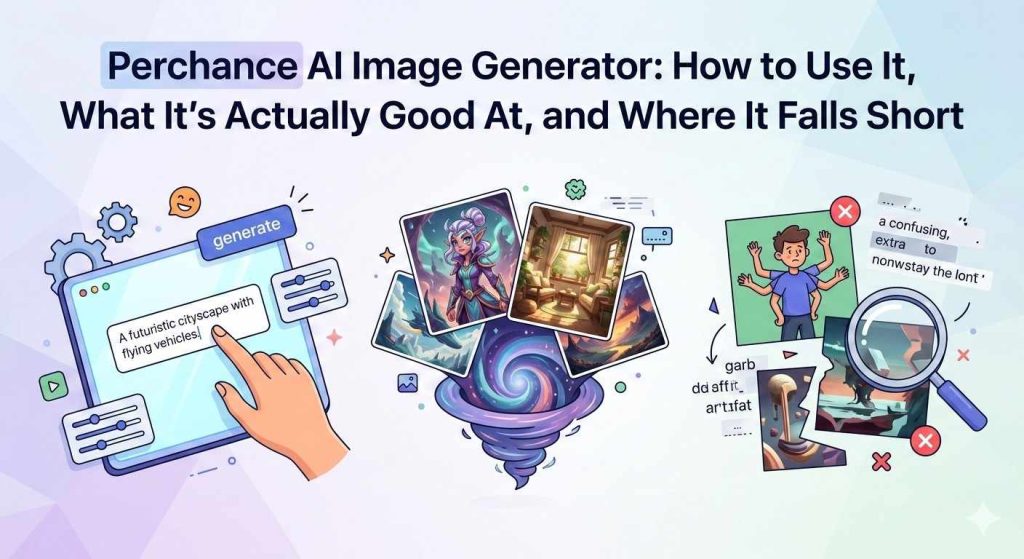
Perchance AI Image Generator: How to Use It, What It’s Actually Good At, and Where It Falls Short
- Image Generators
- December 4, 2024
- No Comments
A few months ago, a friend sent me a link with a message that simply said:
“Try this. You’ll thank me later.”
It wasn’t a new design tool. It wasn’t a paid AI platform.
It was something far more interesting… and weirder.
I opened the link, typed a simple prompt – “retro-futuristic city at sunset”, and within seconds, the Perchance AI Image Generator spit out something I would’ve happily framed on my wall.
And the best part?
No login. No onboarding checklist. No credit card.
Just pure creative freedom.
That’s when it hit me:
While the internet obsesses over big-name AI tools, a quiet little platform: Perchance AI, has become the secret playground for artists, designers, marketers, and anyone curious about text-to-image magic.
But here’s the problem –
Most people use Perchance wrong… which is why their images look random, blurry, or completely off-target.
This guide fixes that.
Compare the best AI directory platforms to find where you can discover, list, and promote cutting-edge AI tools.
This guide covers what Perchance AI image generator actually does, how to get better results from it, what its real limitations are, and how it stacks up against tools like Midjourney and DALL·E, so you can decide whether it fits your workflow.
In this complete beginner’s walkthrough, you’ll learn:
- What Perchance AI Image Generator actually is
- How to use it step by step (with before/after examples)
- Proven prompt templates you can copy-paste
- Common issues and how to fix them
- Expert tips to get dramatically better results
- Related AI image tools worth trying next
Let’s dive in.
What Is Perchance AI Image Generator?
Perchance AI Image Generator is a free, browser-based AI tool that creates images from text prompts using generative AI models.
Unlike many AI art tools, Perchance:
- Requires no account
- Has no usage limits
- Works directly in your browser
- Is completely free to use
It started as a community-built randomizer platform (hence the name), then grew into one of the more surprisingly capable free image generators available. The image generator specifically lives at perchance.org/ai-text-to-image-generator.
That’s why it’s especially popular among:
- Students
- Creators
- Designers
- AI beginners
- Anyone experimenting with AI-generated visuals
What you get: unlimited generations, multiple style options, adjustable aspect ratios, and a prompt field that responds well to descriptive, specific language.
What you don’t get: fine-tuned model control, image editing, inpainting, or the kind of photorealistic output that Midjourney produces at its upper settings.
Why Perchance AI Image Generator Is Still Popular in 2026
Despite the rise of premium AI art platforms, Perchance continues to thrive because it nails the fundamentals.
Key Reasons People Choose Perchance:
- 100% free (no hidden paywalls)
- No sign-up or login required
- Fast image generation
- Beginner-friendly interface
- Great for experiments, concepts, and ideas
It’s not trying to replace pro tools, it’s built for speed, creativity, and accessibility.
Creativity with Perchance AI Image Generator
The magic of the AI art generator Perchance isn’t in the interface, it’s in the feeling it creates. That moment when the image appears and you catch yourself saying:
“Oh… that’s exactly what I meant.”
Whether you’re experimenting, building mood boards, preparing a pitch, or learning how to generate images using Perchance AI, the platform quietly does the heavy lifting so you stay in your creative flow.
Why Perchance Changes the Game for Creators
If you’ve ever felt stuck staring at a blank canvas, here’s why this simple AI art tool is becoming a go-to for beginners and pros:
- A muse on demand — Perchance turns small ideas into big visuals
- Beginner-friendly workflow — ideal for anyone searching for a Perchance AI beginner guide
- Browser-based, no-friction setup — perfect for “just-try-it-now” moments
- A Free AI image tool that removes creative blockers
- Prompt-based design that rewards creativity, not technical skill
It’s not just an AI image generator.
It’s an invitation to create without second-guessing yourself.
How to Use Perchance AI Image Generator (Step-by-Step)
This is where most guides stop being useful, so let’s get practical.
Step 1: Open Perchance AI Image Generator
Go to the Perchance AI Image Generator interface in your browser.
No login. No setup. You’re instantly ready.
Step 2: Write Your Prompt (This Matters More Than You Think)
Your results depend almost entirely on how you describe the image.
Before: Weak Prompt
a cat warriorAfter: Optimized Prompt
a cinematic fantasy illustration of an armored cat warrior standing on a battlefield, dramatic lighting, ultra-detailed, digital painting styleWhat changed?
- Added visual detail
- Defined a style
- Set a mood and lighting
- Gave the AI creative direction
Result: Sharper, more coherent images.
Step 3: Add Style or Theme Modifiers (Optional but Powerful)
Try adding keywords like:
- anime style
- realistic
- fantasy art
- cyberpunk
- watercolor painting
- pixel art
These dramatically influence the output.
Step 4: Generate, Review, Iterate
Don’t stop at one result.
The best workflow:
- Generate
- Review what worked
- Adjust 1–2 words
- Generate again
Small changes = big improvements.
Why Perchance AI Gets Better Every Time You Use It
One thing people love (and underestimate) about Perchance: it’s constantly learning.
Every user prompt.
Every generated image.
Every piece of feedback.
The model quietly absorbs these signals, refining its understanding of what people want and how to deliver visuals that don’t just look right, but feel right.
This ongoing loop is what powers:
- More accurate image outputs
- More creative interpretations
- Better handling of unusual prompt ideas
- Smoother experiences for beginners exploring Perchance image creation
And yes, this matters whether you’re using Perchance for quick fun or following a full Perchance AI tutorial to master text-to-image workflows.
Check out our curated list of the best AI directory websites trusted by creators and businesses worldwide.
Perchance vs. Other Free AI Image Generators
Numerous Image generation platforms have emerged, each offering distinct features and capabilities.
In this section, we’ll compare the Perchance AI image generator with other popular image generators available today.
| Tool | Free Tier | Login Required | Image Quality | Best For |
| Perchance | Unlimited | No | Good | Quick generation, no friction |
| Adobe Firefly | Limited credits | Yes | High | Professional use, commercial safe |
| Microsoft Designer (DALL·E) | Limited | Yes (Microsoft account) | High | Realistic images |
| Craiyon | Unlimited | No | Basic | Novelty, low-stakes use |
| Leonardo AI | 150 tokens/day | Yes | Very high | Consistent, high-quality outputs |
Perchance wins on accessibility. It loses on output ceiling.
If you need production-ready images regularly, you’ll eventually hit its limits.
If you need to generate something right now without creating an account, it’s the fastest path.
Who Should Use Perchance AI
It fits best for people who are new to AI image generation and want to experiment without committing to a platform, or who need quick visual references without budget or time to spare.
If you’re producing content at scale, need brand-consistent visuals, or require commercial licensing clarity, Perchance isn’t built for that. Tools like Adobe Firefly or Midjourney are more appropriate.
But if you’ve never tried an AI image generator and want to understand what the fuss is about? Perchance is the lowest-barrier entry point that still produces results worth looking at.
How to Write Prompts That Actually Work
This is the part other guides skip. Prompt quality is the single biggest factor in your results.
The basic structure that works:
[Subject] + [Setting/Context] + [Style/Medium] + [Lighting] + [Mood or Tone]
Weak prompt: woman in a coffee shop
Better prompt: close-up portrait of a woman in a quiet coffee shop, warm afternoon light, film photography style, slightly overexposed, candid and calm
The difference isn’t length: it’s specificity. Perchance responds well to style references (film photography, oil painting, concept art), lighting descriptions (golden hour, neon-lit, overcast), and mood words (gritty, serene, surreal).
Things that improve results:
Name an art style or medium: “watercolor illustration,” “studio photography,” “vintage poster”
Describe the light source: “backlit,” “soft diffused light,” “harsh shadows”
Add a camera or lens reference for realistic outputs: “shot on 35mm,” “wide angle,” “macro lens”
Specify what you don’t want using negative prompts if the interface allows it
Things that hurt results:
Abstract emotions without visual anchors (“a feeling of nostalgia” → try “faded colors, worn furniture, old photographs”).
Asking for text in the image, AI image generators still struggle with readable text.
Very long prompts with contradictory instructions.
View our flexible The AISurf pricing plans to promote your AI tool and reach a wider audience.
Best Perchance AI Prompt Templates (Copy & Paste)
If you want consistently better images, start with templates.
Art & Illustration Prompt
"A highly detailed digital illustration of [subject], vibrant colors, dramatic lighting, fantasy art style, ultra high resolution."Character Design Prompt
"Full-body character concept art of [character], detailed outfit, clean background, professional concept art"Surreal / Weird AI Images Prompt
"Surreal dreamlike scene of [concept], floating objects, impossible geometry, cinematic lighting."

Tip: Replace only the [bracketed] parts, keep the structure.
What Perchance Is Actually Good At
Concept exploration
If you’re a designer, writer, or marketer trying to visualize an idea before committing to it, Perchance is fast enough to test 10 directions in 10 minutes. No budget burned, no assets licensed.
Mood boarding
The style range is wide enough to capture different visual directions: illustrative, photographic, painterly, graphic. Good for early-stage creative briefs.
Learning prompt engineering
Because there’s no cost per generation, you can experiment aggressively. That’s genuinely valuable if you’re trying to get better at working with AI image tools in general.
Low-stakes creative work
Blog header images, personal projects, social media experiments, reference images for artists, Perchance handles these without friction.
Where It Falls Short
No sugarcoating here.
Inconsistency
Run the same prompt twice and you’ll often get noticeably different results. This makes it hard to build a visual identity or maintain consistency across a project.
Limited control
You can’t do inpainting (editing specific parts of an image), you can’t upload a reference image for style matching, and you can’t fine-tune outputs the way you can in Midjourney or Leonardo AI.
Resolution ceiling
The outputs are decent quality for web use but won’t hold up for large-format print without upscaling elsewhere.
Text in images
Like most AI image tools, Perchance struggles to render readable text inside images. Don’t rely on it for anything that needs legible words in the visual.
No account means no history
There’s no saved gallery. If you don’t download an image when you generate it, it’s gone.
Common Perchance AI Image Generator Problems (And Fixes)
Why Do My Images Look Blurry or Low Quality?
Fix: Add detail keywords like:
- ultra-detailed
- sharp focus
- high resolution
- professional illustration
Why Doesn’t the Image Match My Prompt?
Fix:
- Remove extra concepts
- Focus on one main subject
- Avoid abstract ideas without visuals
Why Do Images Look Repetitive?
Fix:
Change:
- Art style
- Mood
- Lighting
- Camera angle
Even small tweaks help.
Why Is Perchance Loading Slowly?
Fix:
- Refresh the page
- Shorten the prompt
- Try again later (traffic spikes happen)
A Quick Perchance AI Guide: From Idea → Image
If you’re wondering “How to use Perchance AI?”, the beauty is in its simplicity:
- Think of a rough idea: anything from “retro neon alleyway” to “mythical forest creature.”
- Drop that concept into the Perchance generator.
- Refine it with better prompts (or use community-shared Perchance AI examples).
- Watch the AI transform your text into a surprisingly accurate visual.
That’s it.
No learning curve. No downloads. No signup.
Just pure, frictionless creation with a tool designed for beginners who still want pro-level output.
Quick-Start Prompt Examples
Here are five prompts you can copy and test immediately:
aerial view of a dense forest in autumn, misty morning, cinematic photography, golden light filtering through treesminimalist product shot of a white coffee cup on a marble surface, soft studio lighting, clean backgroundretro science fiction illustration of a space station, 1970s poster style, bold colors, flat designclose-up portrait of an elderly fisherman, weathered face, salty air, shot on 35mm film, desaturatedabstract geometric pattern, deep navy and terracotta, tile-inspired, high contrast, flat graphic design
Run these as-is, then start modifying them. That’s the fastest way to learn how the tool responds.
Boost your AI workflow efficiency by exploring Speedchat.ai. Unlock 20,000+ prompts and a comprehensive AI course to supercharge your high-level AI mastery.
Expert Tips to Get Better Results with Perchance AI
Want noticeably better images? Use these pro tips:
- Be specific, not verbose
- Describe what it should look like, not what it means
- Always include a style
- Add lighting or mood descriptors
- Regenerate variations before switching tools
Think like a visual artist, not a writer.
The Future of AI Image Generation: How Perchance AI Is Shaping Digital Art in 2026 and Beyond
AI image generation is no longer an experiment, it’s becoming a core creative medium.
And tools like Perchance AI Image Generator are playing a quiet but important role in how this future unfolds.
As generative AI continues to evolve, Perchance represents a growing class of accessible, creator-first AI tools that prioritize speed, openness, and experimentation over complexity.
Smarter, More Controllable AI Image Creation
The next phase of AI image generation isn’t just about better visuals, it’s about better control.
Future versions of tools like Perchance AI are expected to offer:
- More accurate understanding of long, descriptive prompts
- Finer control over attributes like style, lighting, mood, and perspective
- More consistent characters and scenes across multiple generations
Instead of “hoping” the AI understands your idea, creators will increasingly direct the outcome, making AI feel less like a random generator and more like a collaborative assistant.
We may also see early integrations with augmented reality (AR) and interactive media, allowing AI-generated visuals to move beyond static images into immersive environments.
From Solo Creation to Global Collaboration
One of the most exciting future directions is collaborative AI creativity.
As AI tools mature, platforms like Perchance AI could evolve to support:
- Shared prompt spaces
- Real-time collaborative image generation
- Community-driven remixing and iteration
This would allow artists, designers, and creators from around the world to co-create visual ideas together, removing geographic and technical barriers entirely.
The result? A truly global creative ecosystem powered by AI.
How AI Image Tools Are Influencing Traditional Art
AI-generated art isn’t replacing traditional art, it’s reshaping how artists think and work.
For many creators, Perchance AI acts as:
- A visual brainstorming partner
- A rapid concept generator
- A way to explore new styles without technical constraints
By experimenting with AI-generated imagery, artists often discover new approaches to:
- Composition
- Color theory
- Visual storytelling
In art education, AI tools are increasingly seen as foundational creative aids, much like digital drawing tablets or photo editing software once were.
This shift expands the definition of artistry, from purely manual creation to human–AI collaboration.
Ethical Questions That Will Define the Next Era
As AI image generation becomes mainstream, ethical clarity becomes essential.
Key challenges the industry must address include:
- Who owns AI-generated images?
- How should training data be sourced and credited?
- How do we ensure transparency in AI-assisted creation?
Platforms like Perchance AI will need to continue prioritizing:
- Clear usage guidelines
- User rights and ownership transparency
- Responsible deployment of generative models
Another critical issue is algorithmic bias.
Without careful oversight, AI systems can unintentionally reinforce stereotypes or exclude diverse representation.
Ensuring fairness, inclusivity, and accountability will require ongoing collaboration between developers, creators, and the wider AI community.
Is Perchance AI Image Generator Free?
Yes.
Perchance AI Image Generator is completely free, with:
- No sign-up
- No watermark
- No credit system
That’s also why many people use it alongside other tools.
If you’re looking for similar tools, explore:
(All available on The AISurf.)
Final Thoughts: Is Perchance AI Image Generator Worth Using in 2026?
Absolutely.
Perchance AI Image Generator isn’t trying to be the most advanced AI art platform, it’s trying to be the most accessible.
And it succeeds.
If you want:
- Free AI image generation
- Zero friction
- Quick creative experiments
- Simple prompt-based results
Then Perchance is still one of the best beginner-friendly AI image tools in 2026.
Looking to learn more? Keep exploring with us!
Related AI Image Tools You Should Try Next
If you like Perchance, you’ll probably enjoy these too:
Browse hundreds more inside the AI Surf Tools Directory.
— The AI Surf Editorial Team | theaisurf.com | February 2026
All prompt examples in this guide were tested and verified directly on Perchance AI Image Generator. Results may vary based on model updates.
Frequently Asked Questions About Perchance AI Image Generator
1. Is Perchance AI Image Generator completely free to use?
Yes, Perchance AI Image Generator is 100% free. It does not require sign-up, subscriptions, or credits, and generated images do not include watermarks. Users can create unlimited AI images directly in their browser at no cost.
2. Do I need an account to use Perchance AI Image Generator?
No. Perchance AI Image Generator does not require an account or login. You can start generating AI images instantly, making it one of the most accessible AI image tools available in 2026.
3. What kind of images can I create with Perchance AI?
Perchance AI can generate a wide range of images, including digital art, fantasy illustrations, anime-style characters, surreal visuals, landscapes, and concept art. The output quality depends largely on how detailed and descriptive your text prompt is.
4. Why do my Perchance AI images sometimes look random or low quality?
This usually happens due to vague or overly short prompts. To improve image quality, include specific details such as style, lighting, mood, and resolution keywords (for example: cinematic lighting, ultra-detailed, or digital painting style).
5. Is Perchance AI Image Generator safe and legal to use?
Yes, Perchance AI Image Generator is generally safe to use. However, users should review the platform’s usage guidelines and remain mindful of copyright, ownership, and ethical considerations when using AI-generated images for commercial or public purposes.