


7 AI Song Cover Generators to Breathe New Life into Your Favorite Tracks
- Best AI Tools
- February 19, 2025
- No Comments
Ever wondered what it would sound like if your favorite song was sung by someone totally unexpected? Like Taylor Swift covering Metallica or Drake rapping a Beatles hit.
Crazy, right?
Well, thanks to AI song cover generators, you don’t have to just imagine it anymore — it’s actually possible.
These powerful AI Cover Generator tools use artificial intelligence to recreate songs with different voices, allowing you to explore endless creative possibilities.
If you love music, whether you’re a musician, a content creator, or just someone who likes to have fun, AI can take your favorite songs to the next level.
These AI song cover generators let you remix tracks in ways you probably never imagined. Let’s check out the best ones you can try today.
What is an AI Song Cover Generator?
Ever wanted to sing like Eminem or Billie Eilish? Or maybe even hear yourself belt out your favorite track? That’s where AI cover song generators come in.
These tools use machine learning and voice conversion tech to mimic any voice, analyzing tone, pitch, and rhythm. You can take a song and make it sound like it’s sung by your favorite artist — or even yourself.
The crazy part? You get studio-quality covers without ever stepping into a recording booth. Just a few clicks, and boom, your own remix magic.
Why the Music Industry is Changing with AI in 2026
AI music tools are making creativity way more fun. Remember when making a song meant expensive studio time? Now, anyone with a laptop can jump in.
In 2026, people are using AI Song Cover Generators to:
- YouTube content & shorts
- TikTok mashups
- Game soundtracks and fan projects
- Music education and vocal training
Trends to watch:
- Hyper-realistic AI voices trained on multi-genre datasets
- AI mixing and mastering integration
- Ethical AI Song Cover Generator models trained on licensed data
Top 7 AI Song Cover Generators for Music Creators

- Voicedub.ai – AI song covers with 100+ voice models.
- Musicfy – AI cover creation with advanced editing tools.
- Covers.ai – AI-generated covers with professional voice enhancement.
- FineShare – AI voiceovers, song covers, and modifications.
- Voicify.ai – AI song covers with high-quality sound fidelity.
- Music AI – AI-driven music production and vocal removal.
- Vocalize – AI-generated accurate vocal imitations for musicians.
How We Selected the Best AI Song Cover Generators
So, how did we figure out which AI song cover generators made the cut?
Easy. We looked at the stuff that actually matters in real life, things you’d care about if you were trying to create a cool cover in your free time.
We checked for: quality, ease of use, speed, and how fun it is to experiment with. Basically, the tools that make the whole process feel effortless and a little bit magical.
- Vocal realism & tone accuracy
- Genre and language support
- Ease of use (UI & workflow)
- Output quality & export options
- Ethical data training & pricing
Best AI Tools for Creating Realistic Song Covers
1. Voicedub.ai
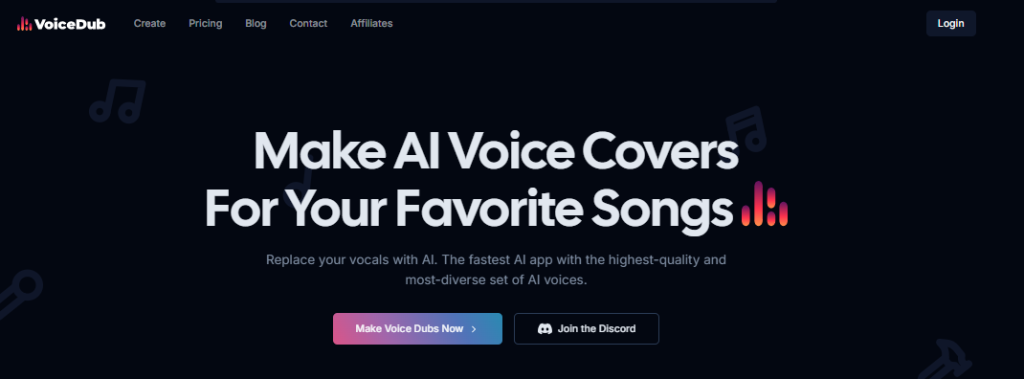
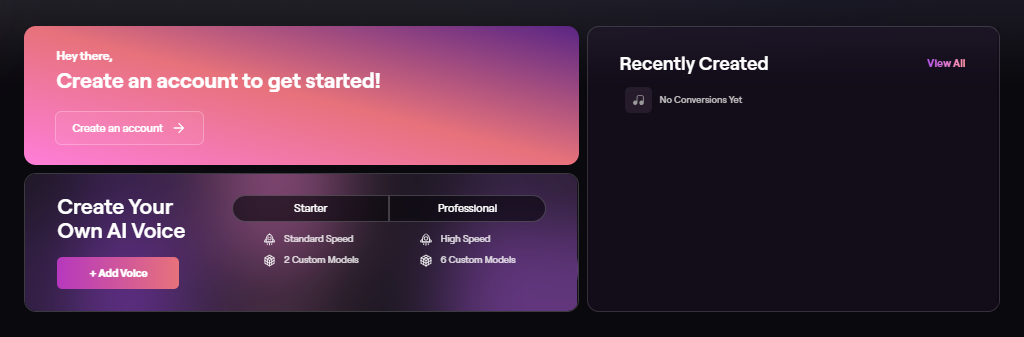
Ever wanted to sing like your favorite celebrity? Voicedub.ai lets you do just that. Pick from over 100 voice models, from Kanye West to Ariana Grande, or even JFK, and instantly create your own song covers.
The cool part? You can even train your own AI voice model. So whether you’re a music lover messing around for fun or a pro working on a project, this tool has you covered. Oh, and it’s not just for songs, you can turn text into realistic voiceovers for all kinds of creative projects.
Pros:
✔ Huge library of AI voice models
✔ High-quality audio output
✔ Custom voice training feature
Cons:
✘ Free version has limited features
✘ AI training process takes time
✘ Requires an internet connection to function
Pricing: Free trial available; paid plans start at $9.99/month.
2. Musicfy
Ever wanted to make your favorite song sound like you sang it? That’s where Musicfy comes in. This AI song cover tool doesn’t just copy a voice, it lets you tweak pitch, remove instrumentals, and even adjust audio quality so it sounds exactly how you want.
It’s super easy to use, even if you’ve never touched audio software. Fine-tune vocals, harmonics, and sound depth, and boom, you’ve got a polished AI cover ready to share. No wonder indie artists and music producers are loving it.
Pros:
✔ Advanced editing tools for better control
✔ Ability to isolate and enhance vocals
✔ High-quality AI-generated voices
Cons:
✘ Limited number of celebrity voices
✘ Some features require a Pro subscription
✘ Processing time can be slow for large files
Pricing: Free plan available; Pro plan starts at $14.99/month.
3. Covers.ai
Covers.ai is more than just an AI song cover generator—it’s a professional-grade tool designed to enhance your vocals and eliminate imperfections. The platform allows users to create AI-generated covers in the voices of popular artists or even in their own voice.
Whether you want to sing like Billie Eilish or have AI refine your own vocals, Covers.ai makes it possible. The AI Song Cover Generator tool is particularly useful for aspiring artists who want to polish their recordings without expensive studio equipment.
You can even create covers in your favorite artist’s voice or your own.
For anyone messing around with music at home, it’s like having a personal vocal coach in your pocket.

Pros:
✔ Professional-level voice enhancement
✔ Ability to clone and refine your own voice
✔ AI-generated covers sound natural and high-quality
Cons:
✘ Takes up to 48 hours to process custom voice models
✘ Requires high-quality audio input for best results
✘ Paid subscription needed for full access
Pricing: Subscription starts at $19.99/month.
4. FineShare
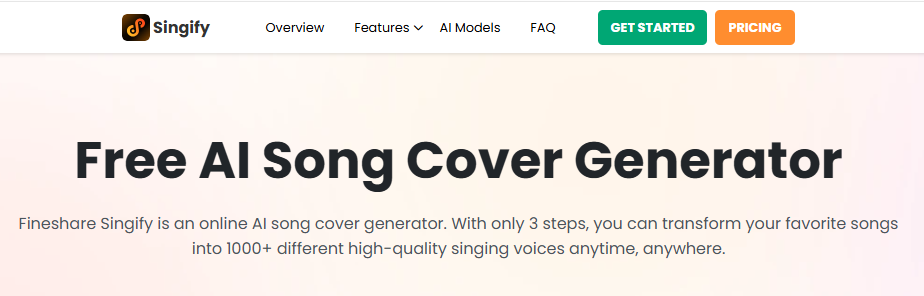
Ever wanted to sing like your favorite artist? FineShare makes it easy. You can create AI song covers, tweak vocals, make voiceovers, or even generate entirely new AI-powered songs. It’s like having a mini recording studio right on your laptop.
With a wide selection of pre-trained AI voice models, including Michael Jackson, SpongeBob, and Ariana Grande, this platform is perfect for both entertainment and professional projects.
And the coolest part? You can even ask for new AI voice models. It’s like your creative toolbox keeps growing while you sleep.
Pros:
✔ Extensive collection of AI voice models
✔ Voice changer feature for live recordings
✔ Ability to request custom AI models
Cons:
✘ Some popular artists’ voices are unavailable
✘ AI-generated voices can sound robotic at times
✘ Free version has limited functionalities
Pricing: Free plan available; premium features start at $12.99/month.
5. Voicify.ai
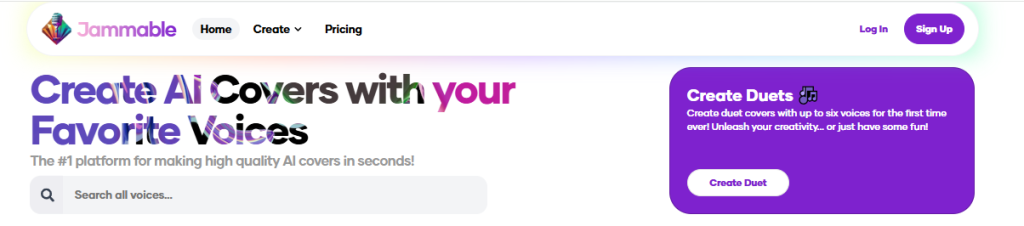
Voicify.ai is known for its advanced AI training models that preserve the original nuances of a song while transforming the vocals. The tool supports a wide range of AI-generated voices, including celebrity impressions and fictional characters.
It’s crazy good at keeping the original vibe of a song while swapping in new vocals. What’s cool about Voicify is how it keeps the music sounding real while adding new vocals.
It’s like your favorite song got a fresh twist, but it still feels totally natural, just like you’d hear it on the radio.
Pros:
✔ AI models maintain high-quality sound fidelity
✔ Custom voice model creation
✔ Extensive library of over 6400 AI voice models
Cons:
✘ Requires high-quality input for best results
✘ Can take time to generate complex covers
✘ Some premium features require extra credits
Pricing: Free trial available; premium plans start at $9.99/month.
6. Music AI
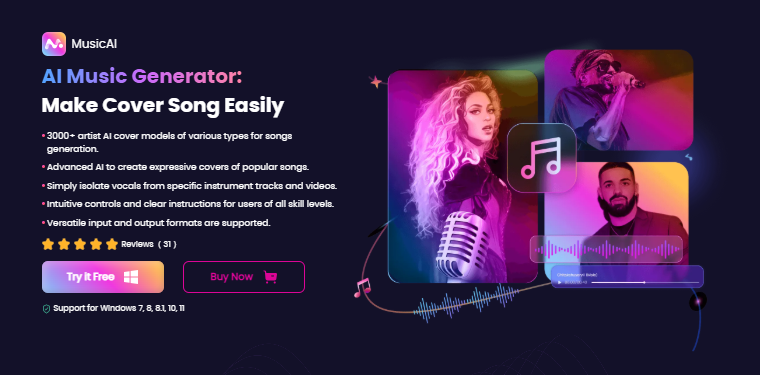
If you’re into making music, Music AI is like having a tiny AI band right in your studio. The AI song cover generator is still growing, but the platform already shines at removing vocals, turning text into songs, and even composing tunes.
They don’t have a ton of voice options yet, but the ones they do have are really solid — perfect if you care more about quality over quantity.
Pros:
✔ High-quality AI voice models
✔ Includes vocal removal and AI composition features
✔ Professional-grade audio enhancements
Cons:
✘ Limited selection of AI voice models
✘ Requires desktop installation
✘ Not as beginner-friendly as other options
Pricing: Free plan available; premium plans start at $14.99/month.
7. Vocalize
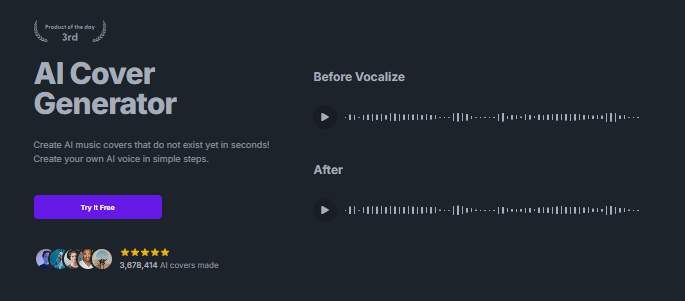
Vocalize might not have a huge lineup of AI artists, but the covers it does have? Absolutely top-notch. If you’re a musician or just love playing around with AI-generated voices, this platform nails the vocal imitation game.
The interface is super simple, so you can jump right in. Just a heads-up: you’ll need to buy credits to make your own covers.
Pros:
✔ Excellent AI-generated vocal accuracy
✔ Simple and easy-to-use interface
✔ High-quality instrumental preservation
Cons:
✘ Limited number of AI voices
✘ Requires credits for cover generation
✘ No free trial available
Pricing: Pay-per-use model; credits start at $5.
Use Cases of AI Song Cover Generators
AI Song Cover Generators aren’t just a fun gadget. They’re changing the game for artists, creators, students, and even brands who want to make music or remix songs in seconds.
Imagine creating your favorite song cover while sipping your morning coffee or jamming on a Friday night
Whether you’re a professional producer, a YouTuber, or a marketing team experimenting with sound identity, these AI Album Cover Generator tools unlock new levels of innovation, customization, and audience engagement.
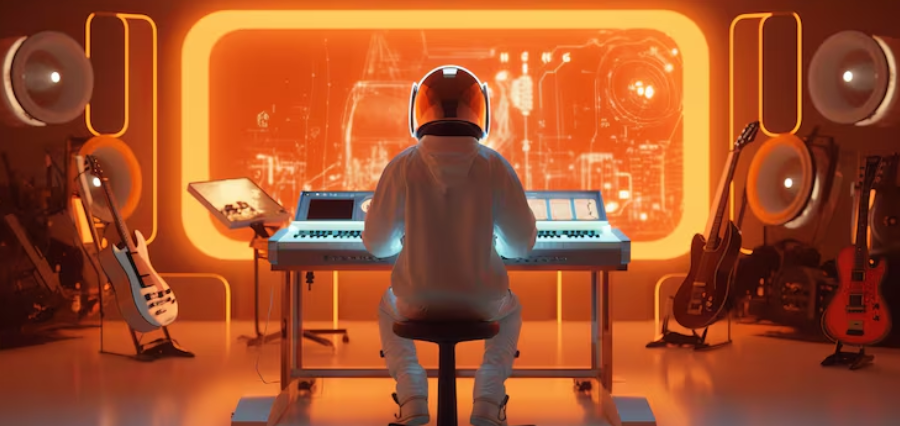
Here are four ways creators are using AI cover generators to completely shake up the music scene. Each one is finding cool, unexpected ways to make their tracks stand out and save a ton of time in the process.
For Musicians and Producers
AI Song Cover Generators are like having a jam session buddy that never gets tired. Musicians, composers, and producers can play around, experiment, and fine-tune their sound without waiting for a full band.
They’re making the whole creative workflow way more fun and a lot less stressful. You can test ideas, remix tracks, and even discover sounds you wouldn’t have thought of on your own.
- Genre experimentation: Instantly reimagine your original song in new styles. Turn a pop hit into a jazz ballad, or transform a rock anthem into a lo-fi chill track using AI voice conversion models.
- Harmony testing: Use AI to simulate different vocal arrangements, harmonies, or backing vocals before hiring session singers.
- Composition validation: Try different vocalists on your demo (e.g., “What if Adele sang this song?”) to gauge audience appeal.
- Time-saving prototyping: Instead of waiting for collaborators, producers can generate realistic covers in minutes, helping them finalize ideas faster.
For Content Creators and Streamers
If you’re a YouTuber, TikToker, or Twitch streamer, AI Song Cover Generators are basically a secret weapon for your content.
They let you whip up viral mashups, funny parody covers, or themed remixes that people can’t stop watching.
Creators are using them to grab attention, get more shares, and keep their channels fresh without spending hours in a studio. It’s like having your own mini music production team in your laptop.
Here’s how creators are using them:
- Viral mashups: Generate AI covers of trending songs in unexpected voices. SpongeBob singing Drake or Taylor Swift covering Eminem. These go viral on TikTok and YouTube Shorts.
- Background music for streams: Replace copyright-restricted songs with AI-generated covers in similar styles to avoid takedowns.
- Community engagement: Run “guess the AI singer” challenges to increase audience retention.
- Cross-platform growth: Repurpose short AI covers across Reels, Shorts, and TikTok with trending hashtags (#AICover, #AIremix, #AIArtist).
For Educators and Students
Have you seen AI song cover generators? They’re not just fun, they’re actually super handy for music teachers, vocal coaches, and students.
You can experiment with singing styles, learn the science behind your voice, and just play around with music in a way that feels totally new.
Here’s how they’re transforming classrooms and online learning:
- Vocal technique comparison: Students can hear how different singers approach the same song, from pitch control to emotional tone — using AI-generated examples.
- Language learning through music: Generate covers in multiple languages to practice pronunciation and rhythm.
- AI-assisted vocal training: Use AI to analyze tone, style, and phrasing, then apply those learnings to live performances.
- Composition study: Compare AI-generated covers to originals to understand harmony, key modulation, and arrangement.
For Marketers and Brands
AI cover generators aren’t just for artists anymore. Marketing teams are starting to use them as a secret weapon to make audio branding pop.
Agencies are creating custom AI covers that connect with audiences in ways that actually feel personal and fun. It’s like giving your campaigns a little personality boost without breaking a sweat:
- AI-powered jingles: Generate catchy AI-sung jingles using voices that sound like famous artists, without licensing headaches.
- Brand storytelling through sound: Create AI covers that match campaign themes (e.g., nostalgic 80s versions of modern songs).
- Localized campaigns: Use multilingual AI voices to sing regional adaptations of a single campaign track, maximizing global reach.
- Influencer collaborations: Partner with AI creators to remix your brand sound or tagline into viral AI music content.
Example: A coffee brand might use an AI cover of a trending track sung in a cozy “lo-fi” voice to strengthen its morning-routine image.
Licensing & Copyright: What to Know Before You Use AI Covers
Ever wondered if making an AI cover of your favorite song is totally cool?
Well, it really depends. If the AI learned from copyrighted music and you try to sell it or use it commercially, you might run into trouble.
But jamming for fun at home? Totally fine.

When using AI Song Cover Generators, follow these guidelines:
- Use platforms that license voices or train ethically
- Add disclaimers for parody or non-commercial use
- Don’t claim AI-generated vocals as the real artist
- Always check the platform’s terms for commercial use
Best Practices When Making AI Covers
Making AI song covers isn’t just about dropping your vocals into a generator. It’s a bit of an art.
The difference between a cover that blows up and one that flops usually comes down to prepping your audio right, matching the key, balancing the levels, and polishing the final track.
Follow these tips and your AI covers will sound natural, studio-ready, and actually perform well on platforms.
Tune Before Conversion
Before you throw your vocals into an AI cover song generator, make sure they’re actually in tune and match the beat of your instrumental.
Even the fancy ones like Voicedub.ai, Musicfy, or FineShare sound way better when your recording is clean and tight.
Think of it like baking, even the best oven can’t save a messy batter.
- Use a pitch correction plugin like Auto-Tune, Waves Tune, or Melodyne to fix off-key notes.
- Normalize timing so that every phrase aligns perfectly with the beat or tempo grid.
- Clean up noise and breaths to help the AI detect vocal formants accurately.
Pro Tip: AI models pick up on patterns, like how often and when things happen. The cooler your input, the more real and expressive your AI-generated cover will feel.
It’s kind of like teaching a friend your favorite song, the better you show them, the closer they get to nailing it.
Choose Vocals That Fit the Original Key
One of the biggest mistakes creators make with AI covers is picking the wrong vocal key.
Imagine your song is in G major but the AI voice works best in A minor. Suddenly, it sounds off, weird vibrato, robotic tones, or just plain distorted. It’s like trying to sing in the shower with a completely different tune blasting in the background.
To fix this:
- Match the key and pitch range of the original vocalist to your chosen AI voice.
- Transpose the instrumental or vocal track slightly if the AI model has limited range.
- Use AI key detection tools (like Mixed in Key, Tunebat, or KeyFinder) before uploading your stems.
Pro Tip: Every AI singer model has a sweet spot range. Staying within that key ensures smooth, realistic resonance and expressive timbre.
Avoid Copyrighted Backing Tracks
If you’re making an AI cover make sure your backing track is royalty-free or properly licensed You don’t want a copyright headache ruining your vibe.
Some AI Celebrity Voice Generators that reuse copyrighted material can trigger DMCA takedowns on YouTube, TikTok, and Spotify, especially when voice cloning is involved.
Safer alternatives include:
- Using royalty-free instrumentals from sites like Epidemic Sound, Soundraw, or BeatStars.
- Generating your own backing tracks using AI music creators such as Suno.ai or Mubert.
- Re-recording a similar instrumental to avoid infringement.
Pro Tip: Label your AI cover clearly (e.g., “AI-generated cover of [Song Name]”) and credit both the original artist and AI tool used. This transparency helps with AEO ranking and YouTube algorithm trust.
Optimize Output Levels
Ever notice how AI vocals sometimes sound a bit flat or squished?
That’s where mixing and mastering come in. Give it the right touch and suddenly your AI cover sounds like it could hit the radio.
Follow these mixing guidelines:
- Keep peaks around -6dB before mastering to leave headroom.
- EQ out muddiness between 200–400Hz for clarity.
- Use gentle compression (2:1–3:1) to balance dynamics without crushing the life out of vocals.
- Add stereo width or reverb to simulate a realistic vocal space.
- Normalize loudness to -14 LUFS for streaming consistency.
Pro Tip: Use an AI mastering tool like Landr, iZotope Ozone, or BounceCast to polish the final mix.
Add Human Touch (EQ, Reverb, Expression)
No matter how smart AI gets, it can’t replace that human touch. AI voices can sound a bit flat. A little warmth and imperfection makes your audio actually feel alive and connect with people.
Try this workflow:
- EQ for tone – Roll off sub-bass (<80Hz), add air (10kHz+).
- Add light reverb – A short plate or hall reverb adds spatial depth.
- Introduce micro pitch or timing shifts – Subtle detuning mimics real singers.
- Automate expression – Adjust volume curves and dynamics across phrases.
- Layer with real harmonies – Combine AI vocals with real whispers or hums.
Pro Tip: Slight imperfections = emotional authenticity. Listeners connect more when the performance feels alive, not perfect.
The Future of AI Song Covers
In 2026 and beyond, AI music is getting seriously fun.
Imagine your playlists creating themselves based on your mood. Or a little AI helping you remix your favorite songs while you sip your morning coffee.
It’s like having a personal DJ that just gets you.
- Real-time voice conversion for live performances.
- AI duet collaborations between fans and artists.
- Ethical AI music licensing models.
AI Song Cover Generators are not replacing artists,they’re expanding what creators can do.
Frequently Asked Questions
Q: What is an AI song cover generator?
It’s a tool that lets you make a song sound like it’s sung by another voice using AI voice conversion.
Q: Is it free to use?
Many offer a free tier (RVC, Voicify, Wondera beta).
Q: Can I use AI covers commercially?
Only if the voice model and platform permit it.
Q: Can I train my own AI voice?
Yes — AI Song Cover Generator tools like RVC and ElevenLabs let you train custom voices.
Q: Do I need music production skills?
No — AI Song Cover Generators are designed for beginners.
Suggested Reads:
Final Thoughts
AI song cover generators are totally shaking up the music world. You can experiment, remix, or create tracks just for fun or even for a professional project.
If you want to dive in, start with Wondera for ethical AI vibes, RVC if you love open-source freedom, or ElevenLabs for that polished studio sound. Trust me, playing around with these tools is way more fun than you’d expect. Your next musical idea could come alive in minutes.
Experiment, collaborate, and bring your voice (or any voice) to life.
Don’t miss out—read our latest blog on AI Product Photo Generators for more insights and tips on the best AI interior design tools. Also, log on to TheAISurf for exclusive updates!