


Intelligent Invoice Automation with LlamaParse and OpenAI
- Invoice
- September 22, 2025
- No Comments
Are your finance teams still buried in manual invoice entry and spreadsheet reconciliation? Traditional workflows drain time, introduce errors, and slow down decision-making. Invoice Automation changes the game—using AI-powered extraction, structured data formatting, and automated reconciliation to handle invoices at scale.
In this guide, we’ll explore an AI workflow for Invoice Automation using LlamaParse and OpenAI. You’ll see exactly how invoices move from Gmail attachments to structured Google Sheets entries—without manual effort.
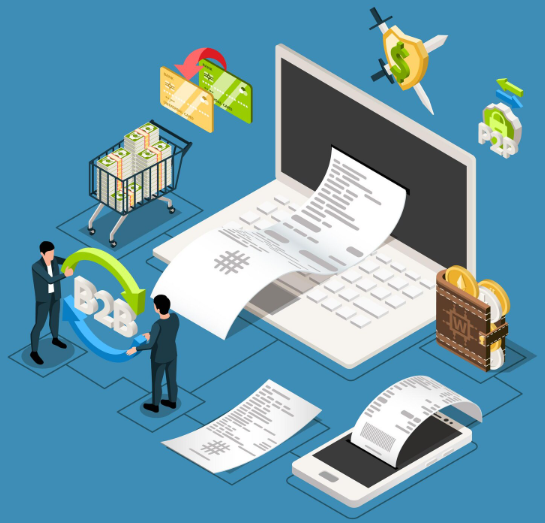
Workflow: Intelligent Invoice Automation & Reconciliation
This workflow automates invoice processing from start to finish. Below are the key steps and nodes involved. Below are the key components.
1. Email Monitoring & Triggering
- Receiving Invoices (Gmail Trigger): Monitors Gmail for new emails with PDF attachments (invoices) that lack the invoice synced label.
- Configuration: Filters by sender and attachment type for relevant triggers.
- Wait Node: Adds delay to stay within API service rate limits.
2. PDF Download and Extraction
- Download Invoice PDF: Retrieves the invoice attachment.
- Extract from File: Converts PDF to text with a PDF-to-text converter.
3. Advanced PDF Parsing with LlamaParse
- Upload to LlamaParse: Sends the file via multipart-form-data HTTP request for advanced parsing (including tables and embedded objects).
- Get Processing Status: Polls LlamaParse API until the parsed data is ready.
4. Data Extraction and Structuring
- Apply Data Extraction Rules (LLM Chain): Uses OpenAI to extract fields like invoice date, invoice number, supplier/customer details, line items, and totals.
- Structured Output Parser: Validates the output into JSON schema with fields such as:
- Invoice date
- Invoice number
- Purchase order number
- Supplier/customer details
- Line items
- Subtotal & total price
- Map Output: Consolidates structured JSON data for use in reconciliation.
5. Updating Data in Google Sheets
- Append to Reconciliation Sheet: Adds the validated invoice data to a Google Sheet for financial tracking.
6. Labeling to Prevent Duplicate Processing
- Add “invoice synced” Label (Gmail Node): Marks processed invoices to prevent duplication.
7. Supporting and Documentation Nodes
- Sticky Notes for Workflow Clarity:
- Sticky Note 1: Why invoice monitoring is needed
- Sticky Note 2: Role of AI in extraction
- Sticky Note 3: Why built-in PDF parsers fail
- Sticky Note 4: Importance of Gmail labeling
- Sticky Note 5: Workflow summary and documentation links
*Note: For the JSON template, please contact us and provide the blog URL.
Data Flow Diagram (High-Level)
Gmail Trigger (Receiving Invoices) → Download & Extract PDF → Upload to LlamaParse → Get Processing Status → Apply Data Extraction Rules → Structured Output Parser → Map Output → Append to Reconciliation Sheet → Processed Email (Label Added).
The Wait node ensures API calls stay within rate limits.
Benefits of Invoice Automation
Automation & Accuracy
No more manual typing—Invoice Automation extracts fields directly from PDFs into structured formats.
Advanced Parsing with LlamaParse
Handles even the toughest invoices with complex tables, ensuring consistent accuracy.
Structured Data for Finance Teams
Extracted data follows a JSON schema, making it simple to reconcile across Google Sheets or accounting platforms.
Efficiency & Reliability
The labeling mechanism ensures duplicate invoices are skipped, saving time and preventing redundancy.
Built-in Documentation
Sticky notes make configuration transparent, helping teams onboard faster.
Suggested Reads:
Best AI Workflow Automation Tools for 2025
Intelligent Invoice Data Extraction with LlamaParse & OpenAI
Key Takeaways
- Invoice Automation transforms unstructured PDFs into structured, actionable data.
- LlamaParse ensures AI invoice extraction is accurate—even for complex formats.
- Integration with Google Sheets makes reconciliation seamless.
- Automation prevents duplicates, reduces errors, and boosts efficiency.
FAQs on Invoice Automation
1. What is Invoice Automation with LlamaParse and OpenAI?
Invoice Automation is the process of extracting structured invoice data from PDFs using AI parsing tools like LlamaParse and OpenAI, then syncing it to systems like Google Sheets.
2. Can Invoice Automation handle complex invoice formats?
Yes. With LlamaParse, even invoices containing tables, figures, and embedded objects are accurately parsed and structured for reconciliation.
3. How does Invoice Automation reduce manual workload?
By monitoring Gmail, extracting invoice data automatically, and appending results to Google Sheets, it eliminates manual entry, reduces errors, and saves finance teams hours each week.