


Create LinkedIn Posts with AI in 4 Easy Steps
- October 3, 2025
- No Comments
Spending hours sweating over a LinkedIn post? That’s the old way. The new way is co-creating with AI. I used to burn half a day polishing hooks, drafting paragraphs, and fiddling with visuals. Now? I can get a polished LinkedIn post out in 5–10 minutes flat.
And no, AI doesn’t replace me—it just supercharges my workflow. If you’re still posting the slow, manual way, here’s how to cut your time to minutes without losing your personal touch.
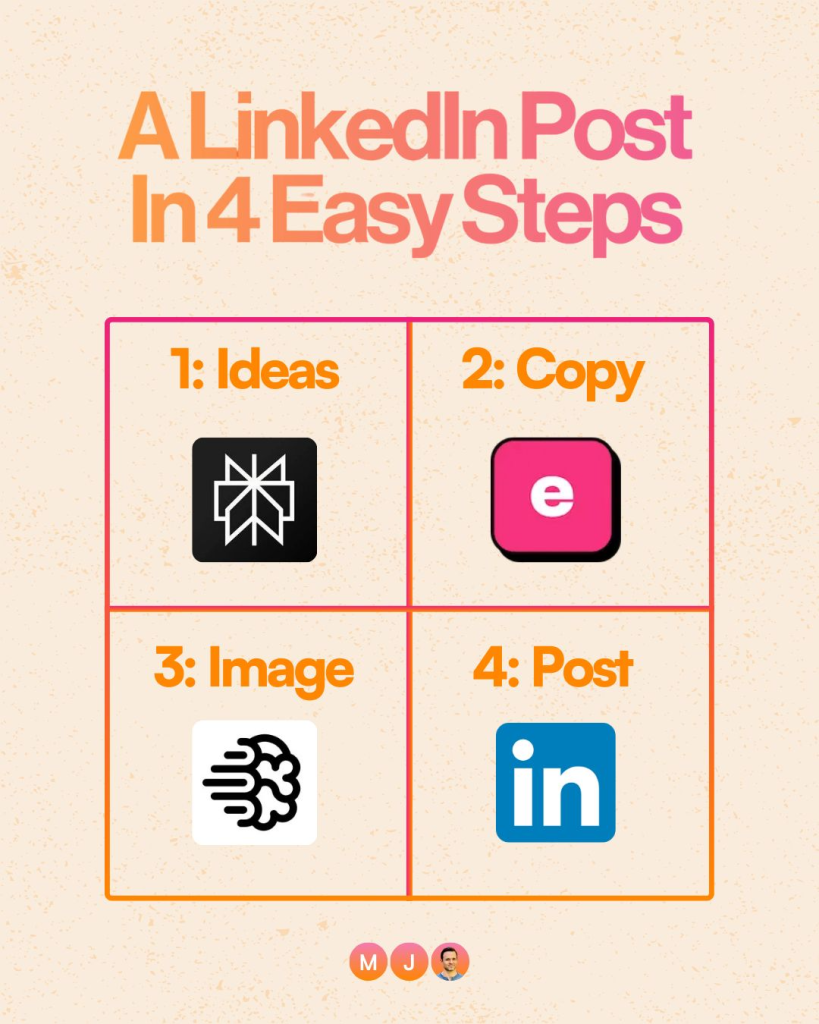
Source: Linkedin User
How to Create LinkedIn Posts with AI
You can create a LinkedIn post in 4 simple AI-powered steps: generate post ideas, draft the copy with your insights, design a custom image, and publish. Using tools like Perplexity, EasyGen, and Ideogram lets you co-create with AI in minutes while keeping your authentic voice intact.
Step 1: Generate Fresh Ideas
Blank page paralysis is real. Instead of staring at the cursor, open Perplexity. Drop in a simple prompt like:
“Brainstorm ideas for my next LinkedIn post on how [trending topic] is transforming [your niche].”
What happens? You get a curated list of topics tailored to your field. From there, you can choose the angle that feels most relevant to your audience. Think of it as your always-on idea partner.
Step 2: Create a Draft in Minutes
Once you’ve got the idea, head over to EasyGen.
- Paste the hook you got from ChatGPT.
- Edit it with your story, perspective, and any lived experience.
This part matters: AI should never replace your voice. Use it as scaffolding, then layer in your tone, humor, and takeaways. That’s what makes people stop scrolling.
Step 3: Design a Quick Image
Visuals make posts pop. Instead of spending an hour in Canva, fire up Ideogram. Prompt it with:
“Create a whiteboard with the following text: [insert your text here].”
Now you’ve got a clean, branded-looking image that feels native to LinkedIn. Quick, on-brand, and scroll-stopping.
Step 4: Publish on LinkedIn
The last part is pure copy-paste:
- Drop your polished EasyGen text into LinkedIn.
- Attach the Ideogram image.
- Hit “Post.”
You just went from idea to live LinkedIn post in under 10 minutes.
Why This Works
- Speed + Consistency: Never miss a posting schedule again.
- Authenticity: You still add your story and insights.
- Leverage: Instead of AI replacing you, you’re multiplying what you can do.
Relevant Reads:
Viral LinkedIn Posts Framework For Creators
How to Beat the LinkedIn Algorithm (Growth Guide)
Conclusion
AI isn’t here to take your seat—it’s here to give you a faster engine. With tools like Perplexity, EasyGen, and Ideogram, you can go from a blank page to a polished post in minutes.
It’s time to stop dreading LinkedIn posts and start co-creating with AI. Explore more AI tools on TheAISurf.
FAQs
Q1. Can AI really write LinkedIn posts for me?
AI can draft posts, but the best-performing ones include your voice and experiences. Think of AI as your brainstorming partner, not your ghostwriter.
Q2. What tools are best for LinkedIn content creation?
Perplexity for research, EasyGen for drafting, and Ideogram for visuals make a fast, effective stack.
Q3. Will AI replace LinkedIn content creators?
Not exactly. AI won’t replace humans—but humans who know how to use AI effectively will outperform those who don’t.