


PDF Converter Tools – Word, Excel, and Images into Seamless PDFs
- Foxit PDF Editor PDF Editor
- October 7, 2025
- No Comments
Managing and sharing documents efficiently is more crucial than ever. Whether you’re preparing a formal report, sharing project data, or archiving images, converting various file formats into universally accessible PDFs is a vital skill. This is where PDF converter tools become indispensable — enabling you to convert Word to PDF, Excel to PDF, and images to PDF effortlessly.
The right tools like Foxit PDF Editor can streamline workflows, ensure document integrity, and enhance accessibility across platforms, making PDF conversion a seamless part of your productivity toolkit.
The Ultimate Guide to PDF Converter Tools: Streamlining Your Document Workflow
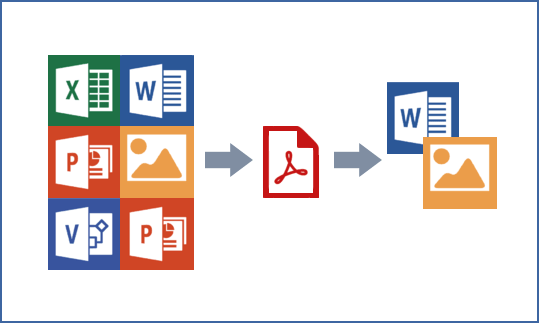
PDF converter tools serve as the backbone of digital document management, offering unparalleled convenience for converting diverse file types into portable, shareable PDFs. They eliminate the need for multiple applications, providing an all-in-one solution that saves time and reduces errors. As organizations and individuals seek faster, more reliable ways to handle files, understanding the various features of PDF converter tools and capabilities becomes essential.
Moreover, an effective PDF converter ensures high-quality output without sacrificing data integrity. Whether you’re converting lengthy reports, spreadsheets, or images, selecting a tool that meets your specific needs—like batch processing, cloud integration, or advanced editing—is key.
These tools not only facilitate simple conversions but also support complex workflows, including merging files, encrypting documents, or OCR (optical character recognition) capabilities, guaranteeing that your digital document management is both efficient and flexible.
Seamlessly Convert Word to PDF: A Comprehensive Comparison of Converter Options
Converting Word documents into PDFs is one of the most common digital tasks faced by students, professionals, and organizations alike. Traditional methods, such as using built-in software options or manual print-to-PDF, often lack efficiency or advanced features. Today, numerous dedicated converters offer streamlined, high-quality solutions. These vary from free online services to sophisticated desktop applications.
When comparing options of PDF converter tools, key factors include conversion speed, output quality, security measures, and compatibility. For instance, some tools preserve track changes, comments, and embedded fonts precisely, which is critical for professional documents. Others excel in batch processing, enabling users to convert multiple files simultaneously.
Selecting the right converter depends on your frequency of use, privacy concerns, and whether you need integrations with cloud storage or collaborative platforms. The best PDF converter tools balance ease of use with advanced features to ensure your Word to PDF conversions retain their original formatting and integrity.
Excel to PDF Conversion: Maintaining Data Integrity and Formatting Across Platforms
Excel spreadsheets often contain complex data, formulas, charts, and formatting that must be preserved during conversion to PDF. Unlike basic file exports, dedicated Excel to PDF converters aim to maintain the integrity of your data—ensuring that visualizations, cell alignments, and formulas appear accurately in the final document. This becomes especially critical when sharing reports or financial data where precision is non-negotiable.
Advanced PDF converter tools offer options like selecting specific print areas, adjusting margins, and including or excluding gridlines and headers. They also support batch conversions, useful for handling multiple spreadsheets simultaneously. The key challenge lies in ensuring that the converted PDF reflects the original structure without distortion, especially when dealing with large or complex files.
High-quality PDF converter tools allow real-time previews, enabling users to fine-tune layout settings before finalizing. When choosing a converter, consider its compatibility with your version of Excel, support for OCR, and options for password protection—these ensure your data remains accurate and secure across different platforms.
Images into PDFs: Best Practices and Tools for Quality Preservation
Converting images into PDFs might seem straightforward, but maintaining image quality and readability requires careful selection of tools and methods. Whether digitizing handwritten notes, scanned documents, or photographs, the goal is to produce a clear, professional-looking PDF without losing detail or resolution.
Popular tools for image to PDF conversions provide features like cropping, resizing, and background adjustments, facilitating cleaner output. Additionally, OCR capabilities allow extracting searchable text from scanned images, transforming static images into editable, searchable PDFs.
Best practices of PDF converter tools include using high-resolution scans, selecting appropriate compression settings, and organizing pages logically. Professional converters often support batch processing, enabling multiple images to be converted efficiently, while cloud-based options offer flexibility for remote workflows.
Ultimately, preserving image quality hinges on choosing tools that strike a balance between compression efficiency and detail retention, ensuring your PDFs look sharp and are easy to read regardless of display device.
Choosing the Right PDF Converter – Features, Pricing, and Compatibility
Selecting the ideal PDF converter tools requires evaluating various factors—feature set, affordability, and compatibility. At the core, your chosen converter should support all necessary input formats (Word, Excel, images, etc.) and produce high-quality, faithful PDFs. Additional features like batch processing, cloud integration, OCR, and security options further influence your decision.
Pricing models vary from free online tools with limited functionalities to comprehensive paid applications offering advanced editing, encryption, and automation capabilities. Free PDF converter tools are excellent for occasional use, but they may lack privacy assurances or support for large files. Paid solutions often come with subscriptions or one-off licenses, providing dedicated support and enhanced features capable of handling enterprise-grade workflows.
Compatibility also plays a vital role—consider whether the software integrates seamlessly with your operating system, cloud storage services, and productivity suites. Ultimately, the right converter aligns with your specific use case—be it casual, professional, or enterprise-level—delivering reliable performance without unnecessary costs.
How PDF Converter Tools Can Simplify Document Management
The power of PDF converter tools goes beyond mere file conversion—they facilitate comprehensive document management strategies that boost productivity and foster collaboration. With features like batch processing, cloud storage integration, and automated workflows, these tools reduce manual effort and minimize errors. As a result, teams can streamline approvals, create standardized document templates, and effortlessly distribute or archive files without format issues.
Furthermore, many advanced converters incorporate functionalities like document merging, splitting, annotation, and even form filling. These PDF converter tools capabilities allow users to handle entire document lifecycles within a single platform, saving time and reducing dependency on multiple applications.
Prioritizing tools with intuitive interfaces and automation features ensures that even less technically-savvy users can operate efficiently. Adopting these PDF converter tools solutions converts complex and flawed processes into simple and reliable workflows. This shift enables you to concentrate more on strategic initiatives and less on technical obstacles.
Free vs. Paid PDF Converters – Weighing the Options for Your Specific Needs
Choosing between free and paid PDF converter tools often depends on your individual requirements, budget, and expected output quality. Free converters are accessible, easy to use, and often sufficient for occasional or light tasks. They typically offer essential functions like basic Word, Excel, or image conversions but may come with limitations such as watermarks, file size restrictions, or security concerns.
In contrast, paid PDF converter tools solutions provide a broader range of features, enhanced security, faster performance, and round-the-clock support. In professional or corporate settings, where maintaining document confidentiality, handling batch processing, or ensuring OCR precision are essential, it is often reasonable to invest in paid tools. Additionally, paid converters are frequently updated with new features, compatibility improvements, and compliance standards.
Ultimately, the decision hinges on balancing your operational needs with your budget. For casual users, free tools might suffice, but for high-stakes, frequent, or large-volume document workflows, paid options offer a significant return on investment.
Troubleshooting Common PDF Conversion Issues – A Step-by-Step Guide
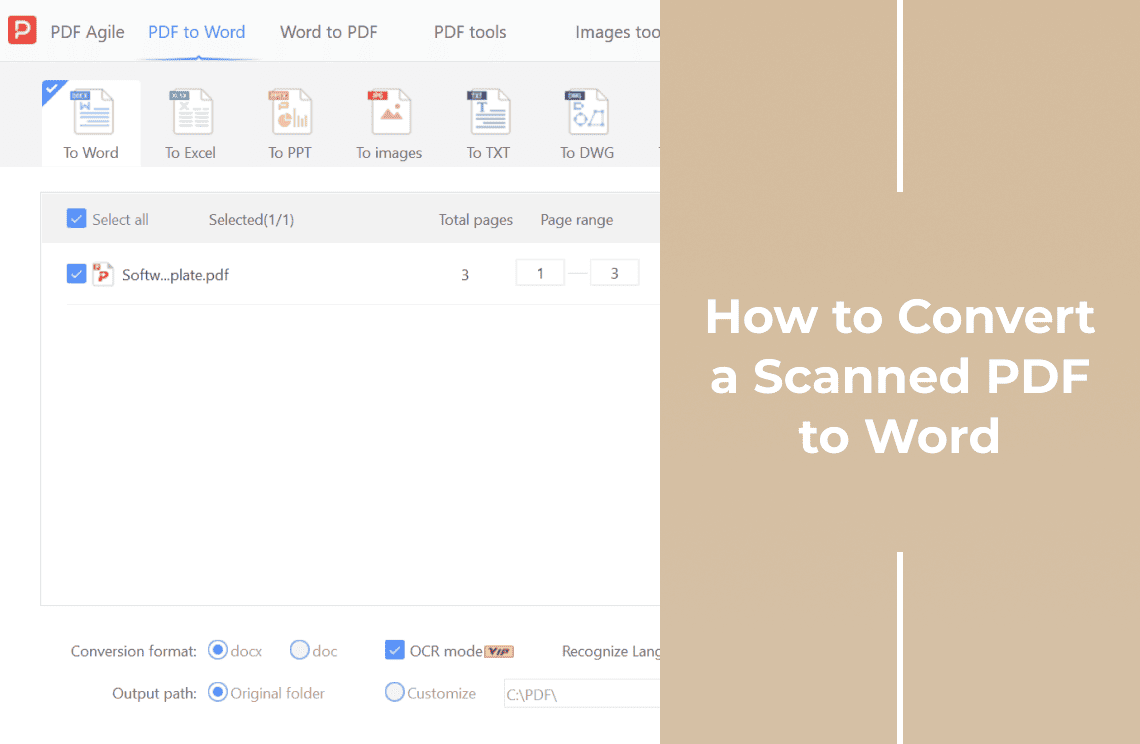
Despite their convenience, PDF conversion processes can sometimes encounter obstacles such as formatting errors, incomplete files, or security restrictions. When faced with these issues, a systematic troubleshooting approach helps identify and resolve problems efficiently.First, check the integrity of your source files. Often, issues like corrupted documents or incompatible formats lead to conversion failures.
Next, check your converter settings—sometimes simple adjustments like changing output resolution, disabling encryption, or resetting page sizes can resolve formatting errors. Ensure your software is up-to-date; outdated versions may have bugs that impair functionality. If OCR features are involved, confirm that the scanned images are clear and high-resolution, as poor scans often lead to inaccurate or incomplete text recognition.
Finally, consult online support forums or customer service for persistent issues. Proper troubleshooting not only saves time but also enhances your understanding of the converter’s functionalities, leading to smoother and more reliable document workflows.
Securing Your Documents – Exploring the Security Features of PDF Converter Tools
Security is paramount when dealing with sensitive or confidential information. Many PDF converter tools incorporate features like password protection, encryption, and permissions control to safeguard your documents. These options enable you to restrict copying, editing, or printing, ensuring that your files remain protected during sharing and storage.
Additionally, some advanced converters support digital signatures and certification, adding a layer of authenticity and trustworthiness to your PDFs. Incorporating these security measures within the conversion process simplifies compliance with industry standards or legal requirements.
As cyber threats evolve, evaluating the security features of your chosen tools is essential. Consistently updated, reputable converters not only deliver high-quality outputs but also uphold your data privacy, allowing you to confidently share and archive documents without undue concern.
Additional Capabilities of Advanced PDF Tools (Editing, Merging, etc.)
Modern PDF tools extend well beyond simple file conversion—they are comprehensive document management platforms. Features like editing, annotating, merging, splitting, and form filling enable users to modify PDFs directly, saving time and maintaining coherence within documents. For instance, you can correct typos, add comments, or update data without reverting to the original source files.
Merging multiple PDFs into a single file or splitting large documents into manageable parts streamlines version control and distribution. Some advanced tools also incorporate OCR, enabling extraction and editing of text from scanned images.
These capabilities make PDFs more dynamic and versatile, suited to collaborative workflows or professional publishing. Investing in multifunctional PDF software empowers users to create, modify, and organize documents conveniently, transforming static files into interactive, polished digital assets.
Relevant Reads:
Best PDF Editor 2025: Top Tools, Features, and Free Alternatives Compared
Best PDF Editors for Beginners – Simplify Your Document Workflow
Conclusion
In the rapidly evolving digital landscape, leveraging the right PDF converter tools can significantly enhance your document management efficiency by seamlessly converting Word, Excel, and images into high-quality PDFs. The ideal solution balances features, security, and ease of use—whether through free online options or feature-rich paid software—allowing users to maintain data integrity, streamline workflows, and ensure document security.
Beyond straightforward conversion, advanced tools offer editing, merging, and security options, transforming PDFs from simple files into comprehensive management solutions. By understanding the capabilities and considerations outlined in this guide, you can select the perfect converter tailored to your unique needs, boosting productivity and ensuring your documents are always professional, secure, and accessible across platforms.
Transform your files effortlessly — explore more powerful AI tools on TheAISurf.com and make every document smarter today!