


Best AI Audio Enhancer Tools
- Music & Audio
- October 29, 2025
- No Comments
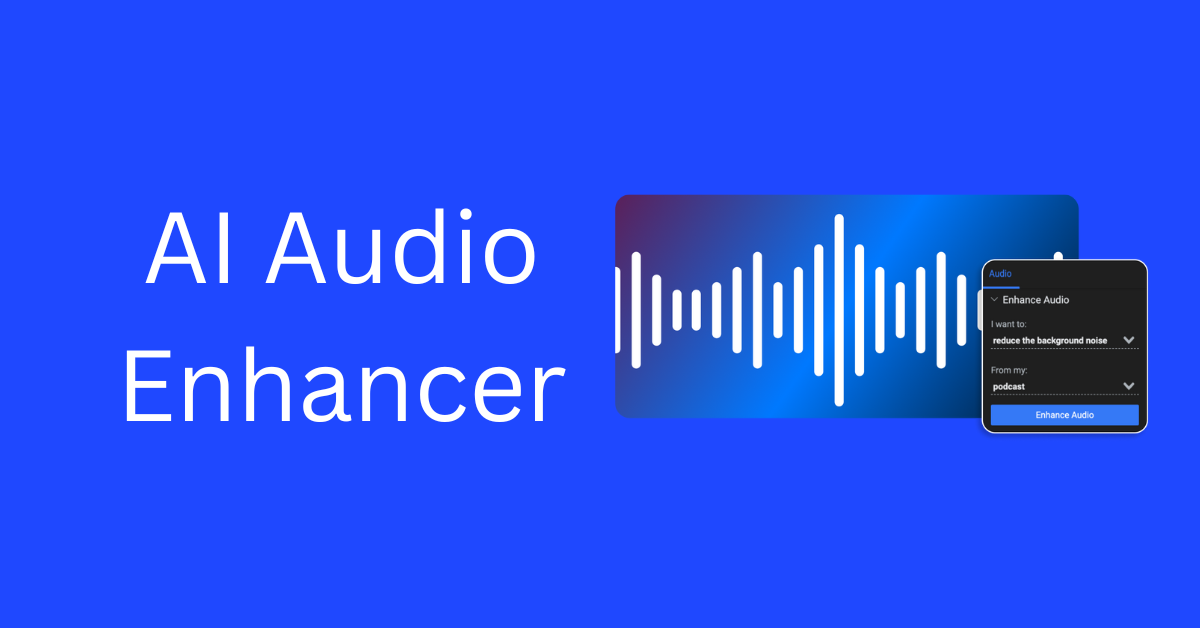
AI Audio Enhancer tools are transforming how creators, musicians, and businesses polish their sound. Whether you’re cleaning up background noise, boosting vocals, or producing studio-level mixes, these tools make professional audio accessible to everyone.
AI Audio Enhancer tools use artificial intelligence to automatically analyze and improve recordings by adjusting frequencies, removing unwanted noise, and clarifying speech or instruments. They deliver consistent, high-quality results without needing deep audio engineering expertise.
Benefits of Using AI Audio Enhancer Tools
These tools streamline the entire audio enhancement process, saving hours of manual editing. They provide cleaner, more balanced sound, optimize voice clarity, and support multiple formats for music, podcasts, and videos. By automating audio correction, they make professional-grade production possible for solo creators and teams alike.
How We Picked These Tools
- Accuracy and consistency in audio enhancement
- Range of supported file types and integrations
- Ease of use for non-technical users
- Speed and automation capabilities
- Pricing transparency and value
- Cloud security and scalability
Top Tools (Ranked)
Audio Enhancer
All-in-one AI noise remover and vocal clarity booster
What it is: Audio Enhancer improves recordings by reducing background noise, removing echoes, and isolating vocals for cleaner results.
Standout features:
- AI noise, echo, and vocal removal
- Cloud storage and ad-free workflow
- Supports uploads up to 3 hours
- Multiple subscription tiers with scalability
Pricing: Basic $10/month, Pro $45/month, Studio $90/month
Best for: Podcasters and musicians needing fast cleanup
Pros: - Easy upload process
- Consistent sound output
- Flexible storage options
Cons: - No offline use
- Subscription required for long files
UniFab
AI video and audio upscaling suite for creators
What it is: UniFab is an 8-in-1 media enhancer offering audio upmixing, 4K video upscaling, and DTS surround processing.
Standout features:
- AI audio upmixing to DTS 7.1
- Integrated video enhancer
- Batch editing support
- Cross-platform compatibility
Pricing: See site for latest pricing
Best for: Video editors and audio producers
Pros: - Multi-format enhancement
- Quality upscaling for media pros
Cons: - Requires strong hardware
- Learning curve for new users
AI Mastering
Automatic cloud-based mastering for musicians
What it is: AI Mastering instantly optimizes music tracks by balancing frequencies and controlling dynamics for streaming or release.
Standout features:
- Real-time audio mastering
- Dynamic range compression
- Frequency equalization
- Unlimited free mastering
Pricing: Free plan available
Best for: Independent artists and producers
Pros: - Free unlimited use
- Fast mastering turnaround
Cons: - Basic interface
- Limited to stereo mixes
Xound.io
AI audio processor for content creators
What it is: Xound.io improves speech clarity and removes distortions using smart sound profiling for podcasts and videos.
Standout features:
- Real-time sound enhancement
- Voice and background balancing
- Adjustable AI filters
- Cloud-based dashboard
Pricing: Free tier, Basic $5/month, Creator $19/month, Pro $59/month
Best for: YouTubers and podcasters
Pros: - Multiple plan options
- Simple interface
- Reliable enhancement output
Cons: - Internet required
- No offline export
Hance.ai
AI sound engine for real-time noise and reverb removal
What it is: Hance.ai offers on-device and API-based audio enhancement for developers and professionals needing clean, live sound.
Standout features:
- Real-time reverb and noise removal
- Voice boost and stem separation
- Runs efficiently on CPUs
- Developer SDK and API support
Pricing: See site for latest pricing
Best for: Audio app developers and broadcasters
Pros: - Developer-friendly
- Fast real-time processing
Cons: - Limited UI tools
- Technical setup needed
AI Equalizer: Music Enhancer
Customizable sound booster for Android users
What it is: AI Equalizer enhances music playback with advanced EQ bands, bass boost, and immersive presets.
Standout features:
- 5-to-12-band equalizer
- Bass and reverb effects
- Custom sound themes
- Works with headphones or speakers
Pricing: Free app
Best for: Android music listeners
Pros: - Easy to personalize
- Lightweight mobile app
Cons: - Android only
- Occasional in-app ads
Tempo-Pulse
Smart tempo and rhythm enhancer for music producers
What it is: Tempo-Pulse uses AI beat detection to refine tempo accuracy and sync multi-track recordings automatically.
Standout features:
- Beat and BPM alignment
- Auto-sync for multiple stems
- Loudness normalization
- Instant export for DAWs
Pricing: Free trial, $29/month subscription
Best for: DJs and electronic producers
Pros: - Quick alignment workflow
- Compatible with major DAWs
Cons: - Limited mastering features
- Requires stable internet connection
AudioBrain
Voice clarity and transcription optimizer
What it is: AudioBrain cleans voice tracks while generating accurate transcripts powered by speech recognition AI.
Standout features:
- Noise removal and speech isolation
- Multi-language transcription
- Integrations with podcast platforms
- Real-time preview
Pricing: Starter $15/month, Pro $49/month
Best for: Podcasters and interviewers
Pros: - Fast transcription
- Reliable speech clean-up
Cons: - Cloud use only
- Limited batch editing
CleanSound Pro
AI mastering and restoration suite
What it is: CleanSound Pro combines audio restoration, de-clicking, and equalization for vintage or low-quality recordings.
Standout features:
- De-hiss and de-click filters
- Spectrum restoration
- Multi-channel support
- Export presets for streaming
Pricing: One-time $199 license
Best for: Studios digitizing old archives
Pros: - Offline desktop software
- Professional-grade restoration
Cons: - High upfront cost
- Steep learning curve
VocalIQ
Voice-focused AI enhancer and speech improver
What it is: VocalIQ sharpens spoken content for podcasts, videos, and calls using tonal correction and reverb control.
Standout features:
- AI vocal pitch balance
- De-essing and room tone removal
- Custom warmth and clarity filters
- Batch processing
Pricing: Free basic tier, Pro $12/month
Best for: Voice-over artists and speakers
Pros: - Tailored for voice work
- Clean interface
Cons: - No music mastering
- Limited export options
SoundSnap AI
Audio enhancement plug-in for creative pros
What it is: SoundSnap AI enhances and organizes large sound libraries with AI tagging and dynamic range optimization.
Standout features:
- Smart sound tagging
- Frequency-based sorting
- Loudness equalization
- Works with DAWs and NLEs
Pricing: $25/month or $199/year
Best for: Sound designers and video editors
Pros: - Time-saving library organization
- Great for large projects
Cons: - Subscription-based
- Requires system resources
AudioPod AI
End-to-end podcast audio enhancement
What it is: AudioPod AI automates podcast editing, cleaning, and loudness balancing for broadcast-ready output.
Standout features:
- AI background noise reduction
- Consistent volume levels
- Speaker detection
- Auto-trim silences
Pricing: Free trial, $20/month
Best for: Podcasters and media agencies
Pros: - Quick automatic edits
- Reliable sound levels
Cons: - Cloud-only workflow
- Limited mixing controls
Comparison Table
| Tool | Key Use Case | Starts At | Free Plan | Standout Feature |
|---|---|---|---|---|
| Audio Enhancer | Noise and echo removal | $10/mo | No | AI vocal clarity boost |
| UniFab | Audio-video upscaling | — | No | DTS 7.1 audio upmix |
| AI Mastering | Cloud mastering | Free | Yes | Instant frequency balancing |
| Xound.io | Speech clarity for creators | $5/mo | Yes | Real-time sound filters |
| Hance.ai | Live sound API | — | No | Real-time noise removal |
| AI Equalizer | Music playback tuning | Free | Yes | Custom EQ and bass presets |
| Tempo-Pulse | Beat correction | $29/mo | Trial | BPM auto-sync |
| AudioBrain | Voice and transcription | $15/mo | No | Multi-language cleanup |
| CleanSound Pro | Restoration | $199 | No | Spectrum restoration |
| VocalIQ | Voice focus | $12/mo | Yes | Tonal correction |
| SoundSnap AI | Library enhancement | $25/mo | No | AI sound tagging |
| AudioPod AI | Podcast editing | $20/mo | Trial | Auto-trim silences |
How to Choose the Right AI Audio Enhancer
- For speech-based content, choose tools emphasizing voice clarity like VocalIQ or AudioPod AI.
- For music production, pick AI Mastering or Tempo-Pulse to ensure accurate balance and rhythm.
- For restoration work, go with CleanSound Pro for deep audio repair.
- For content creators managing large libraries, SoundSnap AI offers smart tagging and organization.
- Beginners or mobile users can start with AI Equalizer for instant improvements.
- Consider pricing models — one-time purchase vs. subscription — based on how frequently you edit audio.
FAQs
What is an AI Audio Enhancer?
It’s a software tool that uses machine learning to automatically improve sound quality by removing noise, balancing levels, and optimizing frequencies for music or speech.
Is AI-generated audio enhancement good for SEO?
Yes. Clearer audio improves listener engagement and retention, which indirectly benefits SEO metrics such as dwell time and audience trust.
Should I use free or paid tools?
Free tools work for basic clean-ups, but paid options offer higher fidelity, more control, and faster processing suited for professional use.
How do I choose the right one?
Match the tool to your workflow — podcasts, music, restoration, or video production — and test free trials to gauge the output.
What are the risks of AI-processed sound?
Excessive AI filtering can remove natural ambience or flatten tone if over-applied, so review results before publishing.
How can I ensure originality?
Always keep the original audio and compare final mixes. Use AI for assistance, not full automation, to maintain authenticity.
Related Reads
- AI Video Conferencing Tools – Revolutionizing Remote Work
- Top AI Voice Generators: Transform Text into Realistic Speech
Summary
AI Audio Enhancer tools redefine sound production for creators, podcasters, and studios alike. They streamline editing, remove unwanted noise, and elevate overall clarity with precision once reserved for professionals. Whether you’re refining music tracks or cleaning voice recordings, these tools bring efficiency and studio-grade polish within reach.
Explore the top options above, test their free plans, and find the perfect match to upgrade every project’s audio quality.