


Best AI Vtuber Tools in 2026: The Only Guide You Need
- Video & Animation
- November 3, 2025
- No Comments
(Tested, verified, and ranked — with real pricing, system requirements, and honest verdicts)
By The AI Surf Editorial Team | Updated: February 2026 | 15 min read | Tools Verified & Actively Maintained
In early 2020, becoming a VTuber meant either signing with an agency like Hololive or spending $3,000+ on hardware, custom models, and software. It was a closed world.
Then something shifted. The tools got better. The price dropped. The community exploded.
By 2023, there were over 50,000 active VTubers globally. By 2025, the market had grown to an estimated $3–5 billion. And today, in 2026, you can go from zero to streaming with a fully animated AI avatar in under 30 minutes, for free.
But here’s the problem: most guides in this space list 15–20 tools without telling you which ones are actually used, which ones are dead or unverified, what they cost, or what hardware you need. That’s not helpful.
This guide is different. We’ve cut the bloat. Every tool here has a verified website, an active user base, real pricing, and honest limitations. We’ve also included a complete beginner setup stack, a decision matrix so you can find your tool in 60 seconds, and a data section so you understand the market you’re entering.
Visit The AISurf to explore thousands of curated AI tools, reviews, and expert recommendations. Let’s dive in.
TL;DR If you want one recommendation right now: VTube Studio (2D) or VSeeFace + VRoid Studio (3D). Both free. Both used by thousands of active creators today.The VTuber Industry in 2026: Why This Matters Now
Before diving into tools, here’s the market context. These numbers explain why learning VTubing right now, not next year, gives you a real advantage.
- 50,000+ active VTubers globally as of 2025 (VStats / UserLocal)
- $3–5.4B estimated global VTuber market size in 2025 (multiple analyst sources)
- 467% increase in total VTuber watch time between 2020 and 2021 alone
- 64% of total VTuber watch time flows through YouTube (StreamsCharts Q2 2025)
- 65% of VTuber viewers are aged 18–34, the most valuable digital audience segment
Here’s the full data table for reference:
| Metric | Value | Source |
| Global VTuber Market (2025) | $3–5.4 Billion | Multiple analyst sources |
| Projected CAGR (2026–2031) | 9.6%–20.6% | Mordor/MarketResearchFuture |
| Active VTubers Globally | 50,000+ | VStats / UserLocal data |
| YouTube VTuber Watch-Time Share | 64%+ of total | StreamsCharts Q2 2025 |
| Twitch VTuber Channel Share | 60%+ of active channels | StreamsCharts Q2 2025 |
| Core Audience Age | 65% aged 18–34 | Multiple market reports |
| Gaming Content Share | 34.7% of VTuber content | Verified Market Reports 2026 |
| Mobile Viewership | 55–72% of viewers | Multiple 2025 reports |
| 2D vs 3D Avatar Split | 59.24% 2D / 40.76% 3D | Mordor Intelligence 2025 |
| Super Chats: Hololive Share | 40%+ of all YouTube Super Chats | Playboard data |
What this means for you as a creator
The market is growing, the audience is young and engaged, and the barrier to entry is lower than ever. The window to build an audience before this space becomes truly saturated is still open, but it’s closing.
Key insight: 2D avatars still dominate at 59% of the market (Mordor Intelligence), but 3D is growing at 11% CAGR driven by virtual concerts and immersive experiences. Both are viable career paths.
What is an AI Vtuber Tool?
An AI Vtuber tool is software that helps creators design, animate, and control digital avatars using real-time AI motion tracking, voice-to-lip sync, and camera-based facial recognition. Instead of manually rigging or animating a 3D model, these tools automate avatar behavior, speech, and emotions through machine-learning models.
What You Actually Need to Start VTubing (The Full Setup Stack)
Before picking a tool, understand this: no single app does everything. A professional VTuber setup typically involves 3–4 pieces of software working together. Here’s the complete stack and what each piece costs.
| Purpose | Tool | Cost | Notes |
| Avatar Design | VRoid Studio | Free | Design your character |
| Avatar Tracking (2D) | VTube Studio | Free (watermark) / $12 | Animate Live2D model |
| Avatar Tracking (3D) | VSeeFace | Free | Animate VRM model |
| Streaming Software | OBS Studio | Free | Broadcast to Twitch/YouTube |
| Voice AI (optional) | ElevenLabs or Resemble.AI | Free tier / $5+/mo | AI voice for privacy |
| Model Source | VRoid Hub or Booth.pm | Free / paid | Download pre-made models |
| Hardware: Webcam | Logitech C920 or C270 | $30–$80 | Entry-level tracking |
| Hardware: iPhone (optional) | Any iPhone with Face ID | Your existing phone | Best face tracking quality |
Minimum viable setup
VRoid Studio (free) + VSeeFace (free) + OBS Studio (free) + a $30 webcam. Total cost: $30. Time to first stream: 2–3 hours. This is genuinely enough to build a real audience.
2D vs 3D — which should you choose?
2D (Live2D models) looks more polished and runs on lower-spec hardware. 3D is more expressive for full-body movement but requires more resources. Start with 2D if your PC has less than 16GB RAM or an older GPU.
Benefits of Using AI Vtuber Tools
AI-powered Vtuber platforms bring several key benefits:
- Real-time animation: AI reads facial movements instantly, producing fluid avatar reactions.
- Low hardware need: Cloud rendering replaces high-end PCs or motion sensors.
- Faster setup: Ready-made rigs, templates, and automatic sync reduce hours of prep work.
- Cross-platform use: Most tools integrate directly with OBS, Twitch, and YouTube Live.
- Creative freedom: Custom voices, expressions, and styles help creators stand out in saturated markets.
How We Evaluated These Tools
We applied a strict filter to this list that cut 10 tools from the original version of this article.
Explore our complete AI tools directory to discover the latest artificial intelligence solutions across every category.
Here’s our exact criteria:
Active and verified
Every tool has a working website and confirmed active development as of January 2026. Tools that appeared unverified or abandoned were removed.
Real user reviews exist
We cross-referenced Steam reviews, Reddit (r/VirtualYoutubers), and Discord communities to confirm each tool has an actual user base, not just a marketing page.
Confirmed pricing
All pricing figures were verified from official sources. ‘Freemium’ is not an acceptable answer; we list actual numbers.
Confirmed OS and system requirements
Every platform claim was verified directly from official documentation or Steam listings.
No unverifiable tools
Several tools from the original list (Filtrix AI, Nyx Avatar Engine, Hyper Avatar, Animai Studio, Virtual You) could not be verified as active products and were removed to protect our readers.
The Best AI VTuber Tools in 2026 (Verified & Ranked)
These 8 tools represent the verified, actively maintained VTuber software that real creators use today. We’ve ranked them by overall utility and user adoption, not by sponsorship or partnership.
#1 — DomoAI (Industry Standard)
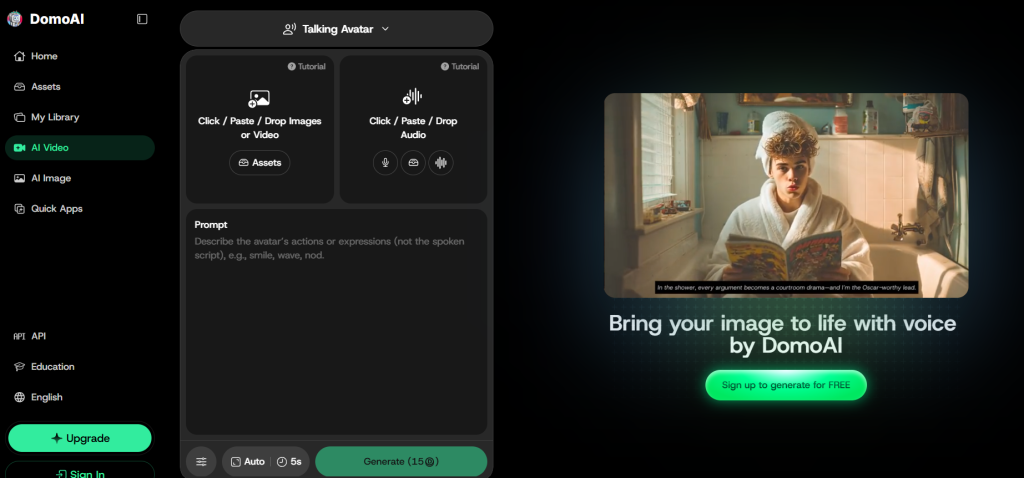
Create talking, singing, and animated character videos without rigging a Live2D or 3D model.
• Best for: VTuber intros, song covers, character performances, explainers, and social clips
• Price: Free plan / paid plans from $6.99 per month when billed yearly
• Platform: Cloud-based
• Animation: Audio lip-sync and reference-video motion
DomoAI fills a different role from real-time VTuber tracking software. Its Talking Avatar tool turns a portrait, anime character, mascot, or pet image into a lip-synced video using built-in Text to Speech or uploaded audio. This makes it useful for pre-recorded dialogue, singing clips, YouTube videos, and Shorts.
For motion-heavy content, Character to Video transfers the movement from a reference video to your chosen character and now integrates the Seedance 2.0 for cinematic, multi-shot character animation with native audio. DomoAI also brings image generation, image editing, animation, video restyling, and upscaling into the same workspace.
What we love
• Built-in Text to Speech and support for uploaded audio
• Works with portraits, anime art, mascots, and original characters
• Character to Video is useful for dance and performance clips
• Screen Keying supports compositing over custom backgrounds
• Simple browser-based workflow with no rigging required
Watch out for
• Not designed for real-time face tracking or live avatar control
• Background music and full-song mixing require an external editor
• Longer video modes and some advanced features require paid plans
Our verdict: A strong choice for VTubers who want to produce polished, pre-recorded talking, singing, or animated character content without learning traditional rigging or motion-capture workflows.
#2 — VTube Studio
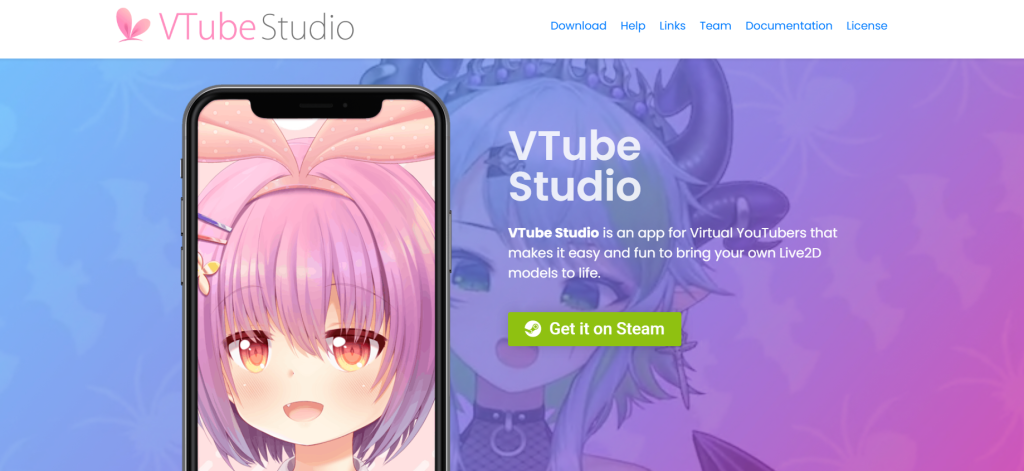
The most widely used 2D VTuber app in the world. If you want to stream with a Live2D model, this is your tool.
- Best for: 2D VTubers of all levels
- Price: Free (watermark) / ~$12 DLC to remove
- Platform: Windows, macOS, iOS, Android
- Tracking: Webcam, iPhone ARKit, Android
VTube Studio is the undisputed leader for 2D Live2D VTubers, developed by DenchiSoft and available on Steam with over 3,100 user reviews at 92% positive, one of the highest approval ratings in the space. It works by connecting your smartphone (or webcam) to your PC, using your phone’s front camera for high-accuracy face tracking via ARKit (iPhone) or Mocap4Face (Android).
The webcam option uses OpenSeeFace tracking, contributed by the VSeeFace developer, making it genuinely usable even on mid-range PCs. Critical note: VTube Studio ONLY supports Live2D models. If you have a 3D VRM model from VRoid Studio, use VSeeFace instead.
What we love
- iPhone ARKit tracking is exceptional — best face-tracking quality available without dedicated hardware
- Free to use with full functionality; the $12 DLC only removes a small watermark
- Works on Windows AND Mac — rare in this space
- 92% positive Steam reviews from 3,100+ users — proven community trust
- Active Discord community and extensive documentation — great for troubleshooting
- Microphone lip-sync, prop pinning, hotkey expressions, and viewer interaction tools built in
Watch out for
- Live2D ONLY — no VRM/VRoid support whatsoever (this is a dealbreaker for 3D users)
- Requires a Live2D model to be useful — a good custom model costs $500–$2,000+
- Pre-made models are limited; the best ones require purchase or commissioning
- Learning curve for custom rig setup and parameter mapping
Our verdict: The gold standard for 2D VTubing. If you’re serious about Live2D streaming, this is non-negotiable. Start with the free version and buy the DLC when you’re ready to go live professionally.
#3 — VSeeFace (Best Free 3D Option)
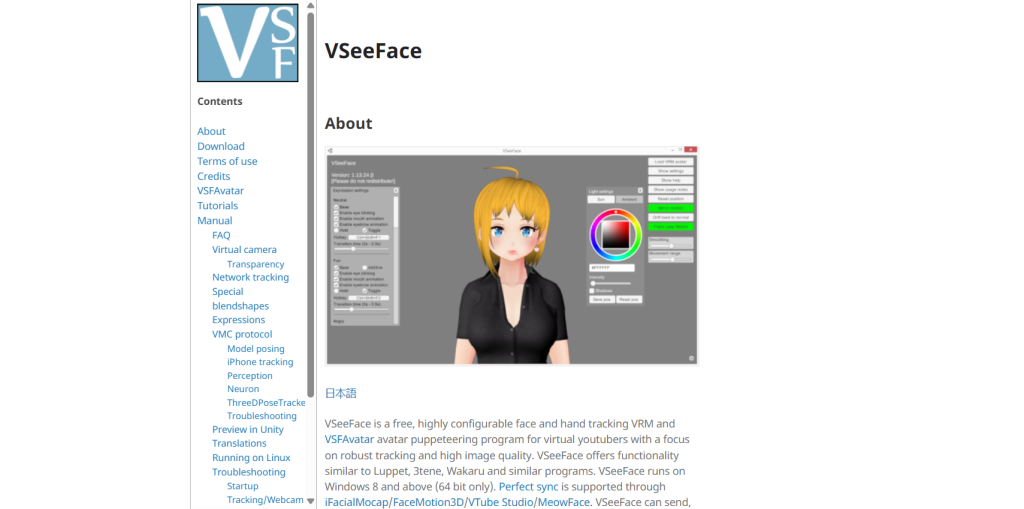
The most capable free 3D VTuber software available. Nothing else at this price (free) comes close.
- Best for: 3D VTubers who want full control at zero cost
- Price: 100% Free, no catch
- Platform: Windows only (64-bit)
- Tracking: Webcam, Leap Motion (hands), iPhone via VTube Studio
VSeeFace is an open-source, free avatar puppeteering application developed by Emiliana, the same developer who contributed webcam tracking technology to VTube Studio itself. This is important for credibility: VSeeFace uses the same OpenSeeFace tracking engine that powers VTube Studio’s webcam mode.
It supports VRM and VSFAvatar formats (VRoid models work perfectly), face tracking including eye gaze, blinks, eyebrows and mouth, and optional hand tracking via Leap Motion. It runs on Windows 8 and above, outputs via virtual camera and Spout2 for OBS integration, and supports the VMC protocol for combining multiple tracking sources.
What we love
- Completely free — no subscriptions, no watermarks, no hidden costs
- Supports VRM models natively — perfect pairing with VRoid Studio
- More resource-efficient than VTube Studio in most webcam-tracking scenarios
- VMC protocol support allows combining tracking from multiple sources
- Active community support; the developer is present in Vtuber communities
- Full hand tracking support via Leap Motion — rare at any price point
Watch out for
- Windows only — Mac users cannot use this tool
- UI is functional but not polished — higher learning curve than Live3D or Animaze
- No iPhone tracking natively (you can route through VTube Studio, but it adds complexity)
- Setup takes time — not a 15-minute plug-and-play experience
- Smaller built-in avatar library; you need to source VRM models separately
Our verdict: If you have a VRoid or VRM model and a Windows PC, VSeeFace should be your first download. Nothing free competes with its feature set. Budget 1–2 hours for initial setup.
#4 — VRoid Studio (Best Avatar Creator)
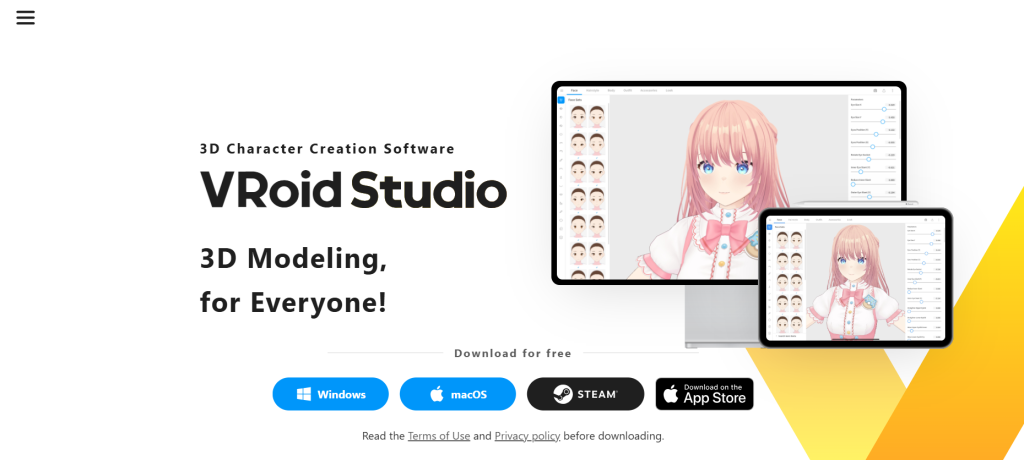
Not a streaming tool, a character design studio. Use it to create your avatar, then export to VSeeFace or other apps.
- Best for: Creators who want a custom 3D avatar without commissioning an artist
- Price: 100% Free (pixiv)
- Platform: Windows, macOS
- Tracking: N/A — character creator only
VRoid Studio by pixiv is a 3D character creation application with over 2,700 Steam reviews at 94% positive, the highest approval rating of any tool in this list. It lets you design a complete anime-style 3D character using sliders, texture editing, and preset items, no 3D modeling expertise required. The output is a VRM file, which is compatible with VSeeFace, Animaze, and most VRM-compatible VTuber apps.
You can customize hair, face features, body shape, clothing, and even draw custom textures directly. For users who cannot afford a $500–$2,000 custom model commission, VRoid Studio is the entry point that makes VTubing accessible to everyone.
What we love
- 94% positive Steam reviews from 2,700+ users — highest satisfaction in this roundup
- Works on both Windows and Mac — rare in the VTuber software space
- No 3D modeling skills needed — anyone can build a usable character in under 2 hours
- Exports VRM format compatible with VSeeFace, Animaze, and most platforms
- Commercial use allowed — you own your model completely
- VRoid Hub community provides thousands of free pre-made VRM models to download
Watch out for
- Not a streaming/tracking app — you need VSeeFace or similar to actually stream
- Models have a distinctive anime aesthetic — not suitable for hyper-realistic styles
- Clothing customization is limited compared to a professionally commissioned model
- Hair physics can require Unity to adjust advanced properties
Our verdict: Every VTuber using a 3D avatar should know this tool. It’s not for streaming, it’s for building your identity. Create here, then import to VSeeFace or Animaze to go live.
#5 — Live3D VTuber Maker (Best All-in-One for Beginners)
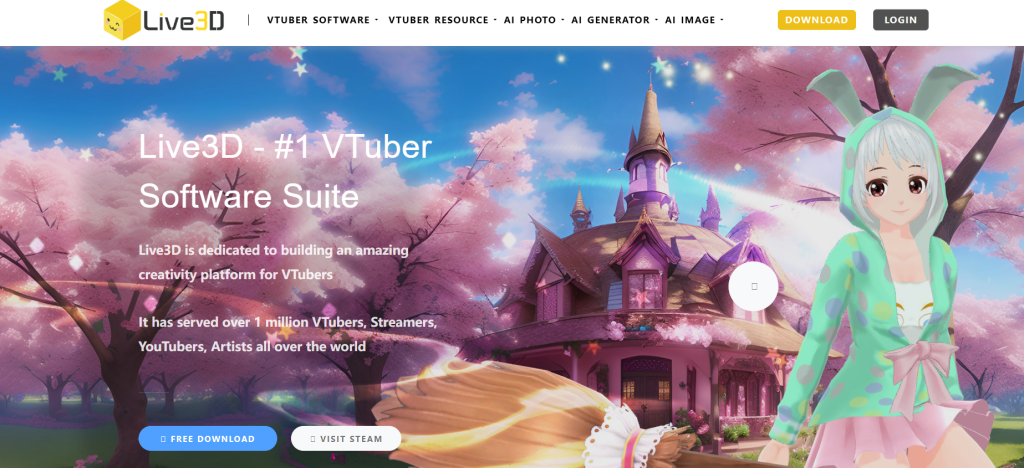
The fastest path from zero to live stream. Pre-made avatars, face tracking, and OBS integration in one package.
- Best for: Complete beginners who want to stream today
- Price: Free / Pro ~$3.90/month
- Platform: Windows only
- Tracking: Webcam (face + hands)
Live3D has served over 1 million VTubers and streamers according to the company, and their product suite (VTuber Maker, VTuber Editor, VTuber Gallery) offers the most complete beginner experience in the market. Unlike VSeeFace which requires sourcing your own model, Live3D includes a built-in avatar library and expression system.
The Twitch extension integration lets viewers interact with your avatar directly, and the hand tracking feature is available without Leap Motion hardware. The Pro subscription at approximately $3.90/month unlocks advanced features, making it one of the most affordable paid upgrades in the category.
What we love
- Built-in avatar library — you can start streaming with a ready avatar without external tools
- Hand tracking via webcam alone — no Leap Motion device needed
- Twitch extension lets viewers interact with your avatar for engagement boosts
- Pro plan at ~$3.90/month is the lowest-cost paid upgrade in this roundup
- Serves 1M+ users — proven scale and reliability
Watch out for
- Windows only — no Mac support
- Resource intensive — requires a mid-range PC; struggles on older hardware
- 3D-focused; limited 2D support compared to VTube Studio
- Avatar customization depth is lower than VRoid Studio for unique character designs
- Free tier has meaningful limitations on expressions and features
Our verdict: The fastest on-ramp in this list. If you want to go live this weekend with a 3D avatar and no prior experience, Live3D gets you there. Upgrade when you outgrow the free tier.
#6 — Animaze by Holotech (Best for Multi-Format Users)
Runs on its own indie engine, not dependent on Unity. Supports Live2D, VRM, GLB, and more in one app.
- Best for: Intermediate users who want one app for all avatar formats
- Price: Free + in-app purchases
- Platform: Windows only
- Tracking: Webcam face tracking, optional body tracking
Animaze is developed by the team that made FaceRig, built on a proprietary indie engine (not Unity), which is a meaningful distinction, when Unity changed its pricing in 2023, Animaze was unaffected. It supports Live2D, VRM, VRoid, GLB, and more under one roof. The ‘Animaze Rooms’ multiplayer feature lets multiple VTubers share a virtual space for collaborative streams, which is unique in this category.
The in-app voice effects and voice skins add audio variety to streams. With 80+ free avatars, backgrounds, and props included, it’s one of the most feature-complete free starting options.
What we love
- Proprietary engine — immune to Unity licensing changes that affected other VTuber tools
- Supports the widest range of model formats: Live2D, VRM, VRoid, GLB simultaneously
- Animaze Rooms multiplayer feature — unique collaborative streaming capability
- Built-in voice effects and voice skins for audio variety
- 80+ free assets including avatars, backgrounds, and props included at launch
- Free base version is genuinely usable for regular streaming
Watch out for
- Windows only
- Body tracking is limited compared to VSeeFace + Leap Motion
- In-app purchase model can become expensive as you expand your avatar collection
- Community is smaller than VTube Studio’s — fewer tutorials and community resources
Our verdict: If you want format flexibility and don’t want to be locked into one avatar type, Animaze is the most versatile free option. Particularly strong if you plan to collaborate with other VTubers.
#7 — Veadotube Mini (Best for PNGTubers)
Audio-reactive 2D avatar animation. No camera needed. The easiest setup in this entire list.
- Best for: PNGTubers and creators without a webcam
- Price: Free (pay what you want)
- Platform: Windows, macOS
- Tracking: Audio-reactive (microphone only)
Veadotube Mini occupies a different category to everything else on this list, it animates a 2D PNG avatar based on your voice volume rather than facial tracking. This makes it incredibly lightweight (minimal CPU usage), accessible to anyone with a microphone, and usable on Mac. Many popular PNGTubers use this exact setup.
The avatar switches between ‘talking’ and ‘idle’ states automatically based on audio input. It requires OBS or Streamlabs to capture the output. Setup time is genuinely under 10 minutes for a basic stream.
What we love
- No webcam required — microphone only for full functionality
- Works on both Windows and Mac
- Extremely low system resource usage — runs on any hardware
- Setup in under 10 minutes — the fastest in this list
- Free with optional donation model (pay-what-you-want)
- Used by thousands of active PNGTubers on Twitch and YouTube
Watch out for
- Limited expressiveness — only talking vs. idle state switching
- No facial tracking, eye movement, or dynamic expressions
- PNG avatars can appear less professional compared to Live2D or 3D models
- Not suitable for creators who want full-face or body animation
Our verdict: Perfect entry point for anyone who wants to start VTubing immediately without hardware or setup complexity. Used by real, active creators, it’s legitimately viable for building an audience.
#8 — DeepMotion Animate 3D (Best for Motion Capture from Video)
Upload any video. Get professional motion capture data. No suit, no sensors, no studio.
- Best for: Animators and creators who need MoCap from video footage
- Price: $19–$99/month (cloud-based)
- Platform: Cloud (browser-based, all platforms)
- Tracking: AI motion extraction from uploaded video
DeepMotion is not a streaming tool, it’s a cloud-based AI motion capture service. You upload a video of yourself performing a movement, and DeepMotion’s AI extracts full-body motion capture data in FBX or BVH format, compatible with standard 3D software. This is particularly powerful for VTubers who want to create dance clips, performance scenes, or animated content outside of live streaming.
The starter plan at $19/month is accessible, though heavy users will need the $99/month tier. Note: requires internet connection for all processing.
What we love
- No motion capture hardware needed — just a regular video camera or smartphone
- Outputs industry-standard FBX and BVH files compatible with Blender, Maya, Unity
- Cloud-based — works on any OS
- Ideal for creating pre-recorded dance and performance content
- AI accuracy has improved significantly through 2024–2025 updates
Watch out for
- Subscription required — no meaningful free tier for regular use
- Not a real-time streaming tool — for pre-production content only
- Requires internet for all processing — cannot work offline
- Accuracy varies with video quality and lighting conditions
- $19–$99/month pricing adds up if you’re not using it consistently
Our verdict: A specialized tool worth its subscription cost if you produce animated VTuber content beyond live streaming. Not your primary streaming software, use alongside VTube Studio or VSeeFace.
#9 — Luppet (Best Hand Tracking)
Precise hand and body tracking for creators who want full expressive control.
- Best for: Semi-professional streamers who want advanced body movement
- Price: Paid (Japanese pricing, approx. ¥1,500–¥3,000/month)
- Platform: Windows only
- Tracking: Leap Motion + Webcam
Luppet is a Japanese-developed VTuber tool built around Leap Motion integration for accurate hand tracking combined with webcam facial capture. It’s used by semi-professional VTubers who want natural hand gestures and full-body expressiveness during streams.
The trade-off is the Japanese-only interface, which presents a real barrier for non-Japanese users without translation tools. It requires a Leap Motion controller ($80–$150 additional hardware). For creators who prioritize expressive hand movement, Luppet delivers quality not matched by free alternatives.
What we love
- Best hand tracking quality in this list when paired with Leap Motion
- Smooth lip-sync accuracy
- OBS compatible for streaming integration
Watch out for
- Japanese-only interface — significant barrier for non-Japanese speakers
- Requires Leap Motion hardware ($80–$150 additional cost)
- Windows only
- Smaller international community and fewer English tutorials
Our verdict: A specialist tool for creators who prioritize hand expression above everything else. Not recommended as a first tool, come back to Luppet once you’ve outgrown basic face tracking.
Compare the best AI directory platforms to find where you can discover, list, and promote cutting-edge AI tools.
Quick Comparison: All Tools at a Glance
Use this table to compare all tools across the specs that matter most.
| Tool | Type | Price | Windows | Mac | Tracking | OBS Ready | Skill Level |
| DomoAI | AI Avatar / Video | from $6.99/mo | Yes | Yes | Audio lip-sync + reference-video motion | No (pre-recorded export) | Beginner |
| VTube Studio | 2D | Free + $12 DLC | Yes | Yes | Webcam/iPhone | Yes | Beginner |
| VSeeFace | 2D/3D | 100% Free | Yes | No | Webcam/Leap | Yes | Intermediate |
| VRoid Studio | 3D Creator | 100% Free | Yes | Yes | Avatar builder | No | Beginner |
| Live3D | 3D | Free / ~$3.9/mo | Yes | No | Face + Hands | Yes | Beginner |
| Animaze | 2D/3D | Free + IAP | Yes | No | Face + Body | Yes | Beginner |
| Veadotube Mini | 2D PNG | Free | Yes | Yes | Audio-based | Yes | Beginner |
| DeepMotion | 3D MoCap | $19–$99/mo | Cloud | Cloud | Video upload | No | Intermediate |
| Move.AI | 3D MoCap | Contact sales | Cloud | Cloud | Multi-camera | No | Advanced |
| Luppet | 3D | Paid (¥) | Yes | No | Leap Motion | Yes | Intermediate |
| VRoid Hub + VSeeFace | Full Stack | Free | Yes | No | Webcam | Yes | Intermediate |
VRoid Studio exports VRM files that require VSeeFace or Animaze to stream. It is not a standalone streaming app.
How to Choose the Right AI Vtuber Tool
- Define your purpose: Pick between 2D or 3D Vtubing based on your channel style and resources.
- Check platform compatibility: Ensure it integrates with OBS, Twitch, or YouTube Live.
- Prioritize tracking type: Choose facial-only tracking for beginners, full-body for advanced creators.
- Evaluate customization options: Tools like Vroid and Live3D offer high control for avatar design.
- Compare pricing models: Free or freemium tools are ideal for starters; pro versions add quality and realism.
- Test performance: Some tools need GPU power; try browser-based tools if you stream from low-end devices.
Which Tool Should YOU Use? (60-Second Decision Matrix)
Stop scrolling and use this. Find your situation on the left, your answer is on the right.
| Your Situation | Recommended Tool | Why |
| Complete beginner, $0 budget | VTube Studio (free) + VRoid Studio | 15 min setup, webcam only needed |
| Beginner wanting 3D avatar | VSeeFace + VRoid Studio | Most popular free 3D stack |
| 2D streamer, professional quality | VTube Studio + Live2D model | Industry standard for 2D VTubers |
| Wants body + hand tracking free | VSeeFace + Leap Motion | Best free full-body option |
| Mac user | VTube Studio or Veadotube Mini | Very few tools support Mac |
| Mobile streamer | VTube Studio (iOS app) | iPhone gives best tracking quality |
| Animator / dance clips | DeepMotion or Move.AI | AI motion from video upload |
| 3D model design from scratch | VRoid Studio → export VRM | Most accessible 3D creator |
| Podcaster / no camera | Veadotube Mini | Audio-driven, no webcam needed |
| Pro Vtuber / agency level | Live3D Pro + custom VRM model | Full suite with commission support |
Warning: If any guide recommends Filtrix AI, Nyx Avatar Engine, Hyper Avatar, Animai Studio, or Virtual You, these tools have no verifiable active community or product page. Be cautious.
Check out our curated list of the best AI directory websites trusted by creators and businesses worldwide.
The Missing Piece: Voice AI for VTubers
Most VTuber guides ignore voice entirely. But 35% of VTubers operate without agency backing, meaning they need privacy solutions. Voice AI solves that.
Top voice tools used by the VTuber community:
ElevenLabs
Industry-leading AI voice synthesis. Free tier includes 10,000 characters/month. Paid from $5/month. Most popular for privacy-conscious creators.
Resemble.AI
Real-time voice cloning. Better for creators who want to maintain their own voice character with modification.
VoiceMod
Real-time voice changer with anime/character voice filters. Lower quality than ElevenLabs but zero latency.
W-Okada Voice Changer (free)
Open-source real-time voice conversion. Steep learning curve but zero cost.
Best pairing: VTube Studio + VRoid avatar + ElevenLabs for voice = a complete, private, professional VTuber setup for under $5/month.
Explore More on The AI Surf
- Best AI Avatar Generator Tools (2026) — for non-VTubing AI avatars
- Best AI Voice Generators — Top Tools compared
- Best Free AI Tools for Content Creators — full toolkit for YouTubers and streamers
- Best AI Animation Tools — for creators producing animated content beyond live streaming
View our flexible AI Surf pricing plans to promote your AI tool and reach a wider audience.
You can explore an AI tools directory to discover useful platforms for AI candidate screening, along with practical AI courses for beginners to build your skills from the ground up.
Our Final Verdict
The VTuber software landscape in 2026 is better than it has ever been. The combination of VRoid Studio + VSeeFace + OBS is genuinely world-class, and completely free. VTube Studio has democratized professional 2D streaming for under $12. The barrier to entry has never been lower.
Discover the top AI tools directories where you can explore trending AI platforms and emerging innovations.
What separates VTubers who build audiences from those who don’t isn’t the tool, it’s consistency, personality, and community engagement. The software is now good enough. The question is whether you’ll use it.
Start with the free stack. Get comfortable. Then upgrade when you’ve outgrown it.
Your first action: Download VRoid Studio and spend 90 minutes designing your character. Export as VRM. Then install VSeeFace or VTube Studio and test your tracking. You’ll be surprised how fast it comes together.
| About the Author Revathi A — AI Tools Analyst & Editorial Lead at The AISurf Revathi brings real-world experience evaluating AI software across creator, developer, and business ecosystems. She focuses on hands-on testing, market validation, and separating hype from genuinely useful tools. Her work prioritizes transparency, verified data, and practical implementation over promotional bias. Core Focus: Generative AI · AI Avatars & Media Tools · Prompt Systems · AI Workflow Automation |
— The AI Surf Editorial Team | theaisurf.com | February 2026
All tool information verified as of February 2026. Prices and features subject to change — check official tool websites for the latest details.
Frequently Asked Questions
What do I actually need to start VTubing for free?
At minimum: a PC (Windows), a webcam (or iPhone), and three free apps, VRoid Studio (to design your avatar), VSeeFace (to animate it), and OBS Studio (to stream it). Total hardware cost if you already have a PC: $0 to $30 for a basic webcam. Setup time: 2–3 hours.
Which AI VTuber tool is best for absolute beginners?
Live3D for the fastest setup experience with pre-made avatars. VTube Studio if you want the industry-standard 2D tool from day one. Both have free tiers that are fully functional for starting out.
Can I VTube on a Mac?
Yes, but your options are more limited. VTube Studio works on Mac (both 2D tracking and macOS desktop app). VRoid Studio works on Mac for avatar creation. Veadotube Mini works on Mac. VSeeFace, Live3D, Luppet, and Animaze are Windows-only. If you’re on Mac, the VRoid Studio + VTube Studio combination is your best path.
What’s the difference between 2D and 3D VTubing?
2D VTubing uses Live2D Cubism models, flat illustrated characters that move fluidly with face tracking. They’re less resource-intensive and have a distinctive anime look used by many professional VTubers. 3D VTubing uses VRM/3D models with depth and full-body movement. 3D requires more hardware power but allows more physical expressiveness. As of 2025, 2D still dominates at 59% market share.
Is VTube Studio actually free?
Yes. VTube Studio is free to download on Steam and fully functional with all tracking features. The only paid component is a $12 DLC that removes a small watermark from the bottom of your screen. There are no subscriptions, no feature gates, and no time limits on the free version.
Do I need an iPhone to VTube?
No, but iPhone tracking is significantly better than webcam tracking. iPhone uses Apple’s ARKit for face capture, which tracks subtle expressions with higher accuracy. Webcam tracking (via OpenSeeFace) works well on mid-to-high quality webcams and is what most beginners start with. You can always upgrade to iPhone tracking later.
How much does a VTuber model cost?
It varies widely. Free: VRoid Studio lets you create your own 3D model at no cost. Pre-made models: $20–$200 on marketplaces like Booth.pm. Custom 2D (Live2D) commission: $500–$2,000+ depending on the artist. Custom 3D: $2,000–$10,000+ for studio quality. Most new VTubers start with a VRoid-created model or a pre-made purchase.
What hardware does VTubing require?
Minimum: Windows 10 PC, 8GB RAM (16GB recommended), webcam, microphone. For best tracking: iPhone (any model with Face ID for ARKit), 16GB+ RAM, dedicated GPU (GTX 1060 or equivalent). Mac users can run VTube Studio and VRoid Studio. Linux is not supported by most VTuber tools.
Can I VTube without showing my face?
Yes, this is one of the main appeals of VTubing. Your real face is never shown; only your animated avatar. Many VTubers also use AI voice changers (ElevenLabs, VoiceMod) to further protect their identity. Around 35% of US VTubers operate independently without agency backing, and privacy tools are widely used.
Which VTuber tools do popular VTubers actually use?
Professional agency VTubers (Hololive, Nijisanji) use custom proprietary setups with professional motion capture hardware. Among independent creators, VTube Studio is the most common tool for 2D, and VSeeFace + VRoid is the most common free 3D stack. Veadotube Mini is widely used in the PNGTuber community.