


Best AI Floor Plan Generator Tools
- Interior & Architectural Design
- November 5, 2025
- No Comments
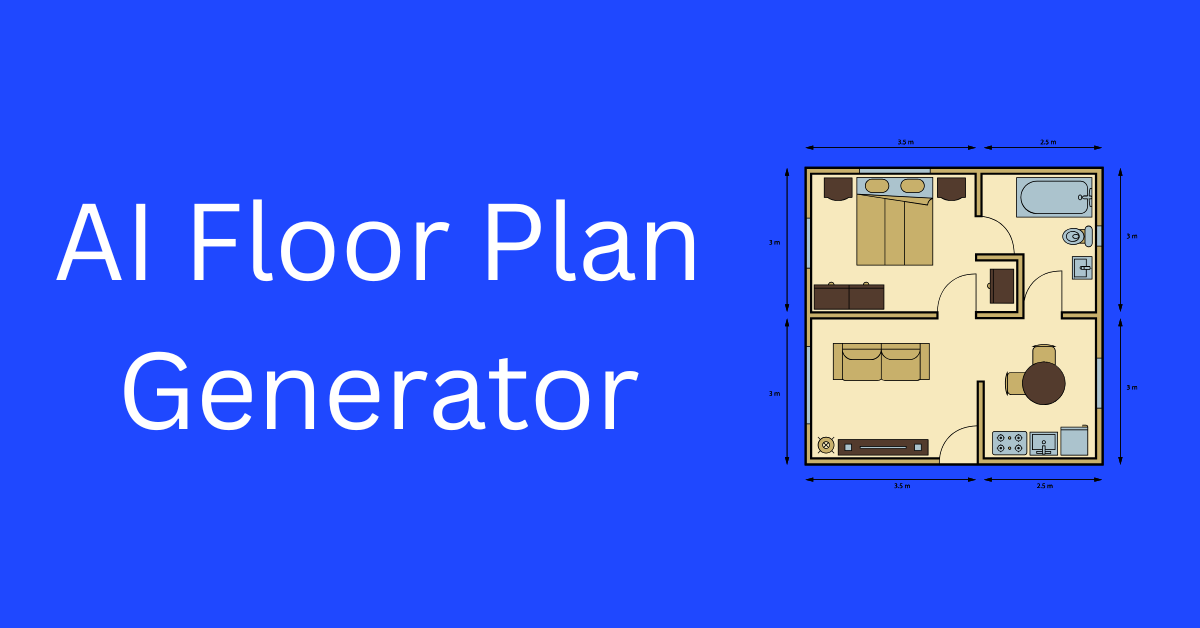
AI floor plan generators are reshaping architecture and interior design by automating space planning and visualization. These tools use advanced algorithms to generate floor plans from sketches, text prompts, or design inputs within seconds, helping professionals and homeowners save hours of manual work.
What is AI Floor Plan Generator Tools?
AI Floor Plan Generator tools help users instantly create accurate layouts with automated space optimization, custom design parameters, and immersive 3D previews. Whether for architecture, construction, or interior planning, these solutions streamline how modern spaces are designed and presented.
Benefits of Using AI Floor Plan Generator Tools
AI-driven floor plan software enhances accuracy, reduces manual drafting time, and promotes design experimentation. These tools also support 3D modeling, visualization, and collaborative workflows, making them valuable for architects, designers, and real estate developers aiming for efficiency and creative flexibility.
How We Picked These Tools
- Ease of use and learning curve
- Realistic rendering and visualization quality
- Pricing flexibility and accessibility
- Collaboration and export options
- AI accuracy in layout generation
- Customization and design versatility
Top Tools (Ranked)
Planner 5D
Best for creating both 2D and 3D home layouts
What it is: A home design tool powered by AI that converts 2D sketches into realistic 3D floor plans.
Standout features:
- Converts 2D plans into 3D renderings
- Extensive design library
- Cross-device sync
- Supports unlimited projects
Pricing: Free, Premium $4.99/month, Professional $33.33/month, Enterprise custom
Best for: Interior designers and homeowners
Pros: - Easy to use for beginners
- Supports detailed visualization
- Affordable premium plans
Cons: - Limited rendering speed on free plan
- Occasional export quality issues
Coohom
Professional-grade 3D design platform for interiors and furniture layouts
What it is: A 3D interior design software that integrates AI for fast modeling and rendering.
Standout features:
- Extensive furniture and texture library
- Real-time rendering
- Cloud storage for projects
- VR presentation mode
Pricing: Free basic plan; Pro and Elite plans available
Best for: Interior design professionals
Pros: - Enterprise-grade 3D visualization
- Scalable pricing
Cons: - Limited export features on free plan
- Steep learning curve for new users
Maket
AI-driven architectural design software for instant layout creation
What it is: A generative AI platform for architectural design and automated space planning.
Standout features:
- 2D to 3D conversion
- Advanced floor plan editing
- Real-time sharing
- DXF/PDF/JPEG export
Pricing: Free basic plan; Pro $30/month; Annual $288
Best for: Architects and real estate developers
Pros: - Highly customizable floor plans
- Efficient project sharing
Cons: - Limited credits on free plan
- Requires stable internet
Mappedin
Best indoor mapping and AI layout tool
What it is: AI-based indoor mapping software that enables creation and sharing of interactive maps.
Standout features:
- Cloud-based map creation
- Customizable layouts
- Team collaboration
- Analytics dashboard
Pricing: Free, Plus $25/map/month, Pro $165/map/month
Best for: Facility managers and retail planners
Pros: - Excellent indoor navigation support
- Easy sharing options
Cons: - Focused on indoor maps, not home plans
- Limited 3D rendering
Arcadium
3D house design platform with AI-powered planning
What it is: An AI-based home and interior design tool for 3D floor planning.
Standout features:
- Unlimited projects
- Furniture library
- Multi-user editing
- AI image generation
Pricing: Free plan; Pro $12/month
Best for: Independent designers
Pros: - Intuitive interface
- Supports collaboration
Cons: - Limited object library in free plan
- Rendering speed could improve
AiHouse
Comprehensive 3D interior design and visualization software
What it is: AI-assisted software offering high-end visualization for interior designers.
Standout features:
- Photorealistic rendering
- Design-to-manufacture workflow
- Custom materials and textures
- Collaboration options
Pricing: Custom plans based on duration
Best for: Professional studios
Pros: - Excellent visualization quality
- Integrated workflow
Cons: - Pricing not transparent
- Needs high-performance system
Getfloorplan
AI tool that transforms 2D sketches into 3D floor plans with tours
What it is: A fast floor plan generator that produces layouts and virtual tours.
Standout features:
- 2D and 3D plan creation
- Virtual tour integration
- Branding support
- High-quality rendering
Pricing: From $25 per plan
Best for: Real estate and architecture professionals
Pros: - Fast rendering
- Supports branded output
Cons: - Pay-per-project pricing
- No live collaboration
3D House Planner
Free online floor plan creator for simple layouts
What it is: Browser-based 2D/3D planning tool with quick rendering.
Standout features:
- Easy drag-and-drop interface
- Supports instant visualization
- No signup required
Pricing: Free
Best for: Beginners and DIY users
Pros: - Quick design creation
- No cost
Cons: - Limited design features
- No professional export formats
Rasterscan
AI recognition tool for blueprints and scanned drawings
What it is: A deep learning model that detects and converts blueprint sketches into editable floor plans.
Standout features:
- Recognizes symbols and walls
- Blueprint scanning
- Customizable export formats
Pricing: See site for latest pricing
Best for: Construction firms and surveyors
Pros: - Ideal for digitizing blueprints
- Accurate recognition
Cons: - Not a design editor
- Requires scanned input
Floorplan AI
AI-driven design platform for custom floor plan generation
What it is: A full-featured generator supporting 2D and 3D layouts.
Standout features:
- DXF and PNG export
- Multi-tier credits system
- Team collaboration
- Chat and email support
Pricing: Free basic; Pro $59/month
Best for: Architectural firms
Pros: - Powerful design engine
- Scalable credit-based pricing
Cons: - Credit limits may restrict large projects
- No offline use
FloorDesign
AI-based instant design and visualization app
What it is: A free web-based platform that generates layouts using AI-driven design modes.
Standout features:
- Text-to-design and image-to-design modes
- Smart recommendations
- No signup required
Pricing: Free
Best for: Students and quick visualizers
Pros: - Fast and accessible
- Ideal for concept generation
Cons: - Limited professional tools
- No export customization
Floor Plan AI
All-in-one platform for automated architectural design
What it is: A professional tool using text prompts and sketches to create layouts.
Standout features:
- 3D-ready visuals
- Multi-user collaboration
- Cloud storage and version control
Pricing: Free tier; paid plans available
Best for: Design teams and enterprises
Pros: - Supports multiple design styles
- High accuracy (99.8%)
Cons: - Requires learning curve
- Rendering limited on lower tiers
Pictory
Pictory – AI video generator for creators and marketers.
What it is: Pictory turns long-form content like blogs or webinars into short, shareable videos automatically.
Standout features:
- Text-to-video generation with voiceover
- Branded video templates
- Stock footage integration
- AI summarization from blogs or scripts
- Auto captions and subtitle generation
Pricing: See site for latest pricing
Best for: Marketers, YouTubers, and content repurposing teams
Pros: - Speeds up video creation
- Supports multi-platform export
- Automatic captioning improves reach
Cons: - Limited editing flexibility
- Occasional stock video mismatches
Synthesia
Synthesia – best for professional AI video avatars.
What it is: Synthesia allows users to generate realistic AI avatar videos using typed scripts.
Standout features:
- 140+ AI avatars and 120+ languages
- Custom avatar creation
- Brand voice cloning
- Template-based video editor
Pricing: See site for latest pricing
Best for: Corporate training, marketing, and tutorials
Pros: - Professional quality output
- Easy-to-use editor
- Localized video generation
Cons: - Lacks advanced motion control
- Avatar customization costs extra
HeyGen
HeyGen – versatile AI video creation for marketing teams.
What it is: HeyGen is an AI video platform that converts text or audio into lifelike avatar videos.
Standout features:
- Lip-sync accuracy
- AI-generated presenters
- Video translation
- Template-based scenes
Pricing: Free plan available; paid plans start monthly
Best for: Businesses creating explainer or onboarding videos
Pros: - Multilingual output
- Realistic human avatars
- Smooth workflow for marketers
Cons: - Rendering can take time
- Limited avatar gestures
Runway
Runway – creative AI video editing for professionals.
What it is: Runway provides advanced AI tools for editing, motion tracking, and generating video assets.
Standout features:
- Text-to-video generation
- Background removal
- Green screen effects
- Image-to-video synthesis
Pricing: See site for latest pricing
Best for: Creatives, editors, and filmmakers
Pros: - Advanced AI visual control
- Cloud-based editing
- Integrates with other workflows
Cons: - Expensive for casual users
- Learning curve for beginners
Veed.io
Veed.io – simple video editor with AI-powered automation.
What it is: Veed.io helps users create and edit videos with automated subtitles and templates.
Standout features:
- AI captioning and translation
- Auto video resizing
- Social media templates
- Background noise remover
Pricing: Free and paid plans available
Best for: Social media managers and influencers
Pros: - Very beginner-friendly
- Cloud storage
- Fast exporting
Cons: - Free plan has watermarks
- Some AI features are premium
Colossyan
Colossyan – AI video creation with dynamic actors.
What it is: Colossyan turns text into talking head videos using AI-generated presenters.
Standout features:
- Multiple avatar options
- Dynamic camera movement
- Script-to-video generation
- Language localization
Pricing: See site for latest pricing
Best for: Corporate and eLearning video creation
Pros: - Realistic results
- Great for training and learning videos
- Intuitive interface
Cons: - Lacks visual scene variety
- Audio customization limited
Lumen5
Lumen5 – automated marketing video maker.
What it is: Lumen5 converts articles, posts, and scripts into engaging social videos using AI.
Standout features:
- Auto scene selection
- Brand theme presets
- Drag-and-drop editing
- Stock video integration
Pricing: Free plan; premium options available
Best for: Marketing and content repurposing teams
Pros: - Fast video creation
- Good branding options
- Social-friendly formats
Cons: - Basic customization
- Output quality varies
Comparison Table
| Tool | Key Use Case | Starts At | Free Plan | Standout Feature |
|---|---|---|---|---|
| Pictory | Blog-to-video | See site | Yes | AI summarization |
| Synthesia | AI avatar video | See site | No | Custom avatars |
| HeyGen | Marketing videos | Free tier | Yes | Video translation |
| Runway | Creative editing | See site | Yes | Motion tracking |
| Veed.io | Social video editing | Free tier | Yes | AI captioning |
| Colossyan | eLearning videos | See site | No | Dynamic camera angles |
| Lumen5 | Content repurposing | Free tier | Yes | Blog-to-social video |
How to Choose the Right AI Video Generator
- For social media clips, pick Veed.io or Lumen5 for their templates.
- For training or tutorials, Synthesia and Colossyan offer realistic avatars.
- For creative projects, Runway delivers advanced control.
- If you need multilingual content, HeyGen and Pictory are ideal.
- Always check rendering speed, customization options, and audio quality.
- Test free plans before upgrading to premium tiers.
FAQs
What is an AI video generator?
An AI video generator uses artificial intelligence to convert text, images, or ideas into fully produced videos with minimal editing effort.
Are AI-generated videos suitable for professional use?
Yes, many brands and educators use AI videos for training, marketing, and content automation.
What’s the difference between free and paid tools?
Free plans usually include watermarks and limited customization, while paid versions offer higher quality and branding options.
How to pick the right one for my needs?
Choose based on output quality, avatar realism, export format, and pricing.
What are potential risks?
AI avatars can seem robotic if not fine-tuned, and licensing may limit certain commercial uses.
How to ensure video originality?
Use unique scripts, customize avatars, and include brand elements to make each video distinct.
Related Reads
Best AI 3D Model Generators
Top 21 AI Image Scanning Tools to Analyze and Recognize Images
Summary
AI video generators simplify and speed up production for creators, marketers, and educators. They allow teams to produce studio-quality videos without heavy equipment or technical skills. Whether you need a marketing clip or a corporate tutorial, these tools offer scalability and creativity for all.