


Best ClickUp Alternatives for 2026: Top Productivity Tools
- ClickUp
- October 22, 2025
- No Comments
When it comes to managing projects, tasks, and workflows, ClickUp has established itself as a versatile and comprehensive platform favored by many teams worldwide. However, it’s not uncommon for users to seek out best ClickUp alternatives that better fit their specific needs, budget, or usability preferences.
Whether you’re exploring options due to limitations within project management alternatives or just want to compare features, this guide dives deep into the top competitors and alternative solutions worth considering.
Top ClickUp Alternatives: A Comprehensive Comparison
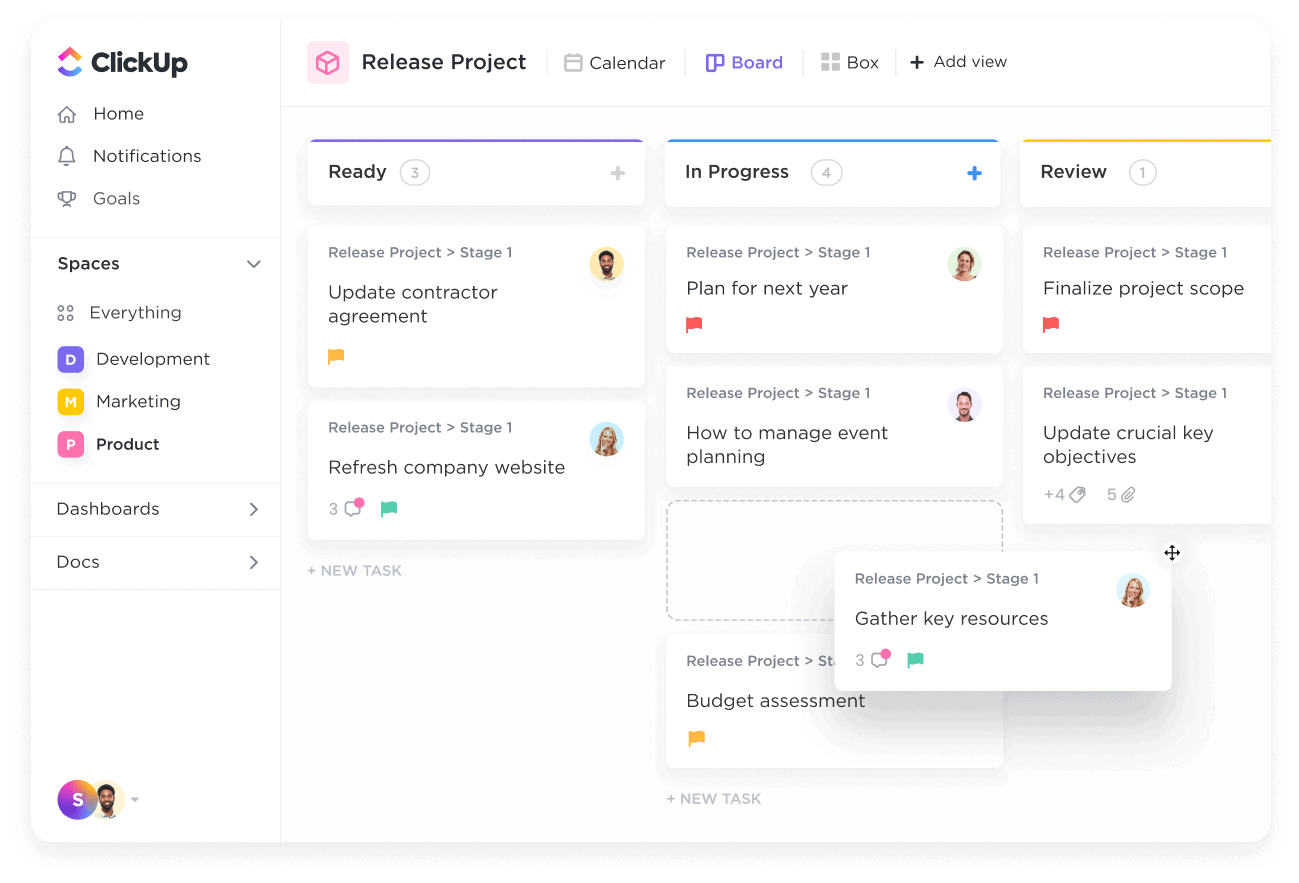
The landscape of project management tools is vast and varied, encompassing solutions that cater to different business sizes, industries, and team dynamics. For those searching for best ClickUp alternatives, it’s important to understand what features are non-negotiable—be it automation, integrations, ease of use, or pricing—and then compare platforms accordingly. Tools like Asana, Trello, Notion, Monday.com, and Airtable offer unique approaches to project management, each excelling in specific areas but also carrying their limitations. A comprehensive comparison involves assessing their user interfaces, customization capabilities, collaboration features, and scalability to find which alternative aligns best with your goals.
While ClickUp provides an all-in-one platform encompassing task management, goals, docs, and more, some teams prefer streamlined solutions or tools specializing in specific features. For instance, visual learners lean towards Trello’s Kanban boards, whereas those needing extensive database functionalities might opt for Airtable. Listening to user reviews and testing free trials helps in understanding how each platform performs in real-world scenarios, especially when prioritizing best ClickUp alternatives that genuinely boost productivity and user satisfaction.
Beyond ClickUp: Exploring Project Management Solutions
Expanding beyond ClickUp means acknowledging the diversity of project management approaches available today. Many platforms introduce innovative ways to visualize workflows or integrate AI-driven automation, offering a fresh perspective that could better fit specific business models. For example, Notion combines note-taking and database features, creating a hybrid workspace that some users find more flexible compared to ClickUp’s structured environment.
Similarly, Wrike emphasizes advanced project analytics and real-time collaboration, appealing to larger enterprises needing more granular control.
Understanding these diverse solutions encourages teams to think outside the box when choosing best ClickUp alternatives. It also reveals new functionalities that might not be offered within ClickUp’s ecosystem—such as enhanced document management, CRM integrations, or unique reporting tools. Exploring these outside platforms broadens your options and allows for a more tailored approach to project management that aligns with your business’s workflow, culture, and technological ecosystem.
ClickUp Limitations: Why Users Seek Alternatives
Despite its robust features, some users find that ClickUp does not fully meet their needs, prompting them to look for best ClickUp alternatives. Common complaints include a steep learning curve, occasional bugs, and complex customization that overwhelms new users. Additionally, some teams may find ClickUp’s interface cluttered or too feature-heavy for their simple task-tracking needs, leading to decreased productivity rather than enhancement.
Moreover, pricing structures and customer support quality can influence the desire to switch. Small businesses or startups with limited budgets often look for more affordable options that don’t sacrifice core functionalities. Others seek platforms with stronger integrations or better mobile experiences, which might be underwhelming in the current ClickUp setup. These limitations drive users toward alternatives that promise smoother onboarding, clearer interfaces, and specialized features more aligned with their workflows.
Feature-Rich Alternatives to ClickUp for Enhanced Productivity
For teams craving feature-rich alternatives, platforms like Monday.com and Asana stand out by combining powerful automation, integrations, and custom workflows. Monday.com offers highly visual boards with automated notifications, timeline views, and robust reporting, making it suitable for teams that thrive on visual clarity and detailed tracking. Asana, on the other hand, provides advanced task dependencies, goal tracking, and workload management, fostering a sense of control and transparency that can rival ClickUp’s versatility.
What sets these alternatives apart is their focus on user experience combined with powerful features that can truly enhance productivity. They often include AI-assisted project insights, extensive third-party integrations, and simplified setups, allowing teams to customize workflows without the complexity often associated with ClickUp. If your priority is to maximize efficiency through automation and data-driven insights, these best ClickUp alternatives may deliver superior value and performance.
Affordable ClickUp Alternatives for Small Businesses
Small businesses and startups often operate under tight budgets, making affordability a crucial criterion when searching for best ClickUp alternatives. Tools like Trello, Todoist, and Notion provide highly cost-effective options without sacrificing core project management features. Trello’s intuitive Kanban boards and extensive third-party integrations can be deployed at a fraction of ClickUp’s cost, making it ideal for teams seeking simplicity and flexibility.
Notion combines note-taking, databases, and task management into a unified platform that is both affordable and highly customizable. Its free tiers and low-cost plans suit small teams looking for an all-in-one workspace that is easy to set up and scale. These platforms demonstrate that effective project management doesn’t always require high expenditures, offering small organizations an excellent entry point into streamlined workflows while sticking within budget constraints.
ClickUp vs. The Competition: A Detailed Feature Breakdown
To truly understand the best ClickUp alternatives, a detailed feature comparison is essential. Asana provides timeline views, task dependencies, and goal-setting features similar to ClickUp but excels in its user-friendly interface and simpler setup. Monday.com offers custom automations, integrations, and visual project tracking, rivaling ClickUp’s comprehensive environment.
Trello, while minimalist, leverages visual task management with power-ups to extend functionalities, making it preferable for teams prioritizing visual workflows.
Some alternatives introduce unique features to stand out. Airtable combines database functionalities with project management, suitable for users who need complex data organization. Wrike offers resource management, real-time updates, and advanced analytics ideal for larger teams or enterprises.
Comparing these tools involves analyzing ease of use, scalability, integrations, and specific features tailored to your team’s operational needs. Understanding these nuances helps in selecting an alternative that genuinely matches your requirements.
Simplify Your Workflow: Evaluating User-Friendly ClickUp Alternatives
For teams aiming for simplicity without sacrificing necessary functionalities, user-friendly ClickUp alternatives are key. Platforms like Todoist and ClickUp’s own lighter plans are designed for quick adoption, minimal setup, and straightforward task management. Todoist, with its clean interface and natural language input, enables users to capture tasks rapidly, making it ideal for personal productivity or small team coordination.
In addition, Notion’s customizable templates and drag-and-drop interfaces allow users to build their workflows visually without dealing with convoluted settings. These tools tend to have less of a learning curve, enabling teams to focus on their work rather than navigating complex software. For those overwhelmed by feature overload in ClickUp, these alternatives offer a pragmatic solution that balances simplicity with functionality, fostering greater adoption and consistent usage.
Scalable Project Management: Identifying the Best ClickUp Competitors
As organizations grow, their project management needs evolve, demanding solutions that seamlessly scale. Platforms such as Monday.com and Smartsheet are designed with scalability in mind, offering robust functionality for both small teams and enterprise-level operations. Monday.com’s modular architecture allows teams to start simple and expand with automation, integrations, and custom workflows over time, aligning well with long-term growth strategies.
Similarly, Microsoft Project and Clarizen focus on large-scale project management and portfolio oversight, providing advanced features like resource allocation, budgeting, and risk management. When evaluating best ClickUp alternatives for scalability, consider the potential for growth, integration capabilities, and the support needed for complex projects. A scalable solution not only handles today’s demands but also adapts to future organizational complexities without requiring a platform change.
ClickUp Alternatives with Superior Customer Support
Customer support quality can significantly influence your project management experience. Certain platforms stand out for their dedicated customer service, onboarding assistance, and active community support, which are crucial especially during the initial setup or troubleshooting. Zendesk, for example, offers tailored onboarding and extensive support options that can help teams get up and running quickly.
Platforms like Asana and Monday.com also excel in their customer support, providing extensive resources such as tutorials, dedicated account managers, and active user communities. Superior support ensures that teams not only pick the right tools but also maximize their potential, minimizing downtime and frustration. When choosing best ClickUp alternatives, factoring in customer support quality can be the difference between a smooth transition and ongoing operational hiccups.
Choosing the Right Project Management Tool: A ClickUp Alternative Guide
The decision of selecting a ClickUp alternative hinges on understanding your team’s unique needs, budget constraints, and preferred workflows. Start by assessing what core features are non-negotiable—such as task dependencies, automation, or time tracking—and which are secondary. It’s also wise to consider user experience and the learning curve, especially if onboarding new team members frequently.
Additionally, evaluate how well each platform integrates with your existing tools, whether it’s Slack, Google Drive, or CRM systems. Trial periods and demoing platforms can provide real-world insights that packaged explanations often miss. Ultimately, the goal is to find a flexible, reliable solution that enhances productivity without introducing unnecessary complexity. The best ClickUp alternatives are those that align with your team’s goals, culture, and growth trajectory.
Relevant Reads:
ClickUp vs Asana: Ultimate Comparison for Teams
Project Management Software in 2025: An In-Depth Exploration
Conclusion
Choosing the right project management platform is vital to streamlining workflows, fostering collaboration, and ultimately enhancing productivity. While ClickUp offers an extensive feature set, it might not be the perfect fit for everyone, leading teams to explore best ClickUp alternatives tailored to their unique needs. From user-friendly interfaces and affordability for small businesses to powerful, scalable options for large enterprises, the options are diverse and plentiful.
Carefully comparing features, support, integrations, and costs allows organizations to find solutions that not only match current demands but also support future growth. With the right alternative, teams can unlock new levels of efficiency and collaboration, transforming their project management experience beyond what they initially envisioned.