


ClickUp vs Notion: Which Productivity Tool Reigns Supreme
- ClickUp
- October 22, 2025
- No Comments
When it comes to optimizing workflows and fostering collaboration, choosing the right productivity platform can be transformative for teams and individuals alike. Among the leading contenders in the project management and organization space are ClickUp vs Notion.
Both tools promise to streamline your work, enhance communication, and boost productivity, yet they approach these goals quite differently. As you evaluate clickup vs notion, it’s crucial to understand their unique strengths and nuances to determine which suits your specific needs best.
In this detailed comparison, we’ll explore the core features, pricing structures, user experience, customization options, integration capabilities, and ideal use cases of ClickUp and Notion. Whether you’re a solo entrepreneur, a small team, or a large enterprise, this guide aims to arm you with all the insights necessary to make an informed decision. Let’s delve into the nuanced worlds of Best productivity tools 2025 and identify which platform is the right fit for your workflow.
ClickUp vs. Notion: A Comprehensive Comparison for Project Management
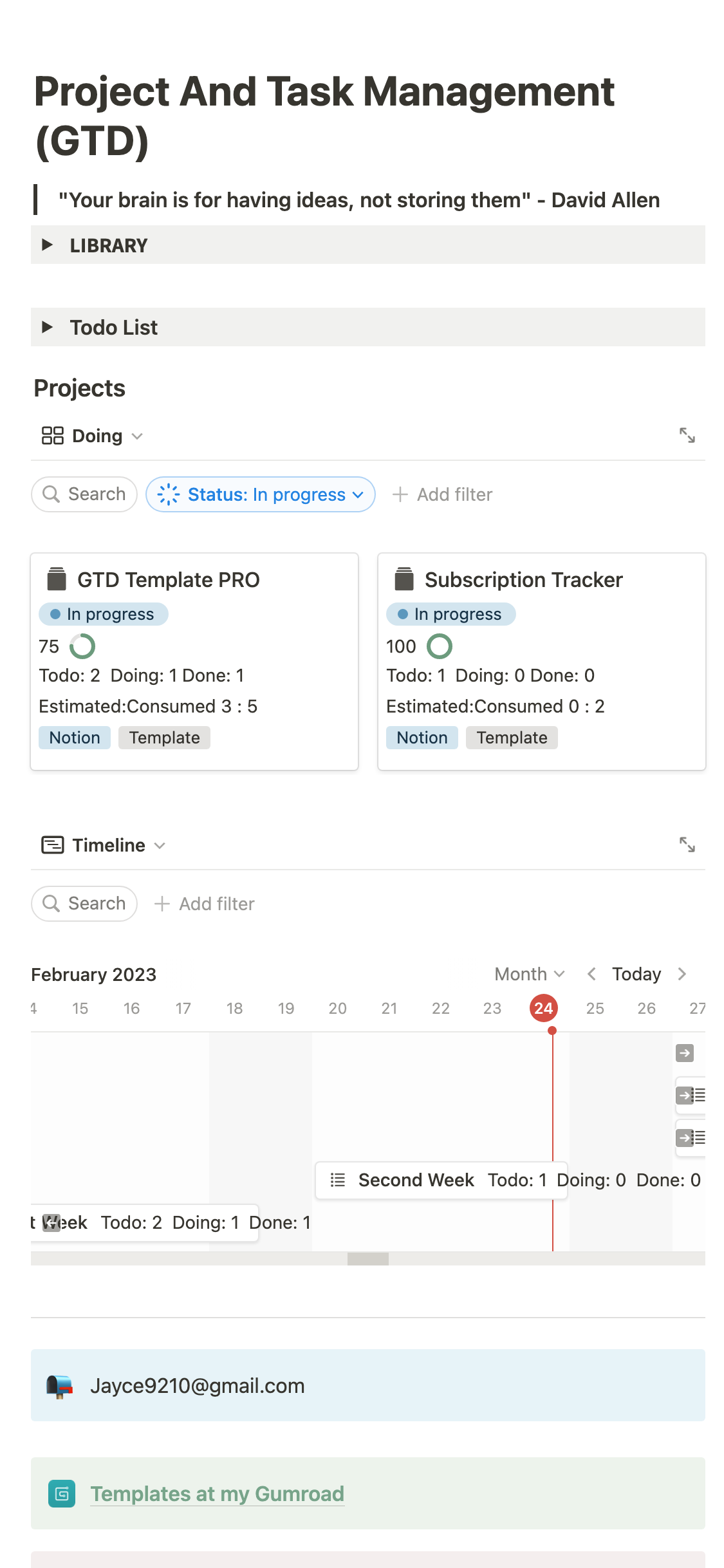
ClickUp and Notion stand out primarily for their adaptability. ClickUp leans toward a traditional project management suite with a focus on task tracking, timelines, and automation, making it a favorite for teams that require structured workflows. Conversely, Notion offers a highly customizable workspace built around notes, databases, and wikis, appealing to those who prefer a more flexible, document-centric approach.
In terms of broad capability, clickup vs notion often becomes a debate between structured task management versus fluid and versatile content organization. While ClickUp provides predefined views such as Gantt charts and Kanban boards, Notion champions extensibility through its nested pages and database templates. The choice ultimately hinges on whether your priority is rigorous project execution or adaptable documentation and knowledge management.
Notion vs. ClickUp: Which Productivity Powerhouse is Right for You?

Choosing between notion vs clickup begins with understanding your team’s workflow and project complexity. Notion shines brightly in environments where documentation, knowledge sharing, and customizable content are vital. Its user-friendly interface allows non-technical users to create detailed wiki-style pages, integrated databases, and creative layouts effortlessly.
In contrast, clickup vs notion pivots around task automation, deadline tracking, and project visualization. Teams managing numerous projects with deadlines and dependencies typically gravitate toward ClickUp for its comprehensive task hierarchy and automation capabilities. Your decision should factor in whether your focus is on rich content creation and collaboration or on detailed project tracking and automation.
ClickUp and Notion: Evaluating Features, Pricing, and Use Cases
Both ClickUp and Notion have free plans with significant features unlocked for paid tiers, yet their pricing models reflect different philosophies. ClickUp offers an all-in-one management platform with features like time tracking, goal setting, and automation included at multiple tiers, making it cost-effective for teams focused on task-oriented workflows.
Notion’s free plan emphasizes unlimited pages and blocks but restricts team collaboration functionalities, with paid options providing enhanced permissions and admin controls. Clickup vs notion highlights that wider project management requirements favor ClickUp’s comprehensive suite, whereas niche knowledge management and note-taking needs often find a home in Notion’s flexible environment.
Choosing Between ClickUp and Notion: A Detailed Feature-by-Feature Analysis
Analyzing clickup vs notion on a granular level reveals many differentiators. For task management, ClickUp offers hierarchical task relationships, time tracking, dependencies, and automation, enabling complex workflows necessary for software development, marketing, or operations teams. Notion provides database capabilities and linked pages that excel at creating interconnected documentation.
When it comes to customization, Notion’s interface allows content to be embedded in many formats, from markdown to kanban, while ClickUp provides customizable views like calendar, Gantt, and board. For collaboration, both platforms support comments and sharing; however, ClickUp’s in-app chat and real-time editing give it an edge in dynamic project environments. Choosing clickup vs notion boils down to whether your focus is on structured task automation or flexible content design.
ClickUp vs. Notion: Streamlining Workflows and Enhancing Collaboration
Effective collaboration is at the heart of modern productivity tools. ClickUp and Notion both support team collaboration via comments, mentions, and shared documents, but their approaches diverge. ClickUp’s real-time updates, notifications, and task assignments foster a more task-driven collaboration style suitable for fast-paced, deadline-oriented teams.
Notion’s strength lies in its ability to host comprehensive project documentation, company wikis, and resource hubs that are easy to navigate. Its collaborative features are ideal for knowledge sharing and idea development, especially for creative or research-oriented teams. When evaluating clickup vs notion in terms of workflow management, consider whether your team benefits more from active task orchestration or from a flexible, interconnected knowledge base.
Notion vs. ClickUp: Understanding the Strengths and Weaknesses of Each Platform
Both platforms have their inherent strengths and weaknesses that make them suitable for distinct use cases. ClickUp excels in structured task management, automation, and streamlined project oversight, making it suitable for organizations with complex project flows. Its comprehensive feature set, however, can be overwhelming to new users, requiring time to learn the system’s full capabilities.
Notion, on the other hand, shines in customization and flexibility, enabling teams to craft bespoke workflows, document repositories, and creative layouts. Its limitations include less robust automation and task dependencies, which can hinder large-scale project management. Analyzing clickup vs notion involves weighing these factors against your operational priorities—whether you need rigorous project control or adaptable content management.
ClickUp and Notion: Practical Examples and Real-World Applications
In specific contexts, ClickUp and Notion demonstrate their unique advantages. Software development teams often use ClickUp to track bugs, sprints, and deployment timelines, benefiting from its automation and dependencies features. Marketing teams may leverage ClickUp’s goal tracking and time tracking tools to monitor campaign workflows.
Meanwhile, Notion finds favor among content creators, educators, and research groups. Its ability to synthesize notes, create project documentation, and develop interactive dashboards makes it invaluable for academic projects, personal knowledge bases, and collaborative research documents. These practical applications underscore the importance of matching clickup vs notion not only to features but also to team workflows and end goals.
Making the Switch: Migrating from ClickUp to Notion (and Vice Versa)
Transitioning between ClickUp and Notion requires careful planning, especially for established teams with significant data. Exporting data from ClickUp involves CSV or JSON formats, which can be imported into Notion’s databases but may require some restructuring. Conversely, migrating from Notion to ClickUp often involves manual setup or third-party tools to transfer content into task lists and project views.
Both platforms offer resources and community support to facilitate migration, but procedural nuances can impact productivity during the switch. Analyzing clickup vs notion migration strategies highlights the importance of assessing long-term workflow impacts and potential updates needed to existing processes.
ClickUp vs. Notion for Different Team Sizes and Industry Needs
Large organizations with complex workflows, tight deadlines, and cross-departmental collaboration tend to favor ClickUp because of its scalability and automation features. Its ability to handle multiple projects, user roles, permissions, and integrations makes it ideal for enterprise settings.
Smaller teams, startups, and creative professionals often find Notion more aligned with their needs given its intuitive interface, customization, and content flexibility. For industry-specific applications such as education, research, or content marketing, Notion’s adaptable environment offers a tailored platform that can evolve with the team’s ideas. The choice between clickup vs notion becomes a strategic decision rooted in organizational size, industry demands, and planned growth.
The Ultimate Showdown: ClickUp and Notion – A Definitive Verdict
In the final analysis, clickup vs notion encapsulates a fundamental choice between structured project management and flexible content creation. If your priority is detailed task tracking, automation, and streamlined workflows, ClickUp likely holds the advantage. Conversely, if you seek a highly customizable workspace capable of hosting extensive documentation, notes, and interconnected databases, Notion emerges as the superior solution.
Ultimately, there is no one-size-fits-all answer, as each platform excels in different contexts. Many organizations find value in integrating both tools—using ClickUp for project execution and Notion for knowledge management—though this approach requires careful coordination. Recognizing the core strengths and limitations of clickup vs notion enables teams to craft the most effective, tailored productivity ecosystem.
Relevant Reads:
Project Management Software in 2025: An In-Depth Exploration
ClickUp vs Monday – A Feature-by-Feature Comparison (2026 Update)
Conclusion
The comparison of ClickUp vs Notion reveals two powerful platforms designed to cater to diverse productivity and collaboration needs. While ClickUp stands out in structured project management, automation, and enterprise scalability, Notion offers unmatched flexibility, content customization, and knowledge sharing capabilities.
By understanding their unique features, use cases, and limitations, teams can make well-informed decisions aligning tools with their workflows and objectives. Whether choosing one platform or integrating both, assessing your operational priorities will ensure maximum productivity and seamless collaboration in today’s dynamic work environment.