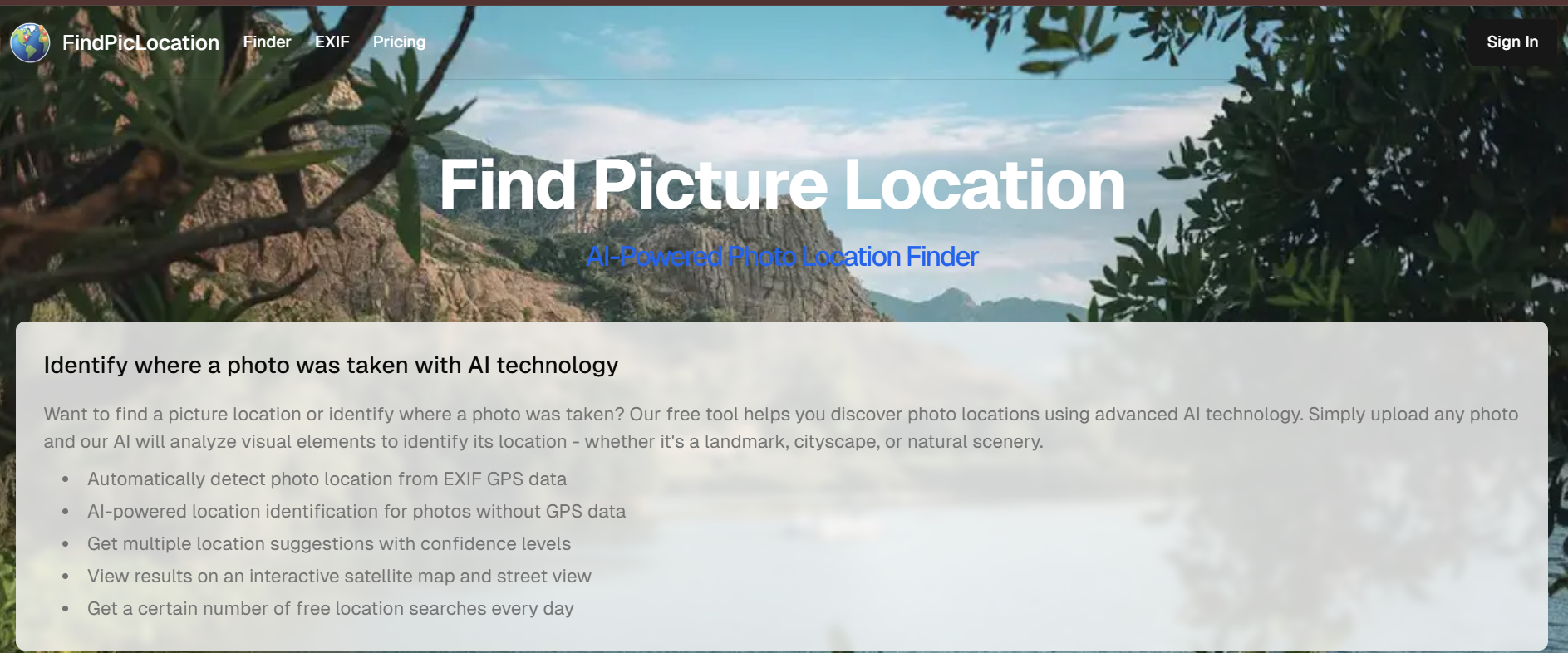
FindPicLocation: Discover Where Any Photo Was Taken
Want to know where a picture was taken? FindPicLocation is a free AI-powered photo location finder that can identify places from any image. It detects GPS data, analyzes visual landmarks, and provides possible matches—even if EXIF metadata is missing.
Find Picture Location is your go-to tool for uncovering the exact location of any image. Using advanced AI technology, this platform analyzes visual elements, EXIF data, and GPS coordinates to pinpoint where a photo was captured.
What Is FindPicLocation?
FindPicLocation is a specialized reverse image search tool designed to help you discover the geographic location where a photograph was taken. Whether you’re verifying social media posts, conducting OSINT investigations, planning travel to scenic spots, or simply curious about image origins, FindPicLocation analyzes visual clues to pinpoint photo locations.
How FindPicLocation Works
Let’s break down the process behind this cutting-edge AI tool:
1. EXIF GPS Data Detection
If your image contains embedded GPS metadata, FindPicLocation extracts latitude and longitude directly from the file.
You’ll instantly see:
Exact coordinates
Location name (city, country)
Street or landmark data
Google Maps or satellite preview
2. Visual AI Location Guessing
No GPS data? No problem.
The AI uses machine learning algorithms to analyze:
Buildings, vegetation, or water bodies
Architectural styles and signage
Weather and lighting patterns
From there, it generates multiple location suggestions with confidence percentages.
3. Interactive Map Integration
All results are shown on an interactive map — switch between satellite view and street view for better accuracy.
4. Multi-Image Uploads
Upload up to 3 photos of the same scene for more precise detection. The AI cross-references each image to improve the accuracy of results.
5. Free Daily Searches
Enjoy a set number of free searches per day to test and verify photos before upgrading to premium plans.
Step-by-Step Guide to Using FindPicLocation
1. Upload Your Image
Visit the FindPicLocation website and upload the photo you want to analyze. You can drag and drop files or paste image URLs directly into the search interface.
2. Initiate the Search
Click the search or analyze button to begin processing. The tool will automatically scan the image for location indicators and metadata.
3. Review the Results
FindPicLocation displays potential location matches with confidence scores, map coordinates, and supporting evidence explaining why each location was identified.
4. Verify and Refine
Cross-reference the results with additional context from the image. You can adjust search parameters or provide additional clues to narrow down results if the initial findings are too broad.
5. Export or Save Findings
Save the location data, coordinates, or export results for documentation or further investigation.
Example Lookups
Example 1: Tourist Photo Investigation
A user uploads a vacation photo showing a distinctive church facade. FindPicLocation identifies it as the Sagrada Família in Barcelona, Spain, providing GPS coordinates (41.4036° N, 2.1744° E) and matching it against thousands of similar tourist photos online.
Example 2: Social Media Verification
An investigator uploads a screenshot claiming to show a protest at a specific location. FindPicLocation analyzes street signs, building architecture, and storefront text to confirm the actual location, revealing the photo was taken in a different city than claimed.
Example 3: Historical Photo Location
A researcher uploads an old photograph with no metadata. By analyzing landscape features, mountain ranges in the background, and architectural styles, FindPicLocation suggests three possible locations in the Swiss Alps, complete with confidence ratings.
Key Features:
- AI-Powered Location Detection: Identify photo locations even without GPS data.
- EXIF GPS Data Analysis: Automatically detect locations from embedded metadata.
- Multiple Location Suggestions: Get ranked results with confidence percentages.
- Interactive Map View: Explore locations via satellite and street view.
- Free Daily Searches: Enjoy a certain number of free location searches every day.
- Multi-Image Upload: Upload up to 3 images of the same place for enhanced accuracy.
Real-World Use Cases
1. Reverse Engineering Instagram Photos
Upload an influencer’s travel photo — FindPicLocation can identify if it’s Santorini, Bali, or a lookalike resort in Spain.
2. Verifying Viral Images
Fact-check trending photos using AI-powered location guesses. Helpful for journalists and social media analysts.
3. Lost Photo Archives
Got images from old cameras without GPS tags? FindPicLocation helps you remember where those moments were captured.
4. Security & Intelligence
Used ethically, AI image location tools can support OSINT (Open Source Intelligence) operations or digital forensics.
Best for:
- Travel enthusiasts identifying unknown photo locations
- Photographers verifying the origins of their images
- Journalists and researchers fact-checking photo sources
- Curious individuals exploring the stories behind pictures
- Social media users tracking the locations of shared photos
- Historians analyzing historical or archival images
- Anyone wanting to uncover the hidden details of a photo
Limitations and Considerations
Technical Limitations
Metadata Dependency: Many modern platforms (Facebook, Twitter, Instagram) automatically strip EXIF data from uploaded images, making GPS-based location detection impossible for these photos.
Generic Locations: Photos taken in common indoor settings, generic landscapes, or locations without distinctive features may produce inconclusive or overly broad results.
Image Quality: Low-resolution, heavily edited, or cropped images reduce the tool’s ability to identify landmarks and environmental clues.
Database Coverage: FindPicLocation’s accuracy depends on the comprehensiveness of its reference database. Remote, rarely photographed locations may not be identifiable.
Privacy and Ethics
Consent and Permission: Always ensure you have proper authorization before attempting to locate where someone’s photos were taken, especially for private individuals.
Stalking and Harassment Prevention: Never use FindPicLocation to track, stalk, or harass individuals. Respect personal boundaries and privacy rights.
Sensitive Locations: Exercise extreme caution when identifying locations in conflict zones, protected areas, or situations where revealing location data could endanger individuals.
Legal Compliance: Be aware of local laws regarding image analysis, data privacy (GDPR, CCPA), and surveillance when using geolocation tools.
Responsible Use: This tool is intended for legitimate purposes such as journalism, research, travel planning, and education—not for malicious activities.
The AI Behind FindPicLocation
FindPicLocation leverages deep learning models similar to those used by Google Vision AI and Microsoft Azure Cognitive Services.
It identifies:
Terrain features (mountains, beaches, cities)
Landmark recognition (Eiffel Tower, Taj Mahal, etc.)
Environmental context clues (vegetation, signage, architecture)
This combination of computer vision + geospatial intelligence enables location detection even when EXIF data is missing — a major advantage over traditional reverse image searches.
Is FindPicLocation Safe to Use?
Yes. FindPicLocation respects your privacy and doesn’t store uploaded images after analysis.
All operations are performed securely, ensuring full data protection and anonymity.
Your images remain private and temporary, deleted immediately after session completion.
Disclaimer: Please refer to the website for the most accurate and current pricing details and service offerings.
Alternatives to FindPicLocation
If FindPicLocation doesn’t meet your needs, consider these alternatives:
| Tool | Primary Strength | Best For | Limitations |
| Google Reverse Image Search | Massive web coverage | Finding similar images with context | Doesn’t focus specifically on geolocation |
| TinEye | Tracking image usage history | Copyright verification, oldest instances | Limited geographic analysis |
| PimEyes | Face recognition technology | Finding where specific people appear | Privacy concerns, subscription required |
| GeoSpy | AI-powered location estimation | Photos without metadata or landmarks | Accuracy varies by region |
| Yandex Images | Strong Eastern European coverage | Images from Russian-language web | Interface language barrier |
| GeoGuessr | Interactive learning platform | Training location recognition skills | Game format, not investigative tool |
Best Practices for Location Identification
Combine Multiple Tools: Use FindPicLocation alongside other reverse image search tools for cross-verification and improved accuracy.
Look for Multiple Clues: Don’t rely solely on one landmark—identify multiple environmental markers to confirm location.
Consider Temporal Context: Check timestamps, weather patterns, seasonal vegetation, and clothing styles to verify location plausibility.
Respect Privacy: Always consider the ethical implications before sharing location findings publicly.
Suggested Reads
Discover the Power: Find a Person by Picture with Ease
Cracking the Code: Find People by Picture Using these 8 Strategies
Conclusion: Let AI Find Where Your Photos Were Taken
With FindPicLocation, discovering a photo’s origin is no longer guesswork. This AI-powered location finder blends metadata extraction and visual intelligence to reveal where images come from — whether for research, verification, or curiosity.
Try FindPicLocation today and uncover the hidden stories behind your photos.
Try nowFAQs
Can FindPicLocation work with screenshots from social media?
Yes, but with limitations. Most social media platforms automatically strip GPS metadata from images when uploaded. FindPicLocation can still analyze visual landmarks and environmental clues in screenshots, but accuracy depends on recognizable features in the photo rather than embedded location data.
Is it legal to use FindPicLocation to find someone's location?
Using the tool itself is legal, but how you use the information matters. It's legal for journalism, research, and verifying your own photos. However, using it to stalk, harass, or invade someone's privacy may violate laws like anti-stalking statutes or data protection regulations (GDPR, CCPA). Always obtain consent when analyzing private individuals' photos.
How accurate is FindPicLocation?
Accuracy varies significantly based on image quality and distinctive features. Photos with clear landmarks or intact metadata can be pinpointed to exact coordinates. Generic landscapes or indoor settings may only narrow down to a city or region. Images with stripped metadata and no recognizable features may produce inconclusive results.
Promote FindPicLocation

Write a review
 Own or work here?
Claim Now!
Claim Now!
Own or work here?
Claim Now!
Claim Now!

-
$99.00
/ Per Listing
-
Duration : Unlimited days
Lorem ipsum dolor sit amet, lorem sit.
- Verified check mark
- Indexed on Google
- FAQ Section
- Tags or keywords
- Free newsletter feature
- Published within 2 days
- Long texts and media
- Social Links
- Lead Form
- Announcement Feature
- Deals/Offers/Discounts Feature
-
$49.00
/ Per Listing
-
Duration : Unlimited days
Lorem ipsum dolor sit amet, lorem sit.
- Verified check mark
- Indexed on Google
- FAQ Section
- Tags or Keywords
- Free newsletter feature
- Published within 4 days
Claim request is processed after verification..
Featured AI Tools
-
Nekomori Al
Nekomori AI – Engage with Your Favorite Anime CharactersImmerse yourself…
-
-
IBM OpenPages
IBM OpenPages is an AI-powered governance, risk, and compliance (GRC)…
-
-

Nekomori Al
Nekomori AI – Engage with Your Favorite Anime CharactersImmerse yourself…


IBM OpenPages
IBM OpenPages is an AI-powered governance, risk, and compliance (GRC)…