Merlin is a powerful 26-in-1 Chrome extension that transforms how you research, write, and interact with content online.
Seamlessly blending top AI models like ChatGPT, Gemini, Claude, and more, Merlin enables you to summarize, translate, rewrite, and even chat with webpages, files, and videos—right from your browser.
Whether you’re writing content, analyzing data, or translating across languages, Merlin brings an AI super assistant to every tab.
Why People Love Merlin
Merlin isn’t just another AI chatbot — it’s your context-aware productivity copilot.
With one shortcut (Ctrl + M or Cmd + M), you can summon any AI model anywhere online — no switching tabs, no clutter, no friction.
Here’s what makes Merlin truly magical:
Unified AI Models
Access ChatGPT-4, Claude 3.7 Sonnet, Gemini, Mistral, and more — all from one sleek interface.
Switch between models seamlessly to get diverse perspectives, deeper research, or alternative writing styles.
Real-Time Web & File Access
Chat directly with webpages, PDFs, and YouTube videos.
Summarize, extract insights, or translate on the fly — without leaving your browser tab.
Chat With Anything
Ask Merlin to:
-
Summarize a 30-minute YouTube video in 30 seconds.
-
Translate an article into 50+ languages.
-
Reword an email for tone and clarity.
-
Generate code snippets, diagrams, or essays instantly.
Key Features:
-
Access 70+ AI tools for writing, summarizing, coding, translating, and content generation
-
Use Ctrl+M/Cmd+M to summon AI on any site or tab instantly
-
Chat with webpages, PDFs, YouTube videos, and uploaded documents
-
Customize AI chatbots with your files, links, or knowledge bases via Projects
-
Save, manage, and reuse prompts with a built-in prompt library
-
Generate on-demand artifacts like code, diagrams, or visuals using Crafts
-
Real-time writing, rewriting, and tone suggestions across all platforms
-
Translate content in 50+ languages, including text on images and videos
-
Unified interface with support for GPT-4, GPT-4o, Claude 3.7, Mistral, DeepSeek, and more
How to Use Merlin
Step 1: Add Merlin from the Chrome Web Store.
Step 2: Pin it to your toolbar.
Step 3: Sign up (it’s free!).
Step 4: Use Ctrl + M to open Merlin anywhere — on websites, PDFs, or search pages.
That’s it — your browser just got smarter.
Best for:
-
Content creators looking to research, write, and optimize faster
-
Students and researchers needing accurate summaries and translations
-
Professionals managing large volumes of documents or data
-
Developers generating or reviewing code with AI assistance
-
Social media managers writing or translating posts in multiple languages
-
Educators summarizing and analyzing academic content
-
Multilingual teams collaborating across global content
Price: Offers in-app purchases
Disclaimer: Please refer to the website for the most accurate and current pricing details and service offerings.
Explore More AI Tools
(Explore more productivity AI tools at TheAISurf.com)
FAQs
What is Merlin used for?
Merlin is a Chrome extension and cross-platform AI assistant that helps you research, summarize, translate, and create content using multiple AI models like ChatGPT, Claude, Gemini, and Mistral — directly in your browser.
Is Merlin AI free to use?
Yes, Merlin offers a free plan with essential AI tools and a premium plan for advanced features like Projects, Crafts, and extended model access.
Does Merlin work on mobile?
Yes — it’s available on iOS, Android, Windows, and macOS, so you can sync your workflow across devices.
Try nowPromote Merlin

Write a review
 Own or work here?
Claim Now!
Claim Now!
Own or work here?
Claim Now!
Claim Now!

-
$99.00
/ Per Listing
-
Duration : Unlimited days
Lorem ipsum dolor sit amet, lorem sit.
- Verified check mark
- Indexed on Google
- FAQ Section
- Tags or keywords
- Free newsletter feature
- Published within 2 days
- Long texts and media
- Social Links
- Lead Form
- Announcement Feature
- Deals/Offers/Discounts Feature
-
$49.00
/ Per Listing
-
Duration : Unlimited days
Lorem ipsum dolor sit amet, lorem sit.
- Verified check mark
- Indexed on Google
- FAQ Section
- Tags or Keywords
- Free newsletter feature
- Published within 4 days
Claim request is processed after verification..
Featured AI Tools
-
-
CommunityOne Discord AI Bot
⭐ What CommunityOne Does CommunityOne is an AI-powered growth and…
-
-
-

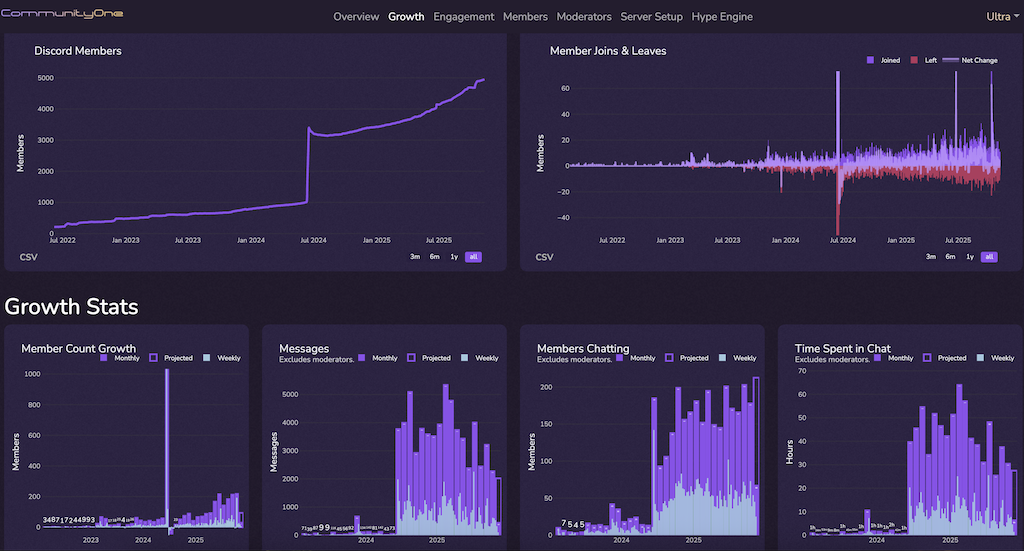
CommunityOne Discord AI Bot
⭐ What CommunityOne Does CommunityOne is an AI-powered growth and…