Motionize AI: All-in-One AI Content Creation Platform for Viral Videos, Images & Audio
Transform your creative ideas into professional video content, stunning images, and natural-sounding voice clips in minutes. Motionize AI is the comprehensive AI toolkit designed for content creators, marketers, and businesses looking to generate viral-ready content without technical expertise or expensive production costs.
Content creators going beyond tools like this can accelerate their edge with a fast-track Claude AI mastery curriculum built across 7 focused tracks.
Discover the best AI marketing tools to automate campaigns, create content, analyze performance, and grow your business faster.
What is Motionize AI?
Motionize AI is a comprehensive AI-powered content creation platform that enables users to generate videos, images, animations, and audio content from text prompts and existing media.
Built specifically for content creators, social media marketers, and small businesses, the platform combines multiple AI generation tools into one accessible interface, eliminating the need for complex video editing software or design experience.
Key Benefits:
- Create professional video content in minutes, not hours
- Generate unlimited variations from a single prompt
- No watermarks on pro plans for commercial use
- Access 10+ natural-sounding AI voices for text-to-speech
- Perfect for viral social media content across TikTok, Instagram, and YouTube
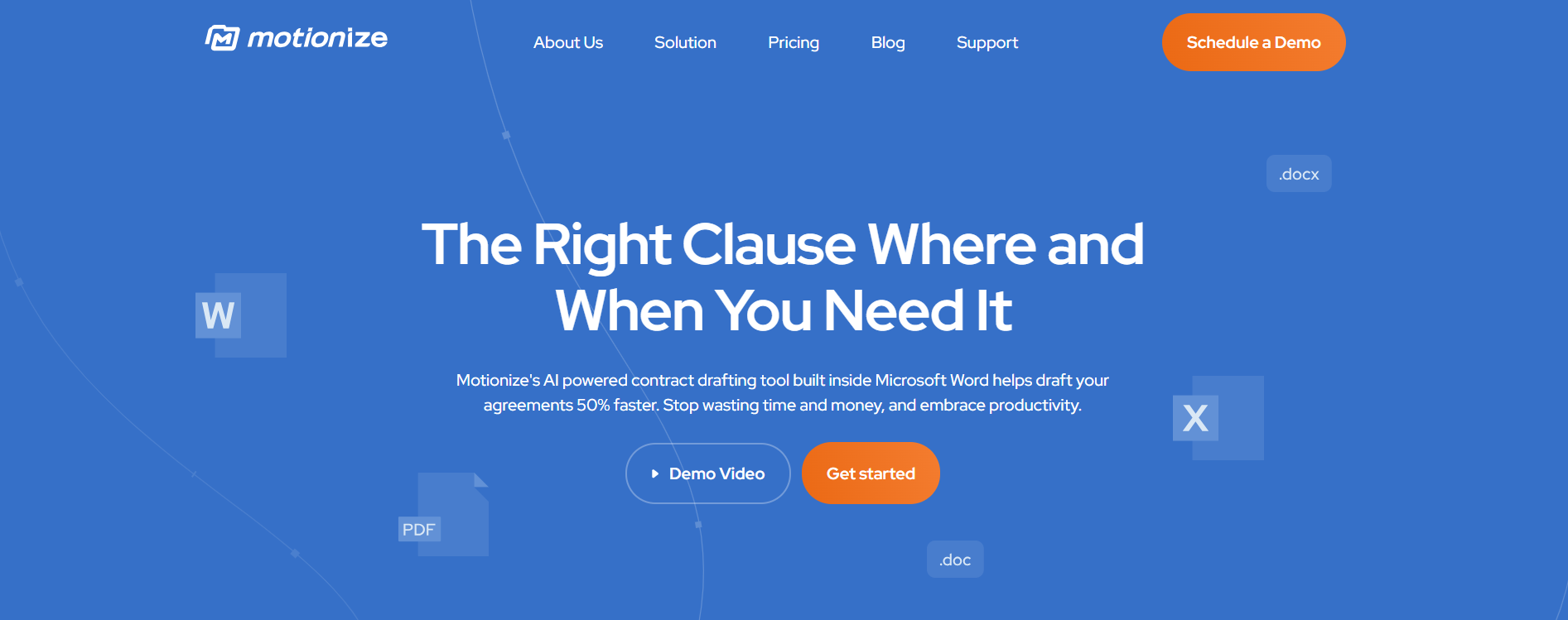
Motionize’s AI-powered contract drafting tool, built directly into Microsoft Word, helps legal professionals draft agreements 50% faster.
Built for lawyers, legal teams, and compliance professionals, Motionize automates repetitive drafting tasks like clause insertion, definition tracking, and redaction.
With smart precedent search, contextual clause viewing, and automatic redaction, Motionize delivers next-level efficiency without ever leaving Word.
Key Features:
- AI-Powered Drafting: Insert the right language with a click of a button, saving hours of manual work.
- Precedent Language Search: Find and reuse precedent language used by colleagues, ensuring consistency.
- Contextual Clause Viewing: See clauses in their original context within documents for better understanding.
- Seamless Integration: Stay in Microsoft Word—no app switching required.
- Advanced Filtering: Use tags to track, search, and find relevant clauses by agreement type, clause type, and more.
- Definition Tracking: Track definitions and usage throughout your document, avoiding inconsistencies.
- PII Auto-Redaction: Automatically redact sensitive information for secure document handling.
- Bulk Uploading: Quickly upload multiple documents to build your clause library.
- Automatic Styling: Maintain consistent formatting and styling across all documents.
Pro Tips for Best Results
Optimize Your Prompts:
- Be specific about camera angles and movements
- Include lighting and mood descriptions
- Reference specific styles or aesthetics
- Mention desired video length upfront
Credit Management:
- Start with free credits to test tools
- Generate multiple variations to compare
- Use small batches before bulk creation
- Monitor your credit balance regularly
Quality Control:
- Review free tier outputs before upgrading
- Test different prompt variations
- Save successful prompts for future use
- Join the community to learn best practices
Why Choose Motionize
Legal teams spend hours reusing, formatting, and rechecking contract clauses. Motionize eliminates that manual effort by bringing AI automation and institutional knowledge into your workflow. Marketing teams producing AI-generated content at volume should explore Automated Recruitment Technology to build lean creative teams faster.
- Draft contracts up to 50% faster.
- Ensure language consistency across all agreements.
- Maintain data security with PII auto-redaction.
- Eliminate context-switching fatigue by staying inside Word.
- Build a firm-wide clause database for future efficiency.
Pricing & Plans
Free Plan
Perfect for trying out the service
- Price: 100% Free
- Monthly Credits: 100 generation credits
- Access: Limited tool selection
- Watermarks: Included on outputs
- Best For: Testing the platform and exploring basic features
Small Plan (Pro)
For small businesses and creators
- Price: Starting at $9/month
- Monthly Credits: 1,000 generation credits
- Processing: Instant (no queue times)
- Watermarks: Removed from all outputs
- Commercial Rights: Full rights to all generated content
- Access: All Pro AI tools
- Best For: Solo creators and occasional content generation
Medium Plan (Pro)
Best choice for most businesses and creators
- Price: Starts at $9/month base (scales with credits)
- Monthly Credits: 2,000 generation credits
- Processing: Instant (priority queue)
- Watermarks: Removed
- Commercial Rights: Full commercial usage
- Access: All Pro AI tools
- Best For: Regular content creators and social media managers
Large Plan (Pro)
For power users and businesses
- Price: Starts at $9/month base (scales with credits)
- Monthly Credits: 3,000 generation credits
- Processing: Instant (highest priority)
- Watermarks: None
- Commercial Rights: Full commercial usage
- Access: All Pro AI tools
- Best For: Agencies and high-volume content production
Additional Options:
- Credit refill packs available: 1,000, 2,000, or 3,000 credits
- Yearly billing available for additional discounts
- Pay-as-you-go credits for flexible scaling
Credit Usage Examples:
- Text-to-Speech voice clip: 30 credits
- Image generation (4 images): Varies by complexity
- Video generation: Credits scale with length and quality
Best Use Cases for Motionize AI:
- Law Firms: Streamline contract drafting and improve team efficiency.
- Corporate Legal Teams: Reduce drafting time and ensure consistency across agreements.
- Junior Associates: Save hours on repetitive editing tasks and focus on higher-value work.
- Solo Practitioners: Enhance productivity without the need for additional resources.
- Legal Departments: Build a firm-wide playbook for consistent clause usage.
- Compliance Officers: Track and manage key provisions with ease.
- Legal Tech Adopters: Leverage AI to revolutionize contract drafting and review processes.
How to Use Motionize AI: Step-by-Step Guide
Getting Started
Step 1: Create Your Free Account
- Visit motionize.ai and click “Sign Up”
- Enter your email and create a password
- Verify your email address
- Receive 100 free generation credits automatically
Step 2: Choose Your AI Tool
- Browse the AI tools dashboard
- Select from: Text-to-Video, Image-to-Video, Logo Animation, Text-to-Speech, Image Generation, or Swap tools
- Review credit costs before generating
Creating Your First Video
Step 3: Enter Your Prompt (Text-to-Video)
- Navigate to the Text-to-Video tool
- Write a detailed description of your desired video scene
- Include details about: subject, action, environment, camera angle, and mood
- Example: “A handheld selfie-style shot, from the point-of-view of a gorilla in a lush jungle”
Step 4: Customize Your Settings
- Select video length (available durations based on your plan)
- Choose resolution quality (HD for free users, higher for Pro)
- Adjust style preferences if available
- Review total credit cost
Step 5: Generate and Download
- Click “Generate” to start the AI processing
- Wait for generation to complete (instant for Pro users, queue time for free)
- Preview your video in the dashboard
- Download in your preferred format
- Share directly to social media or save for editing
Creating Images
Step 6: Text-to-Image Generation
- Select the Text-to-Image tool
- Enter your image description with style details
- Generate 4 variations simultaneously
- Download your favorite or all four images
- Use for social posts, websites, or further editing
Voice Generation
Step 7: Text-to-Speech Creation
- Access the Text-to-Speech tool
- Type or paste your script (30 credits per clip)
- Choose from 10+ available AI voices
- Preview before finalizing
- Download high-quality audio file
- Use for video voiceovers, podcasts, or audio content
Use Cases
- Draft NDAs, MSA, and SLAs directly within Word using smart clause suggestions.
- Build internal playbooks by indexing and tagging clauses from past agreements.
- Automatically redact PII data from contracts before client sharing.
- Maintain style uniformity in multi-author agreements.
Motionize AI vs Competitors: Comparison Table
| Feature | Motionize AI | Runway ML | Synthesia | InVideo |
| Starting Price | $9/month (1K credits) | $12/month (125 credits) | $29/month (10 mins) | $20/month |
| Free Plan | 100 credits | 125 credits/month | 3 mins/month | 10 mins/week |
| Text-to-Video | Yes | Yes | (Avatar only) | Yes |
| Image-to-Video | Yes | Yes | No | Yes |
| Logo Animation | Yes | No | No | Yes |
| Text-to-Speech | 10+ voices | No | 140+ voices | Yes |
| AI Avatars | No | No | 230+ avatars | No |
| Face/Body Swap | Yes | (Limited) | No | No |
| Commercial Rights | (Pro plans) | Yes | Yes | Yes |
| Watermarks Removed | (Pro plans) | (Paid plans) | (Paid plans) | (Paid plans) |
| Max Video Length | Varies by tool | 5-10 seconds | 60 minutes | 15 minutes |
| Credits Roll Over | Monthly reset | No | No | No |
| API Access | No | (Enterprise) | (Enterprise) | No |
| Learning Curve | Easy | Moderate | Easy | Easy |
| Best For | Viral content creators | Professional filmmakers | Corporate videos | Marketing teams |
Key Differentiators
Motionize AI Advantages:
- Most affordable entry point for complete toolkit
- Comprehensive toolset (video, image, audio, swap) in one platform
- Simple credit system (easier to understand than time limits)
- Specialized for social media viral content
- Logo animation tool not available in competitors
- No complex video editor interface to learn
When to Choose Alternatives:
- Runway ML: Need advanced video editing features or API access
- Synthesia: Require professional AI avatar presenters for corporate content
- InVideo: Need extensive template library and longer video durations
Related Tools
- Legal Robot – Contract analysis and readability scoring with AI.
- Not Legal Advice – Legal advice at 1% cost
Final Verdict
Rating: 4.3/5
Motionize AI is an excellent all-in-one solution for content creators, social media marketers, and small businesses looking to produce viral-ready content without technical expertise or expensive equipment. The platform’s strength lies in its comprehensive toolset—combining video, image, and audio generation in one affordable subscription.
Best For:
- Social media content creators needing quick turnaround
- Small businesses on tight budgets
- Creators testing AI content generation
- Anyone producing short-form viral content
Not Ideal For:
- Corporate presentations requiring AI avatars
- Long-form video producers
- Users needing advanced post-production editing
- Enterprise teams requiring API access
The $9/month starting price makes Motionize AI one of the most accessible AI content platforms, especially considering the breadth of tools included.
While it has limitations (credit resets, no avatars, short video focus), it excels at its core mission: helping creators generate engaging social media content quickly and affordably. Agencies monetizing content production need an AI-powered billing software designed for digital agencies to manage client payments cleanly.
Bottom Line: If you’re creating content for TikTok, Instagram, or YouTube and want to scale production without hiring a video team, Motionize AI delivers impressive value.
The free tier is generous enough to fully test the platform, and the Pro plans provide genuine commercial viability for serious creators.
Disclaimer: Please refer to the website for the most accurate and current pricing details and service offerings.
Try nowFAQs
Is Motionize AI free?
Yes, Motionize AI offers a free plan with 100 generation credits. This allows you to test all the tools before upgrading. When your free credits run out, you'll need a Pro subscription for continued access.
What's included in the Pro subscription?
Pro subscriptions include monthly generation credits, instant processing without queue times, watermark-free outputs, full commercial usage rights, and access to all Pro AI tools.
How do generation credits work?
Each AI tool costs a specific number of credits. For example, generating a text-to-speech voice clip costs 30 credits. More complex generations (like videos) may cost more credits.
Can I use Motionize AI content commercially?
Yes, Pro subscribers receive full commercial rights to all content they generate, allowing you to monetize videos, use in client work, or sell products featuring generated content.
Promote Motionize

Write a review
 Own or work here?
Claim Now!
Claim Now!
Own or work here?
Claim Now!
Claim Now!

-
$99.00
/ Per Listing
-
Duration : Unlimited days
Lorem ipsum dolor sit amet, lorem sit.
- Verified check mark
- Indexed on Google
- FAQ Section
- Tags or keywords
- Free newsletter feature
- Published within 2 days
- Long texts and media
- Social Links
- Lead Form
- Announcement Feature
- Deals/Offers/Discounts Feature
-
$49.00
/ Per Listing
-
Duration : Unlimited days
Lorem ipsum dolor sit amet, lorem sit.
- Verified check mark
- Indexed on Google
- FAQ Section
- Tags or Keywords
- Free newsletter feature
- Published within 4 days
Claim request is processed after verification..
Featured AI Tools
-
-
FoundersAgree AI Contract Review
AI Contract Review That Saves You $1000sStop overpaying lawyers for…
-
-
Law ChatGPT
Law ChatGPT revolutionizes the way legal professionals create agreements, documents,…
-

FoundersAgree AI Contract Review
AI Contract Review That Saves You $1000sStop overpaying lawyers for…
Law ChatGPT
Law ChatGPT revolutionizes the way legal professionals create agreements, documents,…