


Mobile PDF editors – Edit PDFs on iPhone and Android
- Foxit PDF Editor PDF Editor
- October 8, 2025
- No Comments
The ability to manage, modify, and annotate PDF documents directly from your mobile device has become essential. Whether you’re a student, a professional, or an administrator, having the right mobile PDF editors, edit PDFs on iPhone and Android allows you to stay productive without being tied to a desktop.
These tools have revolutionized how we handle documents, making it simpler, faster, and more flexible to work on the go. This comprehensive guide explores the best mobile PDF editors solutions, features, and techniques for editing PDFs on your mobile devices, ensuring you stay efficient no matter where you are.
The Rising Need for Mobile PDF Editors
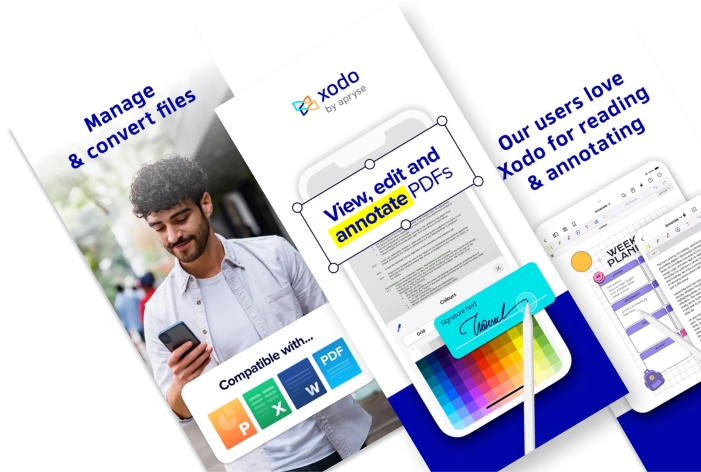
Over the last decade, mobile technology has dramatically transformed the way we work and communicate. As the world shifts toward remote work, instant communication, and digital documentation, the necessity for robust mobile PDF editors tools has skyrocketed. People now expect to perform complex document tasks — annotations, signatures, form-filling, and even extensive editing — directly from their smartphones and tablets. This growing demand stems from an increasing reliance on mobility, convenience, and instant access to crucial information.
Furthermore, the proliferation of cloud storage systems and integrated apps has made it easier to sync PDFs across devices, enabling a streamlined workflow that was previously only possible on desktops. This shift has prompted developers to innovate, producing intuitive, feature-rich mobile PDF editors. The result is an ecosystem where users can handle professional and personal documents with ease, flexibility, and security — all from the palm of their hand. As a result, the ability to edit PDFs on iPhone and Android has not only become a luxury but a necessity for many.
Top Mobile PDF Editors for iPhone: A Comprehensive Review
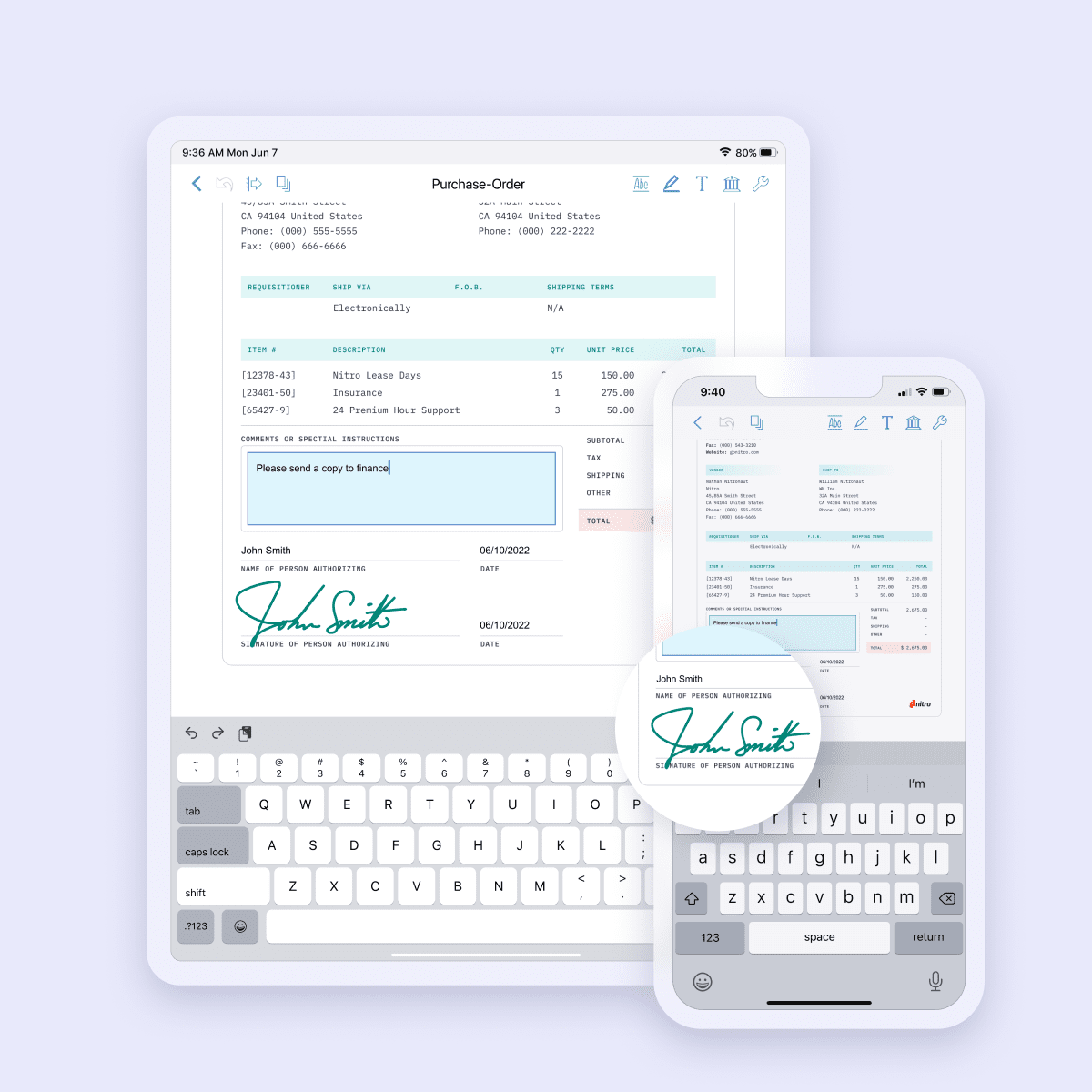
When it comes to iPhones, users expect elegant interfaces combined with powerful features, all optimized for iOS. Leading the pack are apps like PDF Expert by Readdle, Adobe Acrobat Reader, and Foxit PDF Reader, each providing a suite of editing tools tailored for the iOS environment.
PDF Expert stands out with its user-friendly interface, seamless integration with iCloud, Dropbox, and other services, and advanced annotation capabilities. It allows users to highlight, underline, strike through, add notes, and even edit text in PDFs effortlessly. Adobe Acrobat Reader continues to be a dependable option, especially for those already within the Adobe ecosystem, offering reliable annotation, form filling, and signature features.
Meanwhile, Foxit PDF Reader delivers excellent performance with its lightweight footprint, multi-tab interface, and collaborative tools. Personal preferences and specific needs dictate the best choice, but overall, these apps have set a high standard for iPhone users wanting to edit PDFs on their devices efficiently.
One notable advantage of mobile PDF editors on iPhone is their tight integration with iOS features like Siri, Touch ID, and Apple Pencil, enabling precise and secure editing. Also, many of these apps support offline editing, ensuring productivity even without internet access. This synergy makes editing PDFs on the iPhone not just convenient but also exceptionally smooth and intuitive, fitting seamlessly into diverse workflows.
Best Android PDF Editors: Making Document Management Effortless
Android users benefit from a vast array of mobile PDF editors apps, each with unique strengths tailored to their preferences. Apps like Xodo PDF Reader & Editor, Adobe Acrobat for Android, and PDFelement stand out as top contenders for mobile document editing.
Xodo PDF excels with its comprehensive features, including annotation, form-filling, signing, and real-time collaboration. Its cloud integration with Google Drive, OneDrive, and Dropbox ensures documents stay synchronized across platforms. Adobe Acrobat for Android mirrors its iOS counterpart by offering powerful editing options, secure document management, and digital signature capabilities.
PDFelement provides an intuitive interface, combined with advanced editing features like text reflow, OCR (Optical Character Recognition), and multimedia embedding, turning mobile devices into portable editing studios.
The flexibility of Android apps often allows for more customization and integration options, giving users a broader range of tools to suit their workflows. These mobile PDF editors often come with free versions that provide essential features, making them accessible and practical for everyday use. For users who often work with PDFs on Android, these apps effectively eliminate the need for a desktop, empowering them to manage and modify documents effortlessly from anywhere.
Key Features to Look for in a Mobile PDF Editor
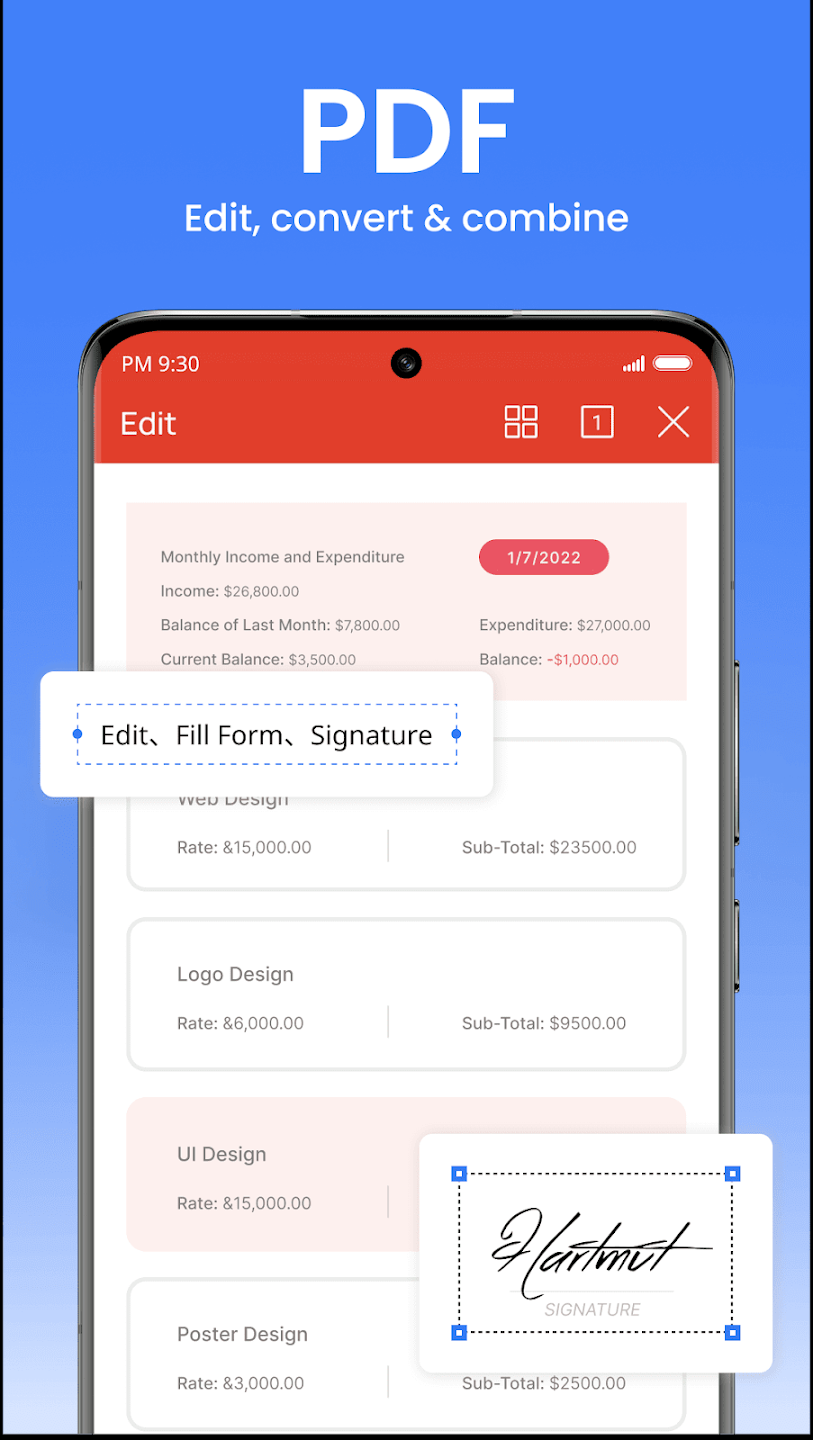
Choosing the right mobile PDF editor hinges on understanding what features will best support your specific needs. At a minimum, an effective app should offer robust annotation tools, text editing capabilities, and easy navigation through large documents. Tools like highlighting, underlining, sticky notes, and freehand drawing facilitate effective review and collaboration.
Advanced features such as form filling, digital signatures, OCR, and converting PDFs to other formats significantly expand a tool’s utility. Security features, including password protection and encryption, protect sensitive data, making security a critical factor for corporate use. User interface design also plays a vital role—intuitive, clutter-free layouts that prioritize ease of access and minimize frustration are essential for productivity on the go.
The best mobile PDF editors also offer integration with cloud services, enabling seamless synchronization across devices and easier sharing. Additionally, the capacity to work offline ensures that productivity isn’t hampered by connectivity issues. When evaluating options, balancing these mobile PDF editors features with price and device compatibility ensures you select a tool that enhances your workflow rather than complicates it.
Editing PDFs on the Go: iPhone vs. Android Capabilities
While both iPhone and Android devices have come a long way in supporting mobile PDF editing, differences exist in terms of ecosystem integration, hardware capabilities, and available software features. iPhones tend to offer smoother experiences with native hardware integrations, such as the Apple Pencil and iOS’s powerful multitasking features, making them ideal for precise annotations and detailed edits.
Android devices, on the other hand, often boast customizable interfaces and hardware options like styluses, larger screens, and expandable storage, providing added flexibility. The richness of Android’s app ecosystem also means users can choose from a wider array of editors, with some apps offering unique tools not found elsewhere. However, differences in app performance, security features, and user interface design can influence overall user experience.
Ultimately, the choice between iPhone and Android for edit PDFs depends on individual preferences, workflows, and device capabilities. Both platforms now support high-quality, feature-rich PDF editing apps that make working on documents as fluid and efficient on mobile as on desktop, provided the selected app aligns with the device’s strengths.
How to Edit PDFs on Your iPhone: A Step-by-Step Guide
Getting started with PDF editing on an iPhone is simpler than you might think. First, select a preferred app—PDF Expert and Adobe Acrobat are excellent choices—and install it from the App Store. Upon opening the app, import your PDF files from cloud storage, email, or directly from your device.
Once the document loads, access the various editing tools—highlight, annotate, add text, or draw. For text edits, tap on the text to bring up the editing interface; for annotations, choose the marker tool and apply your marks wherever needed. When signing or filling forms, utilize the signature tool or form fields as applicable. After editing, save your work and share the PDF via email, cloud links, or instant messaging services. Many apps also support syncing with cloud services for automatic backups.
Mastering these steps transforms how you handle PDFs on the iPhone, enabling quick modifications during meetings, class sessions, or while commuting. Familiarity with mobile PDF editors features and smart use of cloud integration options will streamline your workflow, making mobile PDF editing an effortless part of your daily routine.
Effortless PDF Editing on Android: A User-Friendly Tutorial
Editing PDFs on Android is straightforward with the right app. Start by installing a top-rated app like Xodo or PDFelement from the Google Play Store. After launching the app, import your PDFs from local storage or cloud platforms, ensuring quick access to your documents.
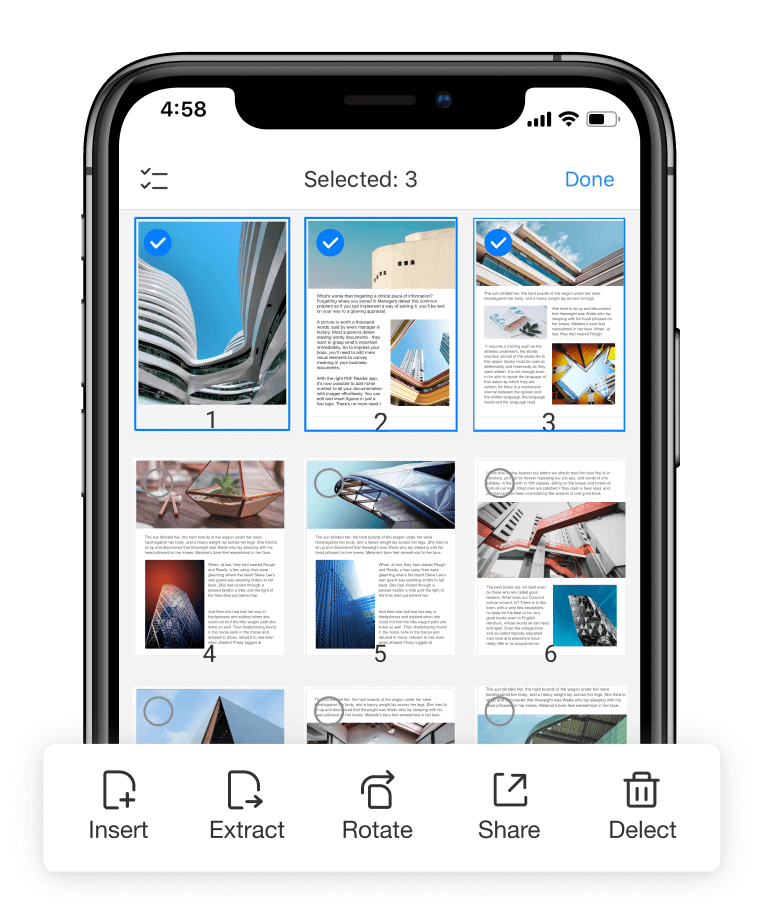
Navigate to your file and explore available editing features. To annotate, select the drawing or comment tools; for text editing, usually, the app offers direct modification by tapping on existing text or inserting new text boxes. Signatures can be added using the built-in tools or importing images, which is useful for contracts or official documents. Save your changes, and then share or export your edited PDF as needed. Many Android apps support offline editing and auto-sync to cloud services, enhancing convenience.
Mastering these tools brings a new level of mobility and efficiency. Whether on the subway or during a business trip, Android users will find that comprehensive mobile PDF editors capabilities are now within arm’s reach, allowing seamless document management from their mobile devices.
Choosing the Right Mobile PDF Editor for Your Needs
The landscape of mobile PDF editors is diverse, with options ranging from free apps with basic functionalities to premium suites packed with advanced tools. The key is identifying your priorities—do you need simple annotations, form filling, heavy editing, or collaboration tools? A free app might suffice for occasional use, but professionals often benefit from paid versions offering OCR, encryption, and extensive editing features.
Consider your ecosystem—if you’re deeply integrated into Google services, an app like Xodo might be ideal; for those invested in Adobe products, sticking with Acrobat makes sense. Security features are vital for sensitive documents, so look for encryption options and secure sign-in processes. Compatibility with your device’s hardware—such as styluses or larger screens—is also crucial for a seamless experience.
Ultimately, testing a few apps aligned with your needs can be the best approach. Many developers offer free trials, which enable you to assess the interface, feature set, and overall usability before making a long-term investment. A well-chosen mobile PDF editor will become an integral tool in your digital workflow.
Advanced PDF Editing Techniques on Mobile Devices
For power users, mastering advanced techniques can significantly boost productivity. Techniques like OCR allow you to convert scanned images into editable text, transforming static scans into actionable data. Combining annotations with page management tools enables intricate review workflows, especially when collaborating with teams.
Multi-layered annotations—adding highlights, comments, symbols, and multimedia—can enhance clarity in complex documents. Using password protection and encryption within your mobile PDF editors ensures your files remain secure when sharing sensitive information. Some apps also support batch processing, allowing you to apply changes to multiple documents simultaneously, streamlining workflows.
Exploring these advanced features requires practice but rewards with greater efficiency and professionalism. As mobile editors continue to evolve, embracing these techniques lets you handle even the most complex PDFs confidently — all directly from your mobile devices.
The Future of Mobile PDF Editing: Trends and Predictions
Looking ahead, the landscape of mobile PDF editors, edit PDFs on iPhone and Android will likely see innovations driven by artificial intelligence, augmented reality, and improved cloud integration. AI-powered OCR will become even more accurate, allowing real-time editing of scanned documents with minimal effort. Smart annotations that predict and suggest edits could significantly reduce manual work.
Augmented reality (AR) may introduce new ways to interact with documents, such as visual overlays for annotations during meetings or remote collaboration. Cloud ecosystem mobile PDF editors integrations will evolve, providing seamless syncing across an ever-expanding array of devices and platforms, fostering truly unified workflows. Additionally, features like voice-controlled editing and advanced security protocols will become industry standards.
The convergence of these trends signals a future where mobile PDF editing isn’t just about convenience but about transforming how we handle documents in a digital-first world. As technology continues to evolve, mobile PDF editors, edit PDFs on iPhone and Android will become indispensable tools, empowering users to work smarter, faster, and more securely wherever they are.
Relevant Reads:
Best PDF Editor 2025: Top Tools, Features, and Free Alternatives Compared
PDF Editors for MacOS: Top-Rated PDF Apps for Mac Users
Conclusion
The evolution of mobile PDF editors has fundamentally changed the way individuals and organizations manage digital documents. Modern apps for iPhone and Android offer powerful features—from basic annotations to advanced editing techniques—allowing users to edit PDFs on their devices effortlessly. With the right mobile PDF editors tool, you can enhance productivity, improve collaboration, and maintain document security—all from the palm of your hand.
As trends like AI and AR mature, the future of mobile PDF editing promises even greater innovation, making it an exciting area for continued exploration and adoption. Whether on iPhone or Android, selecting the right app tailored to your needs will ensure smooth, efficient, and versatile document management wherever you go.
Edit PDFs effortlessly on your iPhone or Android today — try the top mobile PDF editors now at The AISURF and boost your productivity instantly!