


Revolutionize Your Videos: The Ultimate AI Video Maker Guide
- Best AI Tools
- April 16, 2024
- No Comments
Making videos from scratch can be a total time suck. Between writing scripts, editing clips, and syncing audio, it feels like a full-time job.
That’s where an AI Video Maker swoops in and saves your sanity.
Think of it as your creative buddy that works 10x faster.
It helps you turn plain text or ideas into scroll-stopping videos, without needing to know a single thing about editing.
AI-powered YouTube Video Maker Tools don’t just speed things up. They make you look like a pro.
You can create branded content, social media reels, explainers, or ads in minutes.
And the best part?
You can do it all while sipping your coffee.
Understanding AI Video Generation
Okay, so let’s talk about AI video makers, and why everyone’s suddenly obsessed with them.
Imagine being able to create a full video, complete with voice, visuals, and transitions… without touching a camera. Sounds wild, right? That’s basically what AI video generation is all about.
In simple terms, an AI video maker uses artificial intelligence to help you create or edit videos automatically.
It studies tons of data, learns what looks good on screen, and helps you turn a plain idea into a finished video in minutes.
Think of it like having your own mini video production team, but inside one smart app.
These tools can handle pretty much everything:
- Editing and trimming your clips automatically
- Adding subtitles and syncing them perfectly
- Generating AI voiceovers that sound human (and yes, some even come with accents)
- Fixing sound and lighting like a pro
- Creating animations and effects without you learning After Effects
The best part?
Many AI video generator tools can even pick up on emotional cues, like tone or expression, and adjust your content to match the mood.
So if your video is meant to be funny, dramatic, or motivational, the AI gets it.
That’s what makes AI video makers so powerful.
They don’t just automate boring stuff.
They actually help you tell better stories, faster.
Benefits of Using AI Video Makers
Using an AI Video Maker gives you some seriously cool advantages. Whether you’re a pro video creator or just getting started, this tool is an absolute game-changer.
- AI video makers save time.
- Cost effectiveness
- AI video makers have enhanced creativity
- Consistency and Quality
- Accessibility and User-Friendliness
AI video makers can streamline video production.
AI technology is advancing.
It has boundless potential for innovation and new capabilities in video creation.
Types of AI Video Makers

Let’s be real for a second.
If you’ve ever tried editing a video manually, you know it’s painful. It takes hours, and even then, something still feels off.
That’s where an AI Video Maker steps in: and honestly, it’s kind of magic.
Now, not all AI Character Tools are the same.
After testing a bunch (and losing track of how many coffee refills I had), I’m sharing here some main types.
Automated Video Creation Tools
These are your “hands-off” video tools. You drop in some text or a script, and boom — it turns into a video.
Think of them as your digital video interns. They handle the hard stuff like:
- Scene generation
- Voiceovers
- Subtitles
- Transitions and background music
Perfect if you’re a marketer, creator, or startup founder who wants videos done fast, without hiring a full editing team.
A few examples? Tools like Pictory, Synthesia, and Lumen5 fall in this bucket.
They’re great when you want to scale video production without losing your sanity.
AI-Enhanced Video Editing Software
Then we’ve got the “pro” category: tools that still give you control, but use AI to make your edits smarter and faster.
Instead of replacing you, these tools act like a co-pilot.
You still do the creative stuff, but AI helps you polish, sync, and automate repetitive edits.
Imagine cutting a 40-minute YouTube video down to 10 viral clips automatically. Or having the AI remove filler words, silence, and awkward pauses for you. That’s the power here.
Apps like Runway, Descript, and Adobe Premiere Pro’s AI features live in this camp.
They’re built for creators who already know the basics and want to level up their production speed.
To find more AI video editing options, check our article on AI video editing software.
Knowing the different types of AI video makers helps you pick the one that best fits your video needs, You can choose automated video tools or AI-enhanced editing software.
Both can revolutionize your video creation process.
They can help you achieve professional and engaging results.
How AI Video Makers Work
AI video makers use advanced algorithms to automate video creation. This makes it more efficient and accessible for users. You can use AI video makers to revolutionize your video production. To do this, understand how these AI algorithms work. Also, learn about their customization and personalization features.
Here’s what makes AI video makers so good:
- Automate the boring stuff.
- Instant creativity.
- Data-smart editing.
- Personalized storytelling.
- Save serious time and money.
AI video makers are also great for content repurposing.
Got a blog post that’s performing well? Convert it into a video. Want to share a podcast highlight? Turn it into a short clip for TikTok or YouTube.
AI Algorithms in Video Creation
Ever wondered how an AI video maker can turn a few lines of text into a full-blown video?
It’s not magic, it’s algorithms. Yep, those clever systems behind the scenes that make your content come alive.
Let’s break it down in simple terms.
AI video makers use a mix of machine learning, natural language processing (NLP), and computer vision. Sounds fancy, but here’s what that really means for you and your videos.
1. Machine Learning: The Brain Behind Your Video
This is the part that learns from data, tons of it.
Think of it like a student who studies millions of videos, images, and styles. Then, when you give it an idea or script, it knows what kind of video will fit.
Machine learning helps your AI video maker understand visual patterns, color tones, camera movements, and even editing styles. That’s how it keeps your videos cohesive and professional.
Want a cinematic vibe or a product demo look? The AI figures it out automatically.
2. Natural Language Processing (NLP): The Voice and Script Wizard
Ever noticed how an AI video generator can read your text and turn it into a voice-over or on-screen captions? That’s NLP doing its thing.
NLP algorithms help your AI video creator understand your text, not just the words, but the context.
It analyzes your tone, story, and keywords to decide what visuals or narration fit best.
That’s why when you type something like “create a fun promo video for my bakery,” it knows you’re going for cheerful music, bright visuals, and maybe a cupcake animation.
3. Computer Vision: The Eye That Never Blinks
This one’s wild. Computer vision is how your AI video maker sees things. It scans images, scenes, faces, and movements, just like a real director would.
It identifies what’s happening in each frame: whether it’s a person smiling, a car moving, or text appearing, and then it makes smart decisions.
Want smoother transitions? Automatic cuts? Subtle animations that pop?
Computer vision makes all that happen behind the curtain.
In short, your AI video maker tool works like a full creative team: editor, director, scriptwriter, and designer.
It studies your input, matches it with relevant visuals, adds motion, sound, and text, and boom… you’ve got a polished video ready to publish.
That’s the real beauty of AI-powered video creation today.
So next time you hit “generate” with the Best AI Floor Plan Generator Tools, just remember: behind that one click, there’s a lot of machine learning magic happening.
Customization and Personalization Features
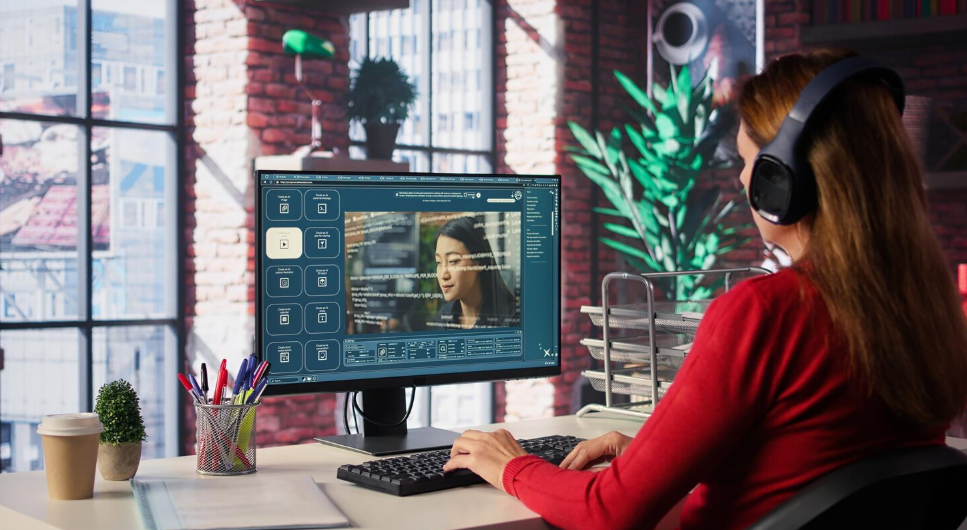
Let’s be real. No one wants a cookie-cutter video that looks like it came straight out of a robot’s folder. Right?
That’s exactly why today’s AI video makers don’t just automate the boring parts, they let you customize everything so your video actually feels yours.
Here’s how that magic happens.
1. Templates That Don’t Feel “Template-y”
Think of templates as your creative playground. AI video makers come packed with ready-to-go video templates and themes for every vibe: product launches, tutorials, social posts, or event recaps.
You can switch up the colors, fonts, layouts, and transitions to match your brand or mood.
So instead of spending hours building from scratch, you just pick a template and make it you.
2. Edit Like a Pro (Without Being One)
You don’t need Hollywood-level editing skills here.
Most AI video maker tools let you trim, cut, or reorder clips, tweak transitions, and even drag-and-drop scenes into place.
It’s like having your own mini editing studio that actually listens to you.
Want to adjust the timing of your clips or swap out visuals? Done in seconds.
3. Your Brand, Your Rules
This is where it gets fun.
You can add your logo, brand colors, and custom fonts right inside the platform.
The AI keeps everything consistent across scenes, so your videos always look polished and professional.
Whether you’re creating YouTube content or TikTok ads, your brand identity stays front and center.
4. Dynamic Content for Real Connection
Some next-level AI video makers even let you add personalized messages, real-time data, and interactive elements.
Imagine sending a product demo that greets each viewer by name or a data-driven video that updates automatically.
That’s personalization that actually makes people stop scrolling.
Modern AI video makers go way beyond simple automation. They blend speed, creativity, and personal touch, giving you full control without the headache.
For more about AI video editing software, see our article on AI video editing software.
So yeah, whether you want to create videos from scratch or supercharge your editing workflow, there’s an AI Video Maker built for you.
In the next part, we’ll break down how to actually choose the right one.
Choosing the Right AI Video Maker

Picking the right AI video maker can feel like scrolling through Netflix.
Too many options. Too many promises. And somehow, you still can’t decide.
But here’s the deal. Choosing your AI video tool isn’t about finding the “coolest” one. It’s about finding the one that actually fits how you work.
I’ve tested quite a few, and trust me, not all AI video makers are built the same.
Before you jump in, keep an eye out for a few key things:
1. Ease of use
If you need a 2-hour tutorial just to make a 30-second video, it’s a red flag.
The best AI video maker should feel simple. Drag. Drop. Done.
2. Smart automation
Look for tools that actually understand your input, not just spit out random clips.
A good AI video generator should take your script or idea and instantly suggest visuals, transitions, and even background music.
3. Customization options
Sure, AI can do the heavy lifting, but you still need control.
Can you tweak the fonts, colors, and tone of voice? Can you adjust the aspect ratio for YouTube, TikTok, or Instagram?
That’s what separates a good tool from a great one.
4. Output quality
This one’s huge. Always check if the AI video maker exports in HD or 4K. Because no one likes pixelated videos, especially if you’re using them for marketing or client work.
5. Price and plans
Most AI video makers offer free trials. Try a few before committing. Sometimes the cheaper tool actually gives you better results.
At the end of the day, the best AI video maker is the one that fits your workflow, not someone else’s.
Bonus Tip:
If you’re creating videos for business, go for a tool that supports text-to-video and voice cloning. These features save hours.
Carefully evaluate these factors and look for the key features mentioned above. Then, you can choose an AI video maker.
It will match your needs and help you make good videos fast.
Remember to explore our other articles. They cover AI video editing software, tools, animation, and production. They have more insights and info.
Follow these best practices. They will help you optimize your video production. You will create engaging, visually appealing videos that effectively convey your message.
Pro Tips for Getting the Most Out of AI Video Makers

- Use text prompts clearly: Short and specific works best.
- Add your own touch: AI gets you 90% there — add human creativity for the final 10%.
- Repurpose content: Turn one blog post into multiple short videos.
- Experiment: Different tools excel in different areas. Try new ones monthly.
Future Trends in AI Video Making
The future is wild.
We’re already seeing AI tools that can generate entire 3D scenes, replicate real voices, and even clone your face for personalized videos.
Imagine typing “make me a short film about startups”, and AI creates it in minutes. That’s not sci-fi anymore. That’s 2026.
- NLP is improving
- Enhanced Computer Vision
- Personalization is increasing
- Realistic AI Video Animation
As AI technology continues to advance, the future of AI video making looks promising.
But, AI video makers are tools. They should be used with human creativity and expertise. Human vision and AI will combine.
They will lead to even better video.
Relevant Tools on The AISurf:
Final Thoughts
AI video makers aren’t just tools, they’re game changers.
They help you tell stories faster, smarter, and in ways that grab attention.
So whether you’re a solo creator, small business, or growing brand, it’s time to embrace AI and let it power your creativity.
The future of video is already here, and it’s intelligent.
FAQs About AI Video Makers
Q1: Can AI really make a full video for me?
Yes! AI can generate videos using text prompts, images, or scripts. It automatically adds visuals, sound, and effects.
Q2: Are AI video makers free?
Many have free versions or trials. But premium plans unlock HD exports and advanced features.
Q3: Can I use AI videos for YouTube monetization?
Absolutely. Just make sure you own or have rights to the media used.
Q4: What’s the best AI video maker for beginners?
Try InVideo, Pictory, or Synthesia. They’re simple, fast, and beginner-friendly.
Q5: Will AI replace video editors?
Nope. It’ll just make editors faster and more creative. Think of AI as a powerful assistant, not a replacement.
Stay tuned for the latest in AI video making. The industry is evolving and pushing the boundaries of what is possible.
For more on AI video editing software and tools, see our article on AI video animation Techniques.