


Best AI Texture Generator Tools
- Image Generation & Editing
- October 28, 2025
- No Comments
A few years ago, creating textures felt like a grind.
You’d open Photoshop, hunt for reference images, tweak noise maps, adjust roughness, export… then repeat the process again because the texture didn’t tile well in your 3D engine.
Game developers, 3D artists, and architects all shared the same pain: textures took too long.
Fast forward to 2026, and something fundamental has changed.
Today’s AI Texture Generator tools don’t just save time, they redefine how digital materials are created.
With a single prompt, designers can generate seamless AI textures, realistic PBR materials, and engine-ready assets that work instantly in Blender, Unreal, or Unity.
This isn’t hype. It’s a workflow shift.
What Is an AI Texture Generator?
An AI Texture Generator is software that uses machine learning and deep learning models to generate textures automatically.
Instead of manually designing materials, creators describe what they need, or upload a reference, and the AI handles the rest.
In practical terms, these tools act as:
- AI Textured Material Generators for games and 3D scenes
- Text-to-texture AI systems for rapid ideation
- AI material generators for architecture and visualization
The result? Faster creation, consistent quality, and far more experimentation.
Why AI Texture Tools Matter in 2026
Here’s the quiet truth most artists won’t say out loud:
Texture creation was never the creative part, it was the bottleneck.
Modern AI Texture Tools remove that bottleneck completely.
Key Benefits Creators Care About
- Fast AI texture generation (minutes, not hours)
- Seamless textures with perfect tiling
- Engine-ready exports for Blender, Unreal, and Unity
- Procedural AI textures that adapt to style changes
- PBR texture generation for professional-grade realism
This is why AI texture creation software is now standard in game studios, indie pipelines, and architectural firms worldwide.
How We Picked These Tools
- High-quality texture output suitable for professional use
- Variety of styles, patterns, and materials
- Ease of use with customizable parameters
- Compatibility with 3D, gaming, and digital design workflows
- Free and paid options available for different budgets
- Community support and regular updates
Top Tools
AI MC Texture
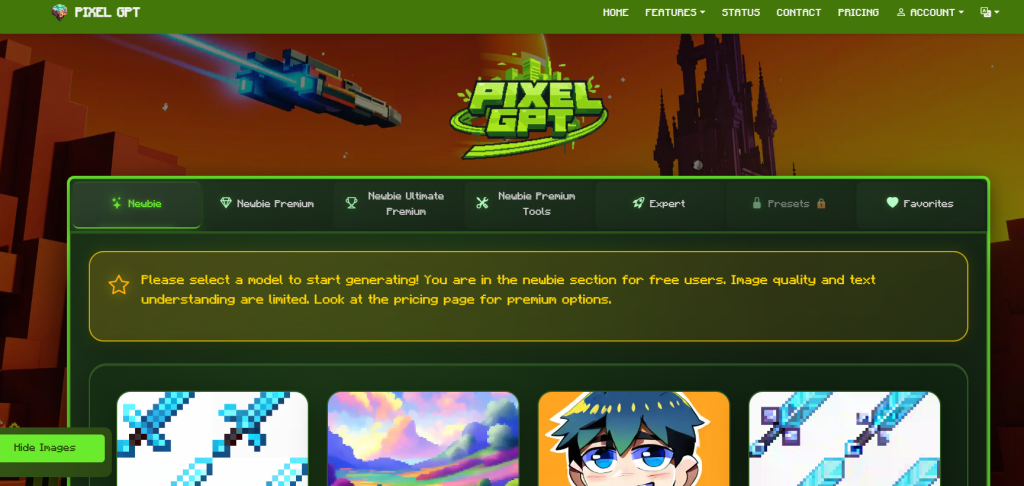
What it is: AI-powered tool for generating Minecraft textures and pixel art.
Standout features:
- Generates textures from text prompts
- Supports multiple resolutions and styles
- Includes image editing presets
Pricing: Free / See site for premium options
Best for: Minecraft creators and pixel artists
Pros: - Easy to use
- Fast generation
Cons: - Limited to pixel-based textures
Pixela.ai
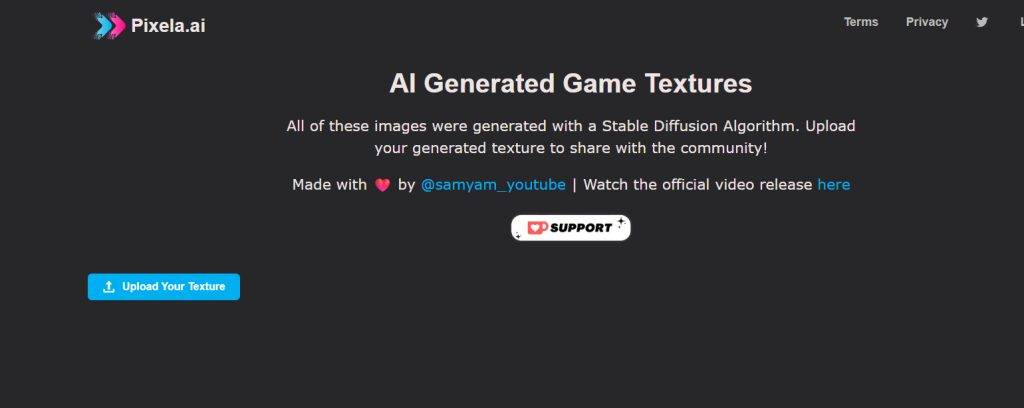
What it is: Platform for sharing AI-generated game textures.
Standout features:
- Upload and share textures
- Built on Stable Diffusion
- Offers community assets
Pricing: Free / See vendor site
Best for: Game developers and hobbyists
Pros: - Collaborative platform
- Large texture library
Cons: - Limited editing tools
TileMaker
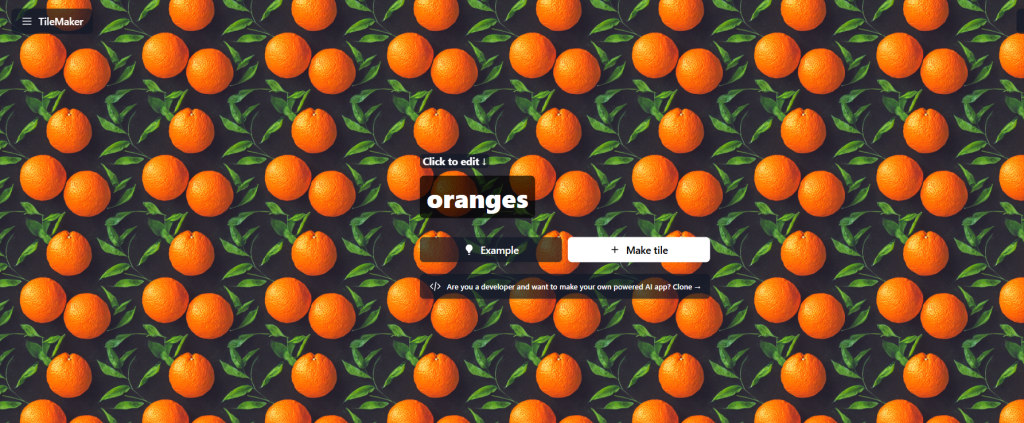
What it is: Free, open-source app for creating seamless tiled textures.
Standout features:
- Downloadable wallpapers
- Built with Next.js and Tailwind
- Powered by Material Diffusion
Pricing: Free
Best for: Designers needing tiled textures
Pros: - No cost
- Open-source
Cons: - Requires familiarity with AI setups
Scenario

What it is: AI platform for 3D textures and game assets.
Standout features:
- 3D texture generation
- High-res downloads
- Supports team collaboration
Pricing: - Pro $36/mo, Team $120/mo per seat, Enterprise custom
Best for: Professional artists and studios
Pros: - Enterprise-ready
- Customizable outputs
Cons: - Can be costly for small teams
Leonardo.Ai
What it is: AI-driven platform for production-quality creative assets.
Standout features:
- Image generation and 3D textures
- Fine-tuned AI models
- Active community support
Pricing: See vendor site
Best for: Professionals needing consistent style assets
Pros: - High-quality output
- Beginner-friendly
Cons: - Learning curve for advanced features
MyArchitectAI
What it is: AI rendering software for photorealistic 3D textures and renders.
Standout features:
- Photorealistic outputs
- CAD compatibility
- Custom prompts and style transfer
Pricing: Free, Pro $29/mo, Enterprise $384/yr
Best for: Architects and visualization artists
Pros: - Browser-based
- Flexible pricing plans
Cons: - Limited free plan renders
Fast3D
What it is: AI 3D model generator from text or images.
Standout features:
- Multi-view image to 3D
- PBR texture support
- Instant downloads
Pricing: Free / Pro $10/mo / Max $20/mo
Best for: Individual creators and studios
Pros: - Quick asset generation
- Multiple output formats
Cons: - Credit-based usage for free tier
Hunyuan3D 2.0
What it is: Open-source 3D asset generator from Tencent.
Standout features:
- Text and image input
- Diffusion-based generation
- Multi-view reconstruction
Pricing: Free / Open-source
Best for: Developers and researchers
Pros: - High-res output
- Open-source flexibility
Cons: - Advanced setup required
Comparison Table
| Tool | Key Use Case | Starts At | Free Plan | Standout Feature |
| AI MC Texture | Minecraft textures | Free | Yes | Pixel art generation |
| Pixela.ai | Game texture sharing | Free | Yes | Community platform |
| TileMaker | Seamless tiled images | Free | Yes | Open-source tool |
| Scenario | 3D textures for games | $36/mo | No | High-res, team support |
| Leonardo.Ai | Creative asset generation | See site | No | Production-quality assets |
| MyArchitectAI | Photorealistic 3D renders | Free / $29/mo | Yes | CAD-compatible renders |
| Fast3D | 3D model generator | Free / $10/mo | Yes | Multi-view image to 3D |
| Hunyuan3D 2.0 | Open-source 3D assets | Free | Yes | Diffusion-based generation |
How to Choose the Right AI Texture Generator
- Identify your project type: 2D textures, 3D assets, or photorealistic renders
- Consider team size: Individual vs. collaborative tools
- Evaluate budget: Free, subscription, or enterprise plans
- Check customization and style options
- Look for real-time preview and high-res output
- Ensure compatibility with your design software or game engine
Who Uses AI Texture Generators Today?
AI textures aren’t limited to one industry. In 2026, they’re everywhere.
Game Developers
- AI game textures for environments and props
- Rapid asset iteration without manual rework
- Optimized textures for real-time engines
Architects & Visual Designers
- AI architecture textures for walls, floors, materials
- Photorealistic materials for client previews
- Faster visualization cycles
3D Artists & Creators
- AI texture generators compatible with Blender
- Experimental materials without technical overhead
- Seamless workflows across tools
What Makes the Best AI Texture Generator Tools in 2026?
Not all tools are equal. The best AI texture generator tools 2026 share a few defining traits:
Must-Have Features
- Text-to-texture prompts with style control
- PBR output (albedo, roughness, normal, metallic)
- Seamless AI textures by default
- Export compatibility (Blender, Unreal, Unity)
- Fast processing without heavy GPU requirements
The best platforms don’t just generate textures, they integrate into AI design workflows effortlessly.
Free vs Paid AI Texture Tools: What to Expect
Many creators ask:
“Is there a free AI texture generator online that actually works?”
In 2026, the answer is yes — with limits.
Free AI Texture Generator Tools
- Ideal for testing ideas and learning
- Often require no login
- Limited resolution or export options
Paid AI Texture Creation Software
- High-resolution PBR textures
- Commercial usage rights
- Advanced material controls
Professionals usually start free, then upgrade once AI textures become core to their workflow.
How AI Texture Generation Actually Works
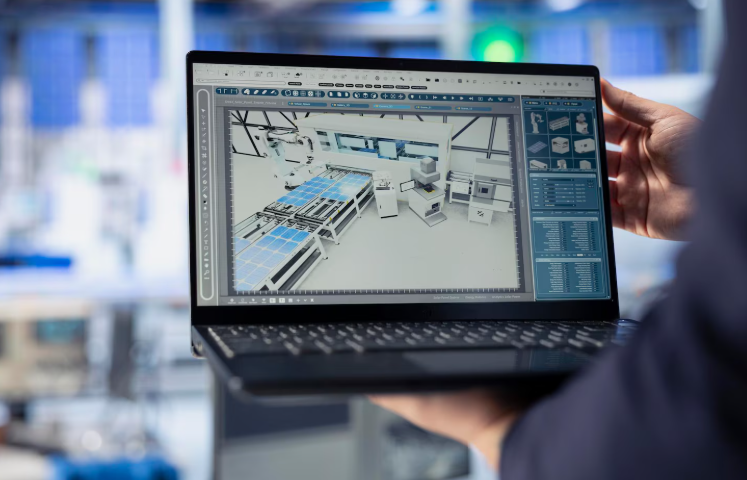
Behind the scenes, most AI texture generators rely on:
- Deep learning texture tools trained on thousands of materials
- Procedural AI texture models that understand tiling and realism
- Machine learning texture generation for style consistency
You don’t need to understand the math, only that the results are now production-ready.
The Future of AI Texture Creation
The most exciting part?
We’re just getting started.
In 2026, AI texture tools are moving toward:
- Real-time texture generation inside engines
- Smarter material blending across assets
- AI textures that adapt dynamically to lighting
For creators, this means less technical friction, and more time spent designing worlds that feel real.
Related Reads
Final Thoughts
AI didn’t replace texture artists.
It freed them.
Whether you’re building game environments, architectural renders, or 3D assets, modern AI Texture Generator tools unlock speed, quality, and creative freedom that simply didn’t exist before.
And on platforms like The AISurf, discovering the right AI tools early is what keeps creators ahead, not scrambling to catch up.
FAQs
What is an AI Texture Generator?
It’s a tool that uses AI to create textures for graphics, games, or 3D models.
Free vs paid tools?
Free tools suit beginners; paid options offer advanced features, higher resolutions, and commercial licenses.
How to choose an AI Texture Generator?
Consider output quality, style options, team needs, and compatibility with your workflow.