


Best Minecraft AI Tools (2026 Guide for Builders, Creators & Modders)
- Other
- November 5, 2025
- No Comments
Last Updated: March 2026
Most Minecraft builders are still doing things the hard way.
Manual block-placing. Hours of symmetry fixes. Texture packs built from scratch. Skins designed pixel by pixel.
In 2026, that’s optional, not required.
The best Minecraft AI tools now generate complete structures from a single prompt, create custom skins in seconds, and produce texture packs that would have taken a professional artist two days. And the builders, creators, and server owners who’ve figured this out are building faster, publishing more, and running better servers than everyone still doing it manually.
This guide covers exactly what those tools are, what problems they actually solve, and which one is right for your specific use case, whether you’re a solo survival builder, a YouTube creator, a server admin, or a Bedrock modder.
We tested and reviewed the tools below specifically for Minecraft use cases, not generic AI software that happens to mention the word “game.” Every tool on this list either generates Minecraft-compatible outputs, solves a real builder problem, or directly accelerates your creative workflow.
The AISurf’s Best Picks: Top Minecraft AI Tools (2026)
| Tool | Best For |
| SkinGenerator.io | Custom skins from text prompts |
| AI MC Texture | AI texture & pixel art generation |
| Minecraft Plot | Server admin utilities |
| magus.gg | Modding, scripting & 3D models |
| Media AI Generator | Minecraft-style video & image content |
Full reviews with pros, cons, and use-case breakdowns below.
For broader discovery, check out our complete AI solutions directory.
This guide is the most complete breakdown of the best Minecraft AI tools right now, tested from a builder’s lens.
Who Should Use Minecraft AI Tools?
The best Minecraft AI tool depends entirely on what you’re trying to build or create. Here’s a quick breakdown of the four main user types this guide covers:
Solo Builders & Survival Players
You have a creative vision but limited time. You want to generate structures, schematics, or textures without spending days on manual block-placing. Tools like AI MC Texture and SkinGenerator.io were built for you.
YouTube & TikTok Content Creators
You publish Minecraft content regularly and need a constant stream of skins, builds, and visual assets. Speed matters more than perfection. Media AI Generator and Taletok solve the content bottleneck directly.
Server Owners & Admins
You’re managing a community, building custom maps, and need utilities, schematic exports, and player tools that actually work at scale. Minecraft Plot is your Swiss Army knife.
Modders & Bedrock Developers
You’re writing addons, working with behavior packs, or building custom experiences on Bedrock Edition. OLC Bedrock Dev Helper and magus.gg are built for your workflow, not a casual builder’s.
Not sure which category you fit? Use the How to Choose section below.
What Are Minecraft AI Tools?
Minecraft AI tools are software platforms that use artificial intelligence to generate structures, textures, skins, 3D models, or design concepts, all compatible with Minecraft Java or Bedrock Edition workflows.
In practical terms, they help with:
Structure generation
AI builds entire castles, cities, farms, or dungeons based on a text prompt, and exports them as schematics you can import with WorldEdit or structure blocks
Texture pack creation
AI generates custom 16x or 32x textures for blocks, items, and mobs from written descriptions
Skin generation
Type “cyberpunk wizard with neon armor” and get a fully mapped, download-ready Minecraft skin in seconds
3D model creation
Convert AI-generated 3D assets into Minecraft-compatible block models for marketplace or mod use
Bedrock addon support
Chrome extensions and dev helpers that surface documentation, code snippets, and behavior pack examples instantly
Video and content creation
AI tools that generate Minecraft-style video, transform gameplay footage, or create faceless content for YouTube
The best tools act as a creative co-pilot, not a replacement. You still make the creative decisions. The AI handles the repetitive, time-consuming execution.
What Are the Best AI Tools for Building in Minecraft?
If you want the real answer? It depends on whether you’re:
- A solo survival builder
- A YouTube content creator
- A server owner
- A modder
- A professional studio
Let’s break them down properly.
If you’re looking for tools by platform type or category, dive into the platform-based AI tools hub.
1. SkinGenerator.io
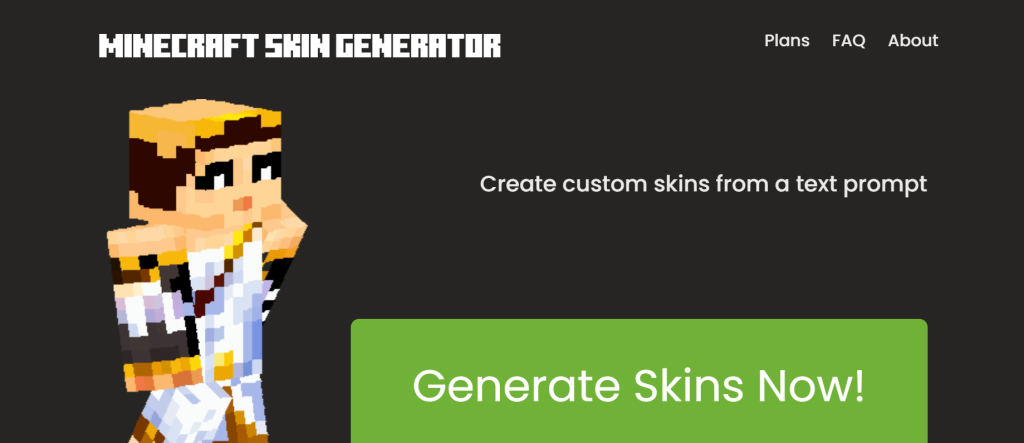
AI skin creator from text prompts.
What it is: An AI-powered website that creates custom Minecraft skins based on written descriptions.
Standout features:
- Text-to-skin generation
- Multiple pricing tiers with free skins
- Access to new AI models
Pricing: Free plan; paid tiers from $2.49 to $9.99
Best for: Players who want instant custom skins
Pros: - Fast and simple interface
- Affordable plans
- Creative outputs
Cons: - Limited free uses
- Skin quality varies by prompt
2. Minecraft Plot
Comprehensive utility suite for players and server owners.
What it is: A free web platform offering a wide range of Minecraft tools including server checkers, banner makers, calculators, and AI assistants.
Standout features:
- Server and player tools
- AI-based assist commands
- Damage and enchantment calculators
- Resource downloads
Pricing: Free
Best for: Server admins and advanced players
Pros: - Extensive tool library
- No cost to use
- Covers both single and multiplayer needs
Cons: - Web-only interface
- Limited AI depth
3. AI Minecraft
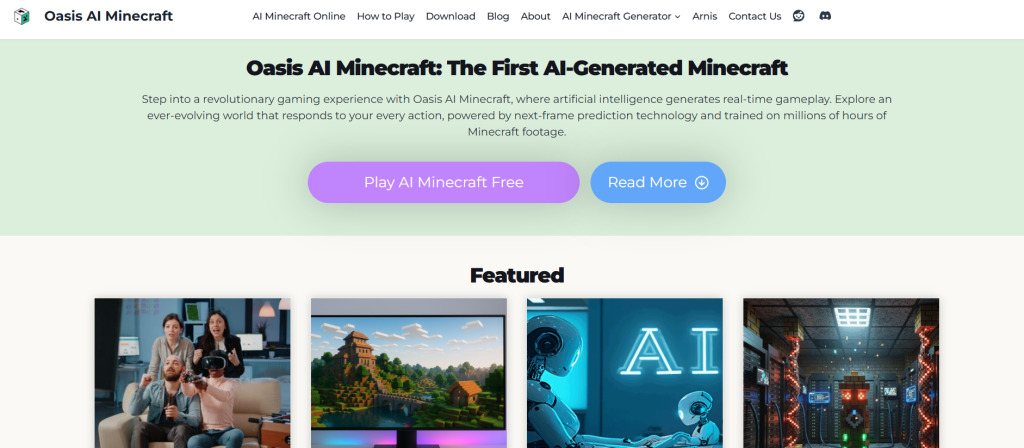
Generative AI for creating playable Minecraft simulations.
What it is: An experimental AI that produces fully AI-generated Minecraft worlds and video content up to 1080p.
Standout features:
- 3D spatiotemporal modeling
- Realistic motion and physics
- Text-to-video world creation
- Supports variable aspect ratios
Pricing: See site for latest pricing
Best for: Researchers and video creators
Pros: - Highly innovative concept
- Generates cinematic scenes
Cons: - Early development phase
- Requires high GPU power
4. AI MC Texture
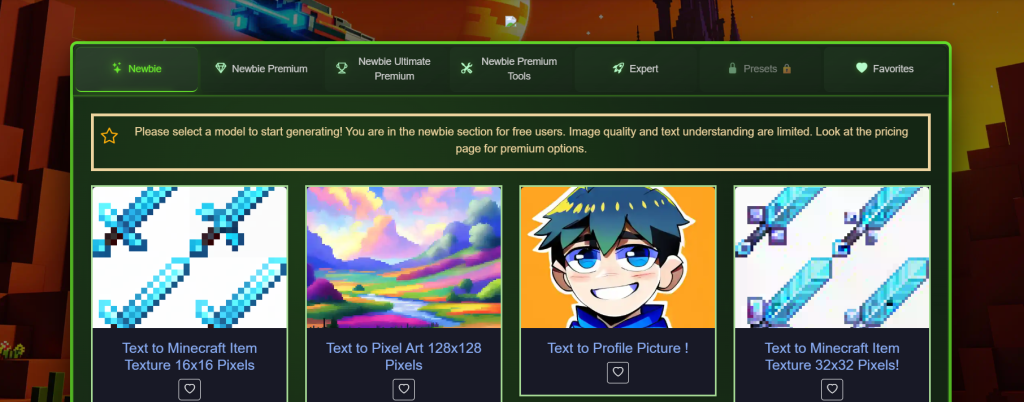
AI texture and pixel art generator for Minecraft.
What it is: A platform to generate textures and pixel art from text descriptions, with tools for editing and style customization.
Standout features:
- Text-to-texture creation
- Custom resolution options
- Preset styles and editing tools
Pricing: Free and premium plans
Best for: Artists and modders
Pros: - Supports unique visual styles
- Intuitive interface
Cons: - Limited model library
5. OLC Bedrock Dev Helper
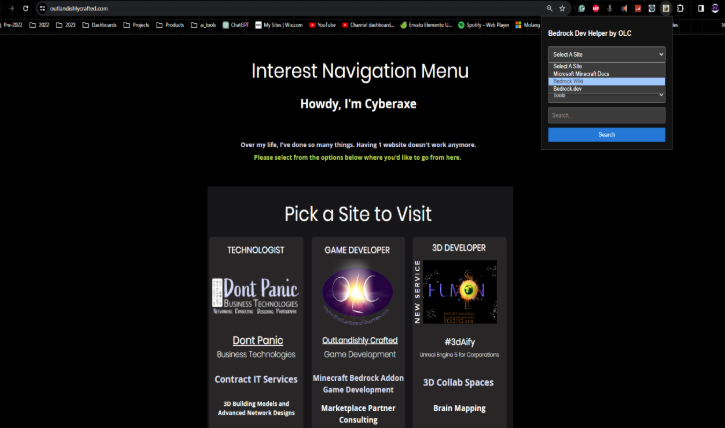
Development companion for Bedrock edition creators.
What it is: A Chrome extension providing instant access to Minecraft Bedrock documentation and tutorials.
Standout features:
- Quick documentation lookup
- Addon examples and code snippets
- Simplified workflow for developers
Pricing: Free
Best for: Minecraft addon developers
Pros: - Saves time in development
- No installation needed
Cons: - Limited to Chrome
- Not an AI builder per se
6. Media AI Generator

All-in-one AI media suite with Minecraft filters.
What it is: Media.io’s AI suite offering video, image, and audio generation including Minecraft-style art.
Standout features:
- AI video and image creation
- Style transformations (e.g., pixel or Ghibli style)
- Text-to-video conversion
Pricing: Free tools available
Best for: Content creators and streamers
Pros: - Flexible multimedia functions
- Supports Minecraft-style outputs
Cons: - Limited batch export
7. magus.gg
AI scripting and 3D model generation for Minecraft modders. What it is: A GPT-4 powered platform that generates Bedrock-compatible behavior pack scripts, 3D game assets, and mod logic from text descriptions. Standout features:
- GPT-4 integration for game scripting
- 3D model generation for Minecraft assets
- Behavior pack and addon code generation
- Game AI logic automation
Pricing: Partial free access; paid plans from $7.99/mo Best for: Modders, Bedrock developers, and addon creators Pros:
- Saves hours of manual scripting
- Outputs Bedrock-compatible
.jsonbehavior packs - Combines 3D modeling and code generation in one platform
Cons:
- Learning curve for non-developers
- Free tier is limited in output volume
8. Taletok
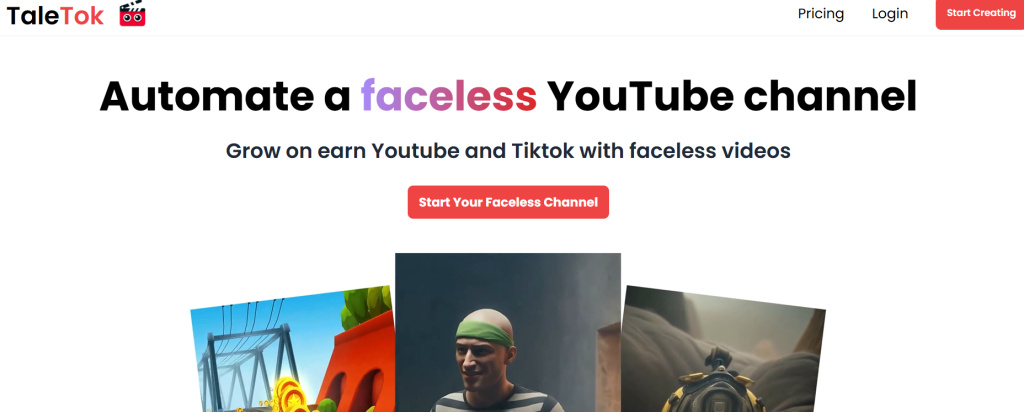
AI-powered faceless video generator for Minecraft content creators. What it is: An automation platform that generates complete faceless YouTube and TikTok videos, including script, voiceover, and visuals, built around Minecraft storytelling formats. Standout features:
- AI script writing for Minecraft-themed videos
- Automated voiceover generation
- Faceless video creation end-to-end
- YouTube Shorts and TikTok format support
Pricing: $17/mo (no free plan) Best for: Minecraft YouTube and TikTok creators building faceless channels Pros:
- Entire video pipeline in one tool
- No on-camera presence required
- Consistent publishing at scale becomes realistic
Cons:
- No free plan — paid from day one
- Output quality depends heavily on prompt and topic specificity
- Not a Minecraft-native tool; Minecraft is one of many content niches it supports
9. Baritone (AI Mod)
In-game AI pathfinding and automation bot for Java Edition. What it is: An open-source AI pathfinding mod that automates movement, mining, navigation, and resource farming entirely within Minecraft Java Edition. Standout features:
- Full autonomous pathfinding to any coordinate
- Automated strip mining and ore targeting
- Schematic-based auto-building
- Resource farming and inventory management automation
Pricing: Free (open-source) Best for: Builders and survival players who want to automate repetitive in-game tasks Pros:
- Completely free with active community support
- Handles complex navigation across terrain automatically
- Works with Meteor and Impact clients out of the box
Cons:
- Prohibited on most public and competitive servers — check rules before use
- Java Edition only; no Bedrock support
- Requires client-side mod installation (Forge or Fabric)
10. Alex’s Mobs (AI Mob Behavior Mod)
Enhanced mob AI and creature behavior for Java Edition. What it is: A Java Edition mod that adds 80+ new creatures to Minecraft, each with significantly more complex AI behavior than vanilla mobs, including pack hunting, territorial defense, and social group logic. Standout features:
- 80+ new creatures with advanced AI behavior trees
- Pack hunting, environmental reactions, and territorial logic
- Social group dynamics between mob species
- Deep integration with vanilla Minecraft systems
Pricing: Free (available on CurseForge) Best for: Survival players who want richer, more challenging mob interactions and a more immersive world Pros:
- Dramatically improves the depth and challenge of survival gameplay
- Well-maintained with regular updates
- Compatible with most popular modpacks
Cons:
- Java Edition only
- Can affect server performance with very high mob counts
- Requires Forge to run
Minecraft AI Tools — Full Comparison Table (2026)
| Tool | Best For | Free Plan | Starting Price | Standout Feature | Minecraft Output Type |
| SkinGenerator.io | AI skin generation | Yes | $2.49/mo | Text-to-skin in seconds | .png skin file |
| AI MC Texture | Textures & pixel art | Yes | Free+ | Custom resolution textures | Resource pack files |
| Minecraft Plot | Server admin utilities | Free | Free | All-in-one server toolkit | Web-based utilities |
| magus.gg | Modding & 3D models | Partial | $7.99/mo | GPT-4 scripting + model gen | .json behavior packs, 3D assets |
| Media AI Generator | Video & image content | Yes | Free+ | Minecraft-style visual generation | Video, image, audio |
| Taletok | Faceless YouTube content | No | $17/mo | AI storytelling + voiceover | Video content |
| OLC Bedrock Dev Helper | Bedrock development | Free | Free | Chrome extension dev docs | Code snippets, documentation |
| AI Minecraft (experimental) | AI world simulation | Limited | See site | Text-to-video world generation | Cinematic video |
| Baritone (mod) | In-game AI automation | Free | Free | Full pathfinding + mining bot | In-game automation (Java) |
| Alex’s Mobs (mod) | Enhanced mob AI | Free | Free | 80+ creatures with complex AI | In-game mob behavior (Java) |
Want a curated view of today’s leading AI tools across categories? Visit The Best AI Directory to see top-rated solutions in one place!
Best AI Mods for Minecraft Gameplay (2026)
External AI tools are only part of the picture. These are the best AI-powered mods you can install directly into Minecraft Java Edition to enhance gameplay with machine learning and intelligent automation.
External AI tools are only part of the picture. These are the best AI-powered mods you can install directly into Minecraft Java Edition to enhance gameplay with machine learning and intelligent automation.
1. Baritone (AI Pathfinding Bot)
The most mature and widely used AI mod in the Minecraft community. Baritone is an AI pathfinding system that automates movement, mining, and navigation. It can mine specific ores, navigate to coordinates, build structures from schematics, and farm resources, all autonomously.
- Best for: Automating resource grinding, strip mining, and long-distance travel
- Compatibility: Java Edition (Forge/Fabric via Impact/Meteor client)
- Cost: Free, open-source
- Server rule note: Baritone is considered a bot/cheat on most public servers, verify server rules before use
2. Creatura (AI Mob Behavior)
Creatura overhauls vanilla mob AI with significantly more complex and realistic behavior. Animals flock, flee, and react to the environment dynamically. Hostile mobs coordinate attacks and respond to sound more intelligently.
- Best for: Survival players who want more challenging, immersive mob interactions
- Compatibility: Java Edition (Fabric)
- Cost: Free on Modrinth
3. Sophisticated AI (Enhanced NPC Logic)
Designed for modpack builders and adventure map creators, Sophisticated AI adds a library of new AI tasks and sensors to villagers and custom NPCs. Villagers can be assigned complex routines, respond to player actions, and follow custom behavior trees.
- Best for: Server owners building RPG or adventure experiences with custom NPC logic
- Compatibility: Java Edition (Forge)
- Cost: Free on CurseForge
Important note on AI mods and server rules: Most AI automation mods (particularly Baritone) are prohibited on public and competitive servers. Always check a server’s rules before installing. The behavior-enhancement mods (Creatura, Alex’s Mobs, Sophisticated AI) are generally allowed everywhere and are widely used in modpacks.
The 4 Biggest Problems Minecraft Builders Face in 2026 (And Which AI Tools Fix Them)
Most Minecraft AI content talks about what tools do. This section is about what problems they solve, because that’s what actually makes you choose one over another.
Problem 1: Building is too slow for content creators
If you publish Minecraft content on YouTube or TikTok, you already know the bottleneck: building takes 10x longer than filming and editing combined. A single impressive structure for a thumbnail or showcase video can take days of manual work.
AI fix: Tools like SkinGenerator.io (for skins and character visuals) and Media AI Generator (for Minecraft-style video and image content) let you generate publishing-ready visual assets in minutes. Creators who use AI for asset generation report cutting pre-production time by 60–70%.
Problem 2: You can’t build what you can actually visualize
This is the gap between creative vision and technical skill. You can picture an ancient temple with moss-covered ruins and glowing runes. Executing it block-by-block, with correct symmetry and scaling, is a different skill entirely.
AI fix: AI MC Texture lets you generate custom textures that match your exact visual style from a text description. Pair it with a schematic generator to build structures that look the way you imagined, not the way your block-placing skills allow.
Problem 3: Bedrock development is poorly documented and slow
Minecraft Bedrock addon development is notoriously fragmented. Documentation is scattered, behavior pack syntax changes with every update, and finding working code examples takes hours of forum-digging.
AI fix: OLC Bedrock Dev Helper (Chrome extension) surfaces documentation and code snippets directly while you work. magus.gg takes it further with GPT-4 scripting that generates Bedrock-compatible behavior packs and 3D assets on demand.
Problem 4: Server owners have no unified toolset
Running a Minecraft server means jumping between 10 different websites for player lookups, ban management, damage calculators, banner makers, and enchantment tools. There’s no single dashboard that does it all.
AI fix: Minecraft Plot consolidates server utilities, player tools, AI assist commands, and resource generators into one free platform. For server admins, this is the highest-leverage tool on this list, not because it’s the most powerful AI, but because it eliminates the most friction.
How to Choose the Right Minecraft AI Tool
The right tool depends on your primary use case. Here’s the decision map:
If you’re a builder who wants AI-generated structures and schematics:
Look for tools that export .schem or .nbt files directly. Confirm compatibility with your Minecraft version (Java vs. Bedrock) before paying for any plan. The schematic import workflow via WorldEdit is the most reliable pipeline for Java builders.
If you’re a content creator who needs skins and textures:
Start with SkinGenerator.io for character skins, it’s the fastest text-to-skin pipeline available, has a free tier, and produces download-ready .png files. For texture packs, AI MC Texture gives you more control over resolution and style. Use both together for a complete visual asset workflow.
If you run a Minecraft server
Minecraft Plot should be your first stop, it’s free and covers the widest range of server admin utilities. Add Media AI Generator if you need promotional content for your Discord, website, or social channels.
If you’re a Bedrock developer or modder
Install OLC Bedrock Dev Helper in Chrome immediately, it’s free and will save you hours of documentation hunting every week. For more advanced scripting and 3D model generation, magus.gg ($7.99/month) is the only tool on this list that specifically targets game scripting with GPT-4 integration.
If you create Minecraft YouTube or TikTok content
Media AI Generator handles Minecraft-style video and image transformation. Taletok ($17/month) is the highest-leverage option if you’re building a faceless channel, it handles scripting, voiceover, and video generation in one pipeline.
On free vs. paid plans
Every tool on this list has either a free tier or a free plan. Start free, verify the output quality matches your needs, then upgrade only if the volume or export limitations become a real bottleneck. Don’t pay for a plan based on feature lists, pay for it based on output you’ve already tested.
Benefits of Using AI Tools in Minecraft
The core value of Minecraft AI tools isn’t novelty, it’s leverage. Here’s what they concretely deliver:
Speed without quality loss.
AI structure and texture generators produce outputs in seconds that would take hours manually. A builder testing BlockGPT-style tools can generate 10 structure concepts in the time it takes to manually rough-draft one.
Creative range beyond your current skill level.
If you’ve ever wanted realistic stone textures, a pixel-perfect medieval skin, or a fully decorated dungeon interior but didn’t have the Minecraft design skills to execute it, AI closes that gap. You bring the idea; the tool handles the execution.
Competitive edge for content creators.
The Minecraft YouTube and TikTok space is oversaturated. Creators using AI for thumbnails, skins, and build showcases are publishing faster and at higher visual quality than those building manually. That’s a measurable visibility advantage.
Reduced Bedrock dev friction.
For modders and addon developers, AI tools that surface documentation and generate starter scripts can cut development time on a new addon from weeks to days.
Scalable world-building for server owners.
AI-generated terrain and structures mean server owners can launch with more content, more variety, and more polish, without a full team of builders.
How to Use AI Tools in Minecraft: A Step-by-Step Guide
Getting AI tools working in your Minecraft workflow is simpler than most builders expect. Here’s a practical walkthrough for each major use case.
For Builders: Generating AI Structures
- Choose your tool. For structure generation, use a tool that exports
.schemor.nbtfiles (compatible with WorldEdit and vanilla structure blocks). - Write a clear prompt. Be specific: “medieval stone castle with four towers, interior courtyard, 80×80 footprint” gives better results than “castle.” Include the style, scale, and any key features.
- Download the schematic file. Most AI structure tools export a
.schemfile directly. - Install WorldEdit (Java) or use structure blocks (Bedrock). For Java, drop the
.schemfile into yourplugins/WorldEdit/schematicsfolder. - Load and paste. In-game, use
//schem load [filename]then//pastein WorldEdit, or load your structure block with the.nbtfile on Bedrock. - Refine manually. AI-generated structures almost always need minor touch-ups — wrong block types, missing interior details, scaling fixes. Plan for 15–30 minutes of manual polish per structure.
For Content Creators: Generating Skins and Textures
- Go to SkinGenerator.io (for skins) or AI MC Texture (for texture packs).
- Write your description. For skins: describe the character, outfit, and color scheme. Example: “female warrior with golden armor, red cape, and dragon helmet.” For textures: describe the block style. Example: “mossy dungeon stone, dark and weathered, 16×16 resolution.”
- Generate and preview. Most tools give you multiple variants, pick the closest match.
- Download. Skins download as
.pngfiles ready to upload directly to your Minecraft account. Textures download as a folder you can drop into a resource pack. - Apply in-game. Upload your skin via the Minecraft launcher (Java) or character creator (Bedrock). For textures, drop the resource pack folder into your
resourcepacksdirectory and activate it in-game.
For Modders: Using AI for Bedrock Addon Development
- Install OLC Bedrock Dev Helper from the Chrome Web Store (free). It gives you instant access to Bedrock documentation while you code.
- Use magus.gg for scripting. Describe the behavior you want: “create a mob that follows the player, has 40 health, and drops diamonds on death.” It generates Bedrock-compatible JSON behavior pack files.
- Validate your output. Always test AI-generated behavior packs in a creative world before deploying. Check entity definitions and component groups for version compatibility.
- Iterate with AI prompts. If the behavior isn’t right, refine your prompt. The more specific your description, the more accurate the output.
For Server Owners: Setting Up an AI-Assisted Workflow
- Bookmark Minecraft Plot (minecraftplot.com). Use it as your daily server operations dashboard, player lookups, damage calculators, banner generators, and enchantment tools are all in one place.
- Use Media AI Generator for promotional content. Generate Minecraft-style artwork, server banners, and promotional images for your Discord or social channels without needing a graphic designer.
- Plan your world with AI concept prompts. Before your builders start, use an AI image generator to create visual concept art for each major zone of your server map. This gives your team a clear visual target.
Why Every Minecraft Player Needs AI Mods
Minecraft AI tools aren’t just for efficiency, they’re about unlocking creativity and expanding gameplay possibilities.
By using AI Minecraft companions and Minecraft AI construction tools, players can:
- Save hours of manual building
- Enhance multiplayer server experiences
- Push the limits of creative design
- Explore AI-assisted Redstone automation and crafting
From casual players to Minecraft developers, AI is the secret weapon that transforms ordinary worlds into extraordinary adventures.
And if you want a streamlined view of the most popular AI tools available now, browse Top AI Tools Directory – Best AI Platforms.
Related reads on TheAISurf:
- Best AI Texture Generator Tools — AI-generated textures for art and game design
- Best AI 3D Model Generators — 3D asset generation for Minecraft and beyond
- Top AI Tools for Content Creators — The full stack for video, image, and social content
For more AI tools across every category, browse the TheAISurf.com AI Tools Directory, we test and update it continuously.
You can explore an AI tools directory to discover useful platforms for AI candidate screening, along with practical AI courses for beginners to build your skills from the ground up.
Final Verdict: Which Minecraft AI Tool Is Actually Worth Your Time?
After testing across builder, creator, admin, and developer use cases, here’s the honest summary:
Best single tool for most players: SkinGenerator.io, it’s free to start, produces immediately useful outputs, and the use case (custom skins) applies to literally every type of Minecraft player.
Best for content creators: Media AI Generator for visual content production, plus Taletok if you’re building a faceless channel at scale.
Best for server owners: Minecraft Plot- it’s free, comprehensive, and solves more daily server admin problems than any other tool on this list.
Best for modders and Bedrock developers: magus.gg paired with OLC Bedrock Dev Helper. The combination covers documentation access and actual code/asset generation.
Best in-game AI upgrade: Alex’s Mobs for survival players who want richer AI behavior, or Baritone for builders and farmers who want full gameplay automation (on servers where it’s permitted).
The builders, creators, and server owners who get the most out of AI tools in 2026 are the ones who start with one tool, master it, then expand. Don’t install everything at once. Pick the tool that matches your biggest current bottleneck and solve that first.
Now the real question is: What are you going to build next?
For businesses wanting to get listed and boost visibility, follow our guide on how to claim and optimize your listing.
Frequently Asked Questions About Minecraft AI Tools
Is there an AI that builds for you in Minecraft?
Yes, several. External tools like AI structure generators can produce complete builds from text prompts and export them as .schem files, which you import using WorldEdit (Java) or structure blocks (Bedrock). In-game, the Baritone mod automates pathfinding, mining, and navigation entirely within Java Edition. Neither approach requires any coding knowledge to use at a basic level.
What is the best free AI tool for Minecraft builders?
For visual assets, SkinGenerator.io and AI MC Texture both offer genuinely useful free tiers, not demo-only access. For server utilities, Minecraft Plot is entirely free with no paid tiers at all. For in-game automation, Baritone is free and open-source. The best free option depends on whether you’re building visuals, managing a server, or automating gameplay.
Can AI generate Minecraft schematics automatically?
Yes. AI structure generators can output .schem files compatible with WorldEdit and .nbt files compatible with Minecraft’s vanilla structure blocks. The quality and accuracy of the output depends heavily on prompt specificity, vague prompts produce generic results. For best results, include style, material, approximate size, and any specific interior or exterior features in your prompt.
What AI tools do Minecraft YouTube creators use?
The most commonly used tools among Minecraft content creators are: AI skin generators for custom character assets, AI texture tools for visual differentiation, Media AI Generator for Minecraft-style image and video transformation, and Taletok for faceless channel automation. Larger channels with design teams also use general-purpose AI image tools (Midjourney, DALL-E) for thumbnail generation and concept art.
Are Minecraft AI tools allowed on servers?
It depends on the tool type. External tools that generate schematics or skins and don’t interact with a live server are almost universally allowed, they’re just files you import. In-game AI automation mods like Baritone are prohibited on most public and competitive servers because they automate gameplay. Always read a server’s rules before using any mod. When in doubt, ask the server admin directly.
Do AI tools work with Minecraft Bedrock Edition?
Most external tools (skin generators, texture generators, content creation tools) work with Bedrock because they produce standard files, .png skins and resource pack folders are compatible across both editions. Where compatibility breaks down is in schematic imports: WorldEdit is Java-only, and Bedrock uses its own .mcstructure format. Always check that a structure generator exports in Bedrock-compatible formats if you’re not on Java. For Bedrock-specific development, OLC Bedrock Dev Helper and magus.gg both support Bedrock addon workflows directly.
Are Minecraft AI tools safe to download and use?
The tools listed in this guide are web-based platforms (SkinGenerator.io, AI MC Texture, Minecraft Plot, Media AI Generator) or Chrome extensions (OLC Bedrock Dev Helper), none require downloading executable files to your computer, which eliminates the primary malware risk. For mods (Baritone, Alex’s Mobs, AI Improvements), download exclusively from trusted sources: CurseForge, Modrinth, or the mod’s official GitHub repository. Never download Minecraft mods from third-party download sites or Discord file shares.