


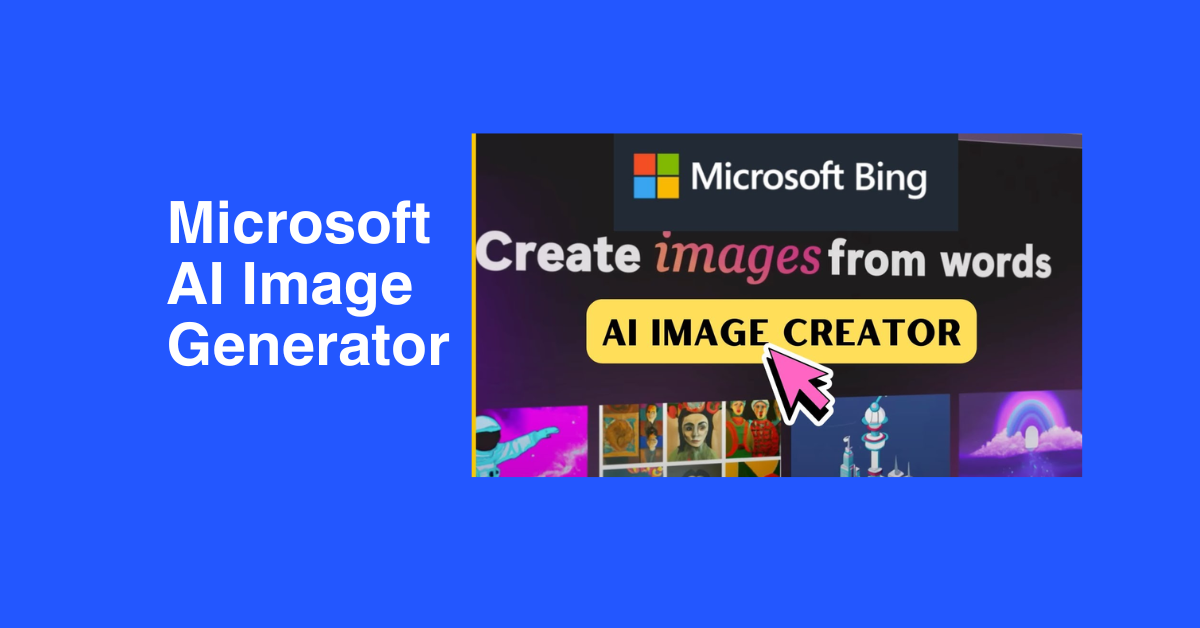
Microsoft AI Image Generator (Bing Image Creator): The Complete 2026 Guide
- Image Generators
- December 6, 2024
- No Comments
Last month, a freelance designer friend of mine needed 20 custom images for a client pitch. She quoted $800 for a stock photography package. Then she found Microsoft’s Bing Image Creator.
She generated all 20 images in under 30 minutes. For free.
That’s the kind of thing that’s quietly reshaping how people create visual content in 2026.
Browse AI Platforms and Tools – Find the best AI platforms for creators, marketers, and developers.
Microsoft’s AI image generator, officially called Bing Image Creator (now part of Microsoft Designer), is one of the only tools that gives you free, unlimited access to DALL-E 3 quality images without a subscription.
No credit card. No waitlist. Just a Microsoft account.
This guide covers everything you actually need to know: how it works, step-by-step instructions, real prompt examples, honest limitations, and how it compares to paid alternatives like Midjourney and Adobe Firefly.
Note: Bing Image Creator is completely free. You get 15 fast generations per day and unlimited slower generations. No credit card required, just a Microsoft account.
What Is the Microsoft AI Image Generator?

Microsoft’s AI image generator is called Bing Image Creator, accessible at bing.com/create. It’s built into Bing search, Microsoft Designer, Microsoft Edge’s sidebar, and Microsoft Copilot, meaning you can access it from almost anywhere in Microsoft’s ecosystem.
Under the hood, it runs on three AI models: DALL-E 3 (developed by OpenAI), MAI-Image-1 (Microsoft’s own model), and GPT-4o image generation. You can choose which model to use based on the style you’re going for.
The tool generates 4 image variations per prompt, stores your creations for up to 90 days, and supports over 100 languages. It also recently added Bing Video Creator for short video generation (currently mobile-only).
Fun fact: You’re essentially getting DALL-E 3 for free through Bing, while accessing the same model through ChatGPT requires a $20/month Plus subscription.
Explore the Top AI Tools Directory for 2026 – Discover curated AI solutions across industries and use cases.
Is Bing Image Creator Free? Pricing Explained
Yes, and this is where it genuinely stands out from every competitor.
Here’s exactly how the pricing and credit system works:
Free tier (everyone):
15 fast image creations per day. After that, unlimited generations at standard (slower) speed. No payment required.
Microsoft Rewards boosts:
Earn points through Bing searches and redeem them for extra fast generations (10 points per fast creation).
Microsoft Copilot Pro ($20/month):
100 fast creations per day and priority access, same price as ChatGPT Plus, but with much higher generation limits.
For most casual users, the free tier is more than enough. For heavy creators producing content daily, the Rewards point system or Copilot Pro upgrade makes sense.
The standard (slow) speed is still usable, most users report wait times of 30–60 seconds instead of near-instant. For non-urgent work, the free tier is genuinely sufficient.
Digital Art and AI Integration: Microsoft AI Image Generator in 2026
Digital art is no longer limited by traditional skill barriers. With the integration of AI into creative workflows, artists, marketers, and creators can now turn ideas into visuals at unprecedented speed and precision.
Microsoft’s AI image generator (Bing Image Creator) exemplifies this evolution, providing a platform where human creativity meets computational intelligence.
The AI-Art Synergy: Creativity Meets Computation
AI doesn’t replace artists, it amplifies their creative potential. With Microsoft’s AI image generator:
- Ideation: Generate multiple concepts from a single prompt in seconds.
- Refinement: Iterate on styles, lighting, and composition without manual redrawing.
- Collaboration: Teams can visually communicate ideas faster, reducing misalignment and revisions.
“AI acts as a co-creator rather than a replacement. The real power is in the prompts and human guidance.” — Anjali Kumari, AI Tools Researcher, The AISurf
Why this matters: AI becomes a creative partner, opening new possibilities for surreal, photorealistic, and stylized artworks that would otherwise take hours or days to produce.
Accessibility and User Experience
Microsoft’s platform is designed for creators of all levels:
| Feature | Benefit |
| Natural Language Prompts | Users describe ideas in plain English; AI translates them into visuals. |
| Iterative Editing | Modify prompts and regenerate images for faster creative cycles. |
| Prebuilt Styles & Templates | Quick experimentation with artistic styles, from cinematic to hyper-realistic. |
| No Design Experience Required | Opens digital art to novices, hobbyists, and non-technical professionals. |
This simplicity lowers barriers and encourages experimentation, making it possible for anyone to express ideas visually without deep knowledge of design software or art theory.
Transforming Creative Industries
AI image generation is no longer experimental, it’s core to professional workflows:
- Marketing & Advertising: Produce campaign visuals that resonate with target audiences faster than stock imagery.
- Gaming & Entertainment: Rapidly prototype character designs, environments, or concept art.
- Fashion & Product Design: Visualize new concepts and iterate before committing to production.
- Collaborative Teams: Align creative visions with immediate visual outputs, reducing miscommunication and project delays.
Visualizing the Impact:
| Industry | Traditional Workflow | With AI Image Generator |
| Advertising | Stock photos + designer edits | Instant custom visuals via AI, faster iteration |
| Gaming | Sketch → concept art → prototype | AI-assisted concept generation, instant feedback |
| Fashion | Mood boards → sketches → samples | AI visualizations of designs in real-time |
| Marketing | Multiple campaign drafts | Generate variations quickly, test audience reactions |
Microsoft’s AI platform integrates enterprise-grade models developed from OpenAI’s advanced generative frameworks, ensuring reliability, safety, and commercial usage compliance.
Key Takeaways:
- Human-AI Collaboration: Enhances rather than replaces creativity.
- Rapid Ideation: Generate multiple variations and styles instantly.
- User-Friendly: Accessible to beginners and professionals alike.
- Workflow Optimization: Streamlines visual communication across teams.
- Industry-Relevant: Practical applications span advertising, gaming, fashion, and beyond.
Expert Recommendation: Pair Microsoft AI Image Generator with iterative prompt strategies and post-generation refinement for maximum creative output.
The Best AI Directory You Can Trust – Access verified AI tools and expert reviews in one place.
The Power of Microsoft’s AI Image Generator: Features and Capabilities

Microsoft’s AI image generator has rapidly become a benchmark for professional and creative AI tools in 2026. Its combination of advanced algorithms, customizable outputs, and collaborative features makes it ideal for creators, marketers, designers, and businesses alike. Below, we break down the capabilities that give this platform its edge.
1. Advanced Machine Learning Algorithms
At its core, Microsoft’s AI image generator leverages state-of-the-art machine learning models trained on millions of images across multiple styles and themes.
This allows the AI to:
- Understand and replicate human artistic patterns
- Interpret prompts with contextual relevance
- Produce images that are visually striking and conceptually coherent
Continuous Learning & Improvement:
- Every interaction informs the AI’s model refinement
- Feedback loops ensure better quality and style interpretation over time
- New datasets and model updates improve realism, diversity, and creativity
Why It Matters:
Creators can trust that each output is not just random AI art, but an intelligent, context-aware visual solution tailored to their instructions.
2. Customizable Styles & Flexible Output Formats
Diversity in style is critical for creative projects. Microsoft’s AI image generator allows users to select from dozens of artistic influences, including:
| Style Category | Example Use Case |
| Photorealism | Product mockups, social media ads, editorial content |
| Impressionism | Artistic campaigns, blog headers, visual storytelling |
| Surreal / Abstract | Concept art, marketing visuals, AI-powered experimentation |
| Anime / Illustration | Game design, social media, entertainment content |
Output Flexibility:
- Multiple formats: PNG, JPEG, scalable resolution
- Easily export for digital media, print, or web campaigns
- Ideal for fast-paced content pipelines where assets must adapt to different platforms
Pro Tip: Pair style selection with specific prompts to unlock the AI’s full creative potential and generate consistent branding visuals.
3. Collaboration & Community Engagement
Microsoft emphasizes creativity as a collective experience. The AI image generator includes tools and features that promote interaction and inspiration:
- Shared Galleries: Browse community-generated images to spark ideas
- Collaboration Tools: Work on projects with team members in real time
- Social Features: Comment, remix, and iterate on creations within the platform
Impact on Creativity:
- Fosters cross-pollination of ideas among designers and creators
- Encourages experimentation with new techniques or styles
- Turns the platform into not just a tool, but a creative ecosystem
“Seeing how others approach the same prompt often sparks ideas I wouldn’t have considered, it’s a true collaborative playground for AI creativity.” — Verified User Feedback
Quick Glance: Why Microsoft Leads the AI Image Generation Space
| Feature | Benefit | Real-World Impact |
| Advanced ML Algorithms | Contextually relevant outputs | Produces professional-grade images without heavy manual editing |
| Custom Styles | Adapt visuals to project needs | Ensures brand consistency and creative flexibility |
| Flexible Output Formats | Export for any medium | Saves time in content pipelines |
| Collaboration & Community | Shared inspiration & learning | Accelerates creative iteration and ideation |
Who Should Use Bing Image Creator?
This tool is genuinely useful for a wide range of people:
Bloggers & content creators
Generate custom featured images, article illustrations, and social media graphics without paying for stock photos
Small business owners
Create product mockups, marketing visuals, and ad creatives without hiring a designer
Students & educators
Build visual aids, presentation graphics, and educational illustrations quickly
Gamers & creatives
Concept art, character design, world-building visuals, especially useful if you’re in the Minecraft or game design space
Marketers
Rapid visual prototyping for campaigns before committing to professional photography or design
Microsoft’s AI image generator isn’t just a creative tool, it’s a catalyst for innovation across industries. From marketing to gaming, education to healthcare, AI-generated visuals are enhancing efficiency, amplifying creativity, and redefining workflows.
Here’s how Microsoft’s AI-driven visual technology is reshaping professional landscapes:
1. Advertising & Marketing: Fast, Custom, Impactful
The advertising world is shifting from traditional photoshoots to AI-powered visual production. Microsoft’s AI image generator enables marketers to:
- Generate bespoke campaign visuals in minutes
- Test multiple creative concepts quickly
- Respond in real-time to trending audience preferences
Impact Highlights:
| Benefit | Traditional Approach | AI-Powered Approach |
| Time to Visual | Days to weeks | Seconds to minutes |
| Cost | High (photoshoots, licensing) | Minimal (subscription or free tier) |
| Creativity | Limited by human resources | Virtually unlimited variations |
| Iteration Speed | Slow | Instant feedback & refinement |
With AI, brands can consistently produce eye-catching, campaign-specific visuals that resonate with target audiences, without breaking budgets.
Key Takeaway: Microsoft’s AI image generator transforms marketing from reactive to hyper-responsive, enabling brands to maintain a competitive edge.
2. Entertainment & Gaming: Accelerating Creative Workflows
Game developers, filmmakers, and content creators are leveraging AI-generated imagery to visualize ideas faster and more vividly. Applications include:
- Concept art & character design
- Environment visualization & scene mock-ups
- Placeholder visuals during production
Why It Matters:
- Speeds up brainstorming: Teams can generate dozens of variations without sketching from scratch
- Improves collaboration: Designers, writers, and directors can align on visuals before committing to final production
- Optimizes storytelling: By reducing repetitive tasks, creators can focus on refining narrative and cinematic impact
Pro Insight:
“AI-generated concept art lets our team explore 10x more visual ideas in the same timeframe. We spend more energy on story, less on tedious design prep.” – Professional Game Studio Lead
3. Education & Training: Engaging, Hands-On Learning
AI image generation is redefining how educators and students interact with visual content. Microsoft’s AI generator allows:
- Enhanced learning materials: Interactive graphics, diagrams, and immersive visuals
- Creative exploration for students: Study AI techniques, blending styles, and visual experimentation
- Hands-on digital art practice: Students can analyze, iterate, and learn contemporary design workflows
Example Use Cases:
| Field | Traditional Approach | AI-Enhanced Approach |
| Art Classes | Manual sketches, slow iteration | AI-assisted concepts, instant style experiments |
| Science Education | Static diagrams | AI-generated 3D visuals & infographics |
| Professional Training | PowerPoint slides | Interactive, realistic simulations |
Key Takeaway: Microsoft’s AI image generator transforms classrooms into experiential learning environments, allowing students to experiment with styles, composition, and concept visualization in ways previously impossible.
Top AI Tools Directory & Platforms – Compare and explore the leading AI platforms recommended by experts.
How to Use Microsoft Bing Image Creator (Step-by-Step)
Getting started takes about 2 minutes. Here’s the exact process:
Step 1: Go to bing.com/create
You can also access it by typing “create image of…” directly into the Bing search bar, or through the Microsoft Edge sidebar (the Copilot icon on the right). No app download needed.
Step 2: Sign In With Your Microsoft Account
Click the “Join & Create” button. Log in with any personal Microsoft account- Outlook, Hotmail, Skype, Xbox, or Teams personal accounts all work. Work or school accounts (Microsoft Entra ID) are NOT supported.
Don’t have an account? Creating one is free and takes 60 seconds.
Step 3: Write Your Prompt
This is the most important step. Type a description of what you want to generate. Bing recommends a minimum of 6 words for best results. Prompts are capped at approximately 480 characters (around 90 words).
Basic prompt example:
“a golden retriever running through a sunlit field, photorealistic, 4K, warm tones”
(More on writing effective prompts in the next section).
Step 4: Choose Your AI Model
Before or after writing your prompt, you can select between DALL-E 3, MAI-Image-1, or GPT-4o depending on the output style you want. DALL-E 3 tends to produce more realistic images. MAI-Image-1 is better for artistic or stylized outputs.
Step 5: Click Create and Choose Your Favorite
Hit the pink Create button. Within seconds to a minute, Bing generates 4 image variations. Browse through them using the arrow buttons and click on the one you want to save or download.
Step 6: Download, Share, or Customize
From your selected image, you can:
• Download it directly to your device
• Share it via a link
• Open it in Microsoft Designer for text overlays, resizing, and further editing
• Resize it from the default square format to 4:3 Landscape (the AI auto-fills the expanded area)
Your generated images are stored in your Bing Image Creator account for up to 90 days. You can access your full creation history anytime from the profile section.
How to Write Prompts That Actually Work
The difference between a mediocre AI image and a stunning one is almost entirely in how you write the prompt. Here’s a practical framework used by experienced creators:
The 5-Part Prompt Formula
[Subject] + [Action/Mood] + [Setting] + [Style] + [Technical specs]
Example using the formula:
"A female astronaut floating weightlessly in a colorful nebula, awe-inspiring, deep space background, digital art, cinematic lighting, 8K resolution"Specific Techniques That Work
Add camera angles:
“close-up”, “wide angle”, “bird’s eye view”, “macro photography”
Specify art styles: “oil painting”, “watercolor”, “photorealistic”, “Studio Ghibli style”, “1930s comic book
Include lighting
“golden hour lighting”, “neon lights”, “studio lighting”, “dramatic shadows”
Prompts to Try Right Now
"A cozy coffee shop in Tokyo at night, rain on the windows, warm amber lighting, people reading books, cinematic photography, 4K""A futuristic city skyline with flying cars and holograms, sunset, cyberpunk aesthetic, digital art, wide angle""A realistic golden dragon sleeping on a mountain of treasure, fantasy art, dramatic lighting, ultra-detailed"Microsoft Bing Image Creator vs. Competitors: Full Comparison
Several competitors have emerged vying for attention in a crowded market. Understanding how Microsoft’s AI image generator stacks up against these alternatives can help users make informed decisions about which tool best meets their needs.
Here’s how Bing Image Creator stacks up against the major alternatives in 2026:
| Feature | Bing Image Creator | Midjourney | Adobe Firefly | DALL-E 3 (ChatGPT) |
| Price | Free (unlimited) | $10/month min | Free tier + paid | $20/month (Plus) |
| AI Model | DALL-E 3 + MAI-1 + GPT-4o | Proprietary | Adobe’s Firefly | DALL-E 3 |
| Daily Limit | 15 fast + unlimited slow | ~200 fast/month | 25 fast/month free | Limited on free |
| Commercial Use | Yes (personal MSA) | Yes (paid plans) | Yes | Yes |
| Login Required | Microsoft account | Discord / Web | Adobe account | OpenAI account |
| Image Editing | Basic (resize only) | Advanced | Advanced | Basic |
| Video Generation | Yes (mobile) | No | No | No |
| Languages | 100+ | English primarily | English primarily | Multilingual |
| Best For | Beginners, free use | Professional art | Adobe users | ChatGPT users |
Claim Your Business on The AISurf – Showcase your AI product to a global audience and gain credibility.
Our Take on Each Competitor
vs. Midjourney
Midjourney produces more artistically refined outputs, especially for professional illustrations and stylized art. But it costs $10/month minimum and requires more technical prompting. Bing wins on accessibility and price.
vs. Adobe Firefly
Firefly is tightly integrated into Adobe’s Creative Cloud and produces commercially safe images (trained on licensed content). Better for designers already in the Adobe ecosystem. Bing wins on being free.
vs. DALL-E 3 via ChatGPT
Functionally the same model, but ChatGPT Plus costs $20/month for 100 generations vs. Bing’s free unlimited. Bing clearly wins on cost unless you need ChatGPT’s other features.
Bottom line: For free, high-quality AI image generation, Bing Image Creator is the best option available in 2026. The only reason to pay for an alternative is if you need professional-grade editing tools or a very specific artistic style.
Honest Pros and Cons
What Bing Image Creator Does Well
• Completely free access to DALL-E 3 quality — this is the biggest draw, full stop
• No design skills required — anyone can generate professional-looking images in minutes
• Three AI models to choose from (DALL-E 3, MAI-Image-1, GPT-4o)
• 100+ language support — works globally without English-only restrictions
• Integrated directly into Bing search, Edge browser, and Copilot — no separate app needed
• Video generation now available (mobile, Bing Video Creator)
• Images stored for 90 days with full creation history
Where It Falls Short
• Limited image editing — you can only resize natively; complex edits require Microsoft Designer or a third-party tool
• Prompt control is less precise than Midjourney — fine-grained composition control is harder
• Content filters are aggressive — some creative or edgy prompts get blocked that other platforms allow
• Fast creation limit (15/day) can feel restrictive for heavy users
• No aspect ratio control beyond basic resize — no native 16:9 or portrait presets
• Commercial use permitted for personal Microsoft accounts but terms are worth reading carefully for business use
• Selfie-based generation is inconsistent — face accuracy when uploading your own photo is hit-or-miss
The Technology Powering Microsoft’s AI Image Generator
To truly harness the capabilities of Microsoft’s AI Image Generator (Bing Image Creator), it’s essential to understand the technology behind it.
This isn’t just another AI tool, it’s built on advanced neural networks, deep learning, and massive datasets that make professional-quality image generation possible in seconds.
1. Neural Networks & Deep Learning: The Brain Behind the AI
At the heart of Microsoft’s AI image generator lies deep neural networks, complex algorithms that learn patterns from data.
How it Works:
- Input Layer: The AI reads your text prompt.
- Hidden Layers: Multiple layers of computation analyze and map words to visual patterns.
- Output Layer: The AI generates an image matching your description.
Why It Matters:
- Learns from millions of examples to understand visual concepts
- Improves image quality with repeated use
- Adapts to increasingly complex prompts
Quick Visual (Simplified Neural Network Flow):
| Layer | Function |
| Input | Reads text prompt |
| Hidden | Recognizes patterns, maps text to visuals |
| Output | Generates image |
Pro Tip: The more specific your prompt, the better the AI can leverage these layers to produce accurate, realistic, and stylistically relevant images.
2. Massive Datasets & Smart Training Methods
The AI’s effectiveness is heavily influenced by the datasets and training methods it uses. Microsoft uses diverse and comprehensive datasets to ensure it can generate a wide variety of styles, subjects, and cultural references.
Key Training Approaches:
- Transfer Learning: Builds on pre-existing models to improve accuracy faster
- Regular Updates: Keeps the AI aligned with cultural trends and evolving visual styles
- Bias Minimization: Carefully curated datasets reduce harmful or irrelevant outputs
Data Insights:
| Dataset Feature | Impact on Output |
| Diversity of subjects | Generates realistic humans, animals, objects, scenes |
| Range of styles | From photorealistic to anime or surreal art |
| Cultural representation | Reduces bias, improves global relevance |
| Continuous updates | Keeps AI responsive to new visual trends |
Expert Insight: Tools like Microsoft’s AI generator rely on both quantity and quality of data. Even a powerful model underperforms without robust datasets.
3. Challenges & Limitations You Should Know
AI is powerful, but it’s not perfect. Understanding what it can’t do is crucial to using it effectively.
Common Limitations:
- Prompt Dependency: Poorly crafted prompts produce irrelevant or low-quality images. Learning to write detailed, structured prompts is key.
- Emotional Depth: AI can mimic artistic styles but cannot replicate human creativity or emotional nuance.
- Context Sensitivity: AI may misinterpret abstract or culturally nuanced prompts.
Pro Tip for Best Results:
- Use explicit, descriptive prompts: include style, lighting, composition, and context
- Combine AI outputs with human editing for professional-level visuals
Quick Tip: Treat AI as a co-creator, it accelerates ideation and prototyping but complements, not replaces, human artistry.
Why Understanding the Tech Boosts Your Results
Knowing how Microsoft’s AI generator works lets you:
- Write smarter prompts that get accurate outputs
- Predict limitations and plan post-processing edits
- Maximize efficiency across content creation, marketing, or design projects
Takeaway:
Microsoft’s AI Image Generator is not magic—it’s engineering + data + creativity. Mastering the technology behind it ensures you get better, faster, and more reliable results every time.
Beyond Images: Microsoft AI’s Creative Potential
While Microsoft’s AI Image Generator shines at producing professional-quality visuals, the underlying technology opens doors to far broader creative applications. From storytelling to multimedia production, AI’s capabilities are shaping the future of content creation.
1. AI-Generated Text & Storytelling: From Prompts to Narratives
Microsoft’s advances in natural language processing (NLP) mean AI isn’t limited to images, it can also generate compelling stories, dialogue, and narrative structures.
Use Case Example:
- Pair AI-generated illustrations with automatically crafted storylines for a children’s book.
- Generate visual concept boards for novels, comics, or marketing campaigns.
Why It Matters:
- Streamlines the ideation process for writers and illustrators
- Enables rapid prototyping of story + visual combinations
- Creates collaborative workflows between human creators and AI
Pro Insight: By combining visual AI outputs with text-generation models, creators can produce fully integrated multimedia content faster than traditional methods.
2. Video & Animation Production: AI in Motion
The same principles behind image generation extend naturally into animation and video creation. AI can now produce animated characters, sequences, and motion graphics that follow user-defined parameters.
Key Applications:
- Rapid concept visualization for filmmakers and animators
- Generating storyboards and pre-visual sequences
- Automating repetitive animation tasks while retaining creative control
| Application | AI Benefit | Creator Impact |
| Animated scenes | Rapid image-to-motion generation | Saves hours of manual animation |
| Storyboard boards | Auto-generate sequences from prompts | Accelerates concept testing |
| Character motion | AI interprets prompts for movement | Reduces technical bottlenecks |
Expert Tip: Combining AI-generated visuals with animation software allows creators to iterate faster, explore alternative sequences, and reduce production costs without sacrificing quality.
3. Music & Sound Design: AI for Immersive Multimedia
AI creativity isn’t limited to visuals, it can compose music, ambient sounds, and sound effects by analyzing genre patterns and structures.
Potential Applications:
- Generating music that complements AI visuals for films, games, or ads
- Creating ambient soundscapes that match AI-generated scenes
- Experimenting with new combinations of audio-visual media
Why It’s a Game-Changer:
- Artists and musicians can explore novel, AI-driven inspiration
- Multimedia projects become more immersive and cohesive
- Enables experimentation with synergistic sound-image combinations
The convergence of AI-generated images, text, animation, and music creates a full creative ecosystem, where a single prompt can evolve into a multi-sensory experience.
The Future of Creativity: Ethical Considerations in AI Image Generation
Artificial intelligence has transformed the way we create, but with transformative power comes responsibility. Microsoft’s AI image generator, like all generative AI tools, raises critical ethical questions that creators, businesses, and policymakers must address in 2026.
This section explores ownership, authenticity, bias, and responsible use, offering actionable insights for anyone leveraging AI for creative work.
1. Ownership & Copyright: Who Really Owns AI Art?
A central ethical dilemma of AI-generated content is intellectual property. When an image is produced from a user prompt:
- Does the user hold the rights?
- Does the AI developer claim ownership?
- Or is it shared responsibility?
Why it matters:
- Businesses using AI-generated visuals for commercial purposes need clear legal guidance.
- Artists relying on AI for inspiration face uncertainty about resale or licensing.
Insight:
Microsoft and other AI platforms are gradually defining usage policies, but creators should document prompts and outputs and verify platform-specific licensing to ensure protection.
Pro Tip: Treat AI-generated images as collaborative works. Combine human creativity with AI output to strengthen originality and ownership claims.
2. Human Creativity vs AI: Preserving Authenticity
AI doesn’t replace human imagination, it amplifies it. Yet, ethical questions arise:
- Does reliance on AI devalue traditional artistic skills?
- How do we measure the authenticity of AI-assisted art?
Key Insight:
The value of human creativity lies in ideas, emotions, and storytelling, qualities AI cannot replicate. By positioning AI as a creative partner rather than a substitute, artists can:
- Expand artistic experimentation
- Produce complex concepts faster
- Preserve unique narrative voice and style
Human + AI Collaboration Model
| Component | Human Role | AI Role |
| Concept | Idea & emotion | Suggest variations |
| Composition | Storytelling & aesthetics | Auto-layout & style adaptation |
| Refinement | Iterative curation | Upscaling & enhancement |
| Output | Final authentic artwork | Supplementary creativity |
3. Bias & Representation in AI Models
AI mirrors the data it’s trained on. Microsoft’s AI image generator, if trained on limited or biased datasets, can inadvertently:
- Perpetuate stereotypes
- Underrepresent certain groups or cultures
- Reinforce narrow artistic perspectives
Mitigation Strategies:
- Prioritize diversity in training data
- Continuously evaluate outputs for inclusivity
- Incorporate feedback loops from diverse communities
Ethical AI isn’t just a guideline, it’s a competitive advantage. Inclusive models produce richer, more authentic outputs, trusted by creators and audiences alike.
4. Responsible Use: Guidelines for Creators and Businesses
To navigate ethical risks while maximizing creativity:
- Always attribute sources when combining AI outputs with human work
- Review terms of service for commercial usage rights
- Use AI to augment, not replace, human judgment
- Consider the social impact of generated visuals, avoiding harmful or offensive content
Ethical AI Checklist for 2026
- Document prompt & output for IP clarity
- Ensure diversity & inclusivity in generated content
- Use AI as a collaborative, not replacement, tool
- Verify licensing for commercial projects
- Audit AI-generated images for bias & cultural sensitivity
Explore More AI Image Tools
Looking for alternatives or want to compare? Check out these related guides on The AI Surf:
- Best AI Image Generator Software of 2026
- AI Image Generator: Best Tools To Try
- AI Image Generator Free Online: Create Stunning Visuals …
Visit The AISurf Home Page – Explore thousands of AI tools, guides, and expert insights in one hub.
Final Verdict: Is Bing Image Creator Worth Using?
If you need high-quality AI images for free, Bing Image Creator is the best option available right now, it’s not even close.
The fact that you get DALL-E 3-quality outputs, unlimited generations, and a choice between three AI models without paying a dollar is remarkable. For bloggers, small businesses, students, and casual creators, it’s hard to justify paying for an alternative.
The limitations are real: the editing tools are basic, prompt control is less precise than Midjourney, and the content filters can be frustrating. For professional artists or studios needing precise control and advanced editing, paid alternatives like Midjourney or Adobe Firefly are better investments.
But for the vast majority of users? Start with Bing Image Creator. It’s free, it’s powerful, and it takes about 2 minutes to get your first image.
Ready to try it? Head to bing.com/create, sign in with your Microsoft account, and type your first prompt. Your first 15 fast creations are waiting.
Looking to learn more? Dive into our related article for in-depth insights. Keep exploring with us!
You can explore an AI tools directory to discover useful platforms for AI candidate screening, along with practical AI courses for beginners to build your skills from the ground up.
Related Tools:
Image Generation Tools
Video Generators
Productivity Tools
Design Generation Tools
Music Generation Tools
Check The AISurf Pricing Plans – Promote your AI tool or platform with flexible options tailored to your needs.
| About the Author Anjali Kumari- AI Tools Researcher & Content Strategist at The AISurf With over 6 years of hands-on experience testing AI applications, Anjali specializes in emerging AI technologies, automation tools, and creative AI platforms. Her reviews are known for being unsponsored, practically focused, and updated regularly to reflect the latest tool changes. Expertise: AI Image Generation · Prompt Engineering · Generative AI · Workflow Automation |
Frequently Asked Questions
Is Bing Image Creator completely free?
Yes. You can generate unlimited images with a free Microsoft account. The free tier includes 15 fast creations per day, with unlimited slower generations after that. No credit card is required.
Can I use Bing Image Creator images for commercial purposes?
Microsoft’s terms allow use of generated images for personal and commercial purposes when using a personal Microsoft account. However, you should read Microsoft’s current terms of service for your specific use case, as this can change. Work/school accounts are not supported.
What AI model powers Bing Image Creator?
Bing Image Creator uses three models: DALL-E 3 (by OpenAI), MAI-Image-1 (Microsoft’s own model), and GPT-4o image generation. You can select which model to use before generating.
Is Bing Image Creator the same as DALL-E 3?
It uses DALL-E 3 as one of its models, but it’s not identical to using DALL-E 3 directly through OpenAI. Bing has additional content filtering, a slightly different interface, and also offers its own MAI-Image-1 model. The quality is very similar, but Bing’s version is free.
How many images can I generate per day?
You get 15 fast generations per day. After that, you can still generate unlimited images at standard speed (slightly slower but fully functional). Microsoft Copilot Pro ($20/month) increases your fast limit to 100 per day.
Can I generate videos with Bing Image Creator?
Yes, through Bing Video Creator, but this feature is currently only available on the Bing mobile app, not the desktop browser. It uses Microsoft Rewards points for fast video creation, with standard speed being free.
What’s the maximum prompt length?
Prompts are capped at approximately 480 characters (around 90 words). Bing recommends a minimum of 6 words for best results. More detailed prompts generally produce better outputs.
Are my generated images private?
By default, images you create are stored for up to 90 days in your account. Microsoft states that content moderation is applied and invisible watermarks are added to generated images. Check Microsoft’s privacy settings to manage your creation history.